
What is AI Code Prep GUI?
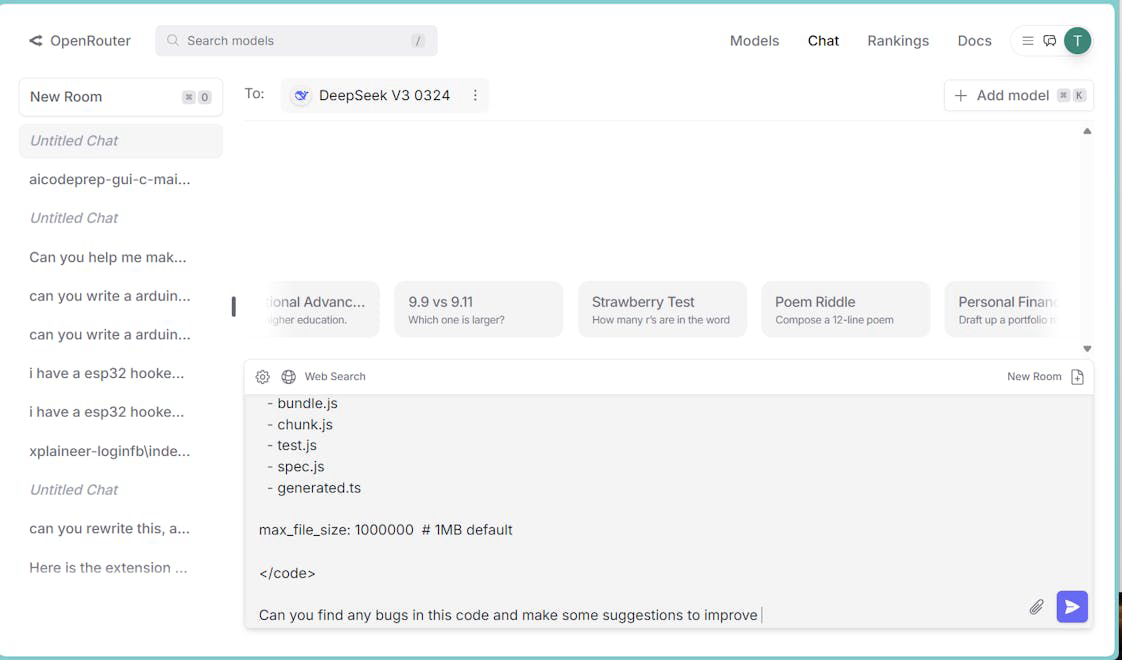
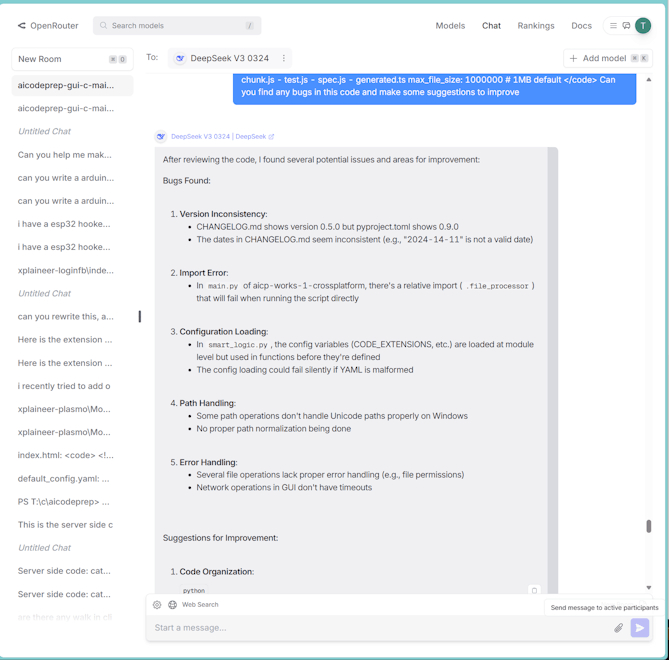
aicodeprep streamlines your coding workflow by automatically gathering your code files into a single text file and copying it to your clipboard. It uses specific tags to inform a language model which parts of the text are code, saving you time and effort.
How to use AI Code Prep GUI
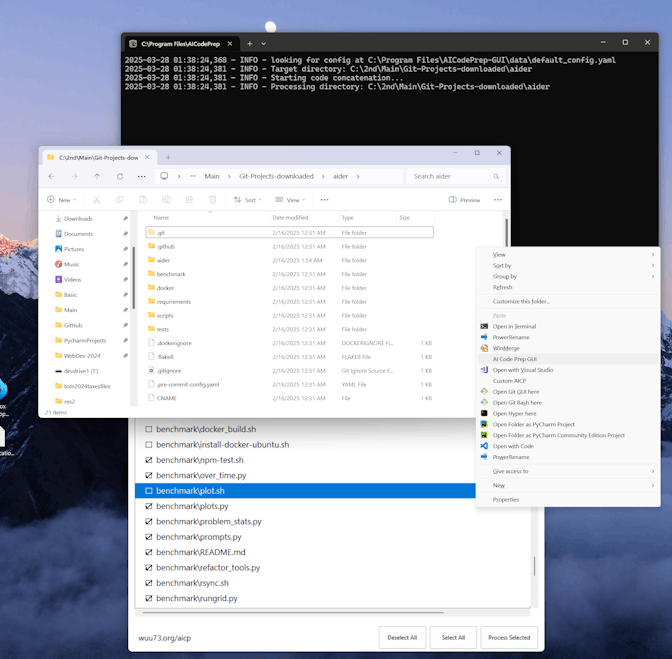
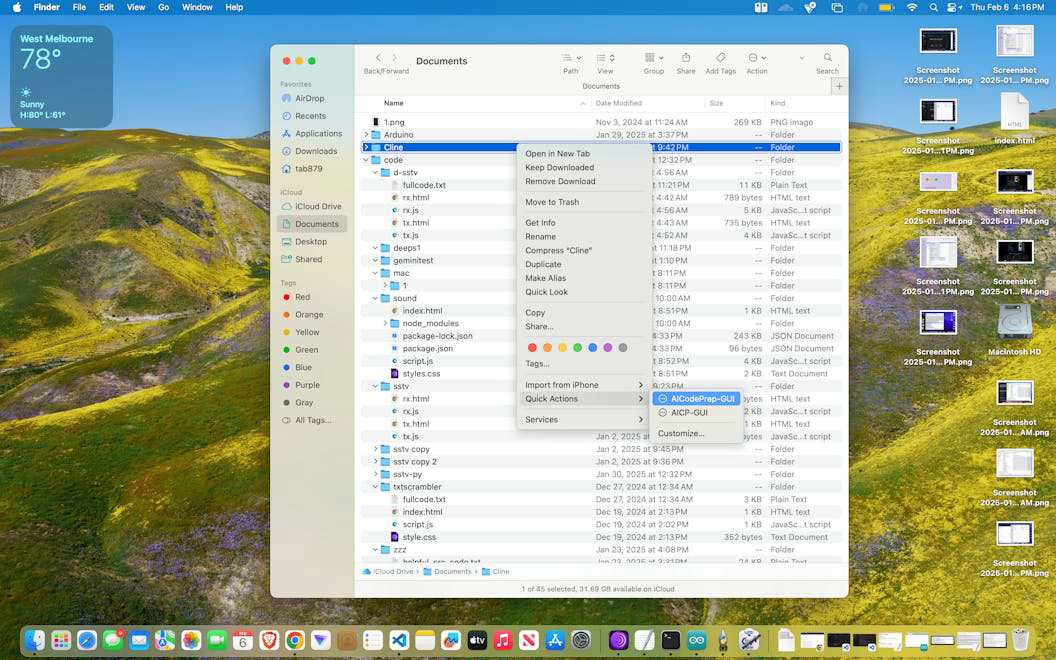
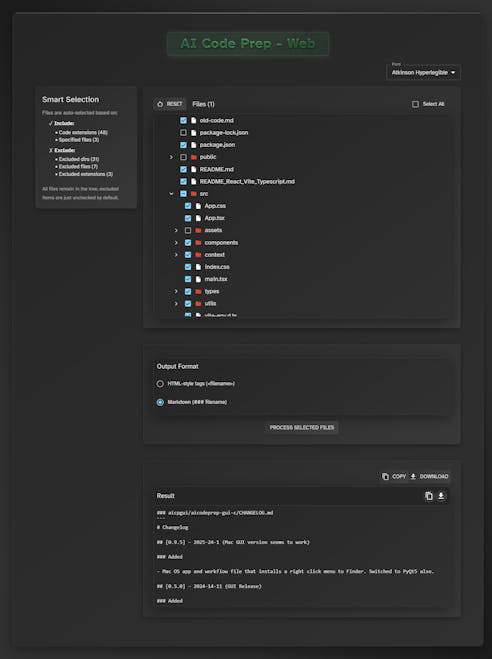
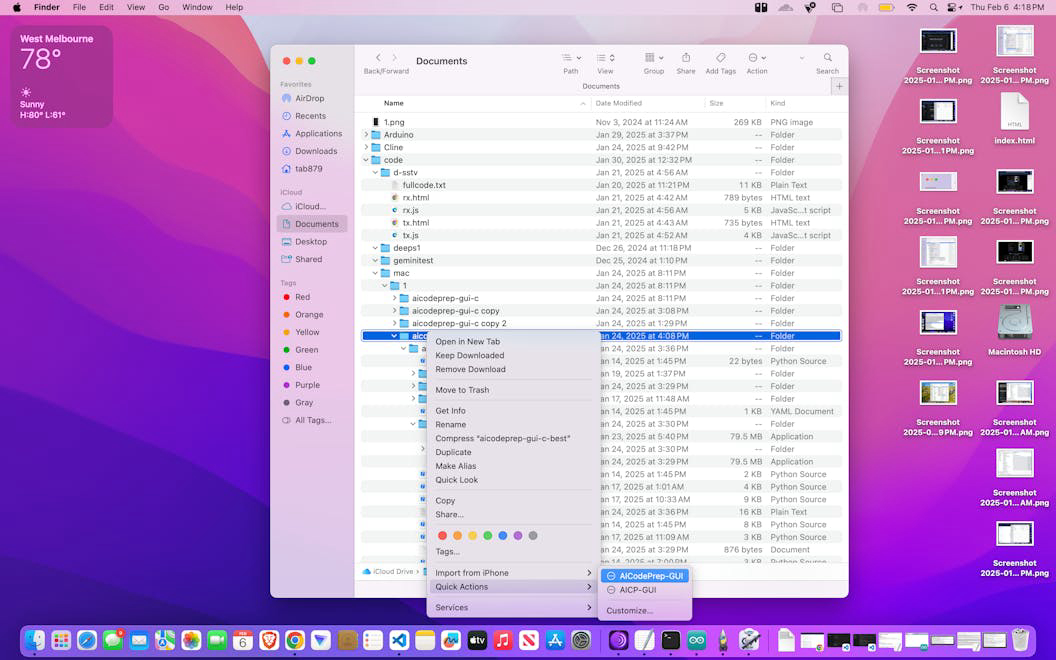
Simply right-click in your project folder to launch the aicodeprep GUI. The tool will automatically precheck relevant files for you. Adjust the selection as needed and click 'Process Selected' to prepare your code for pasting into a chat.
Core features
- 01Automatic code file gathering
- 02Single text file creation
- 03Clipboard copying of code
- 04Right-click functionality for easy access
- 05Smart file selection in GUI
Use cases
- Developers needing to compile code snippets quickly
- Teams collaborating on code projects
- Individuals preparing code for sharing in chat or documentation
Who makes AI Code Prep GUI
aicodeprep is made by developers for developers, ensuring that the tool meets the specific needs of coding professionals. It is designed to enhance productivity and streamline the coding process.
Frequently asked questions
What platforms does aicodeprep support?
aicodeprep is currently available for Windows and Mac, with Linux support coming soon.
How does aicodeprep gather code files?
It automatically collects relevant code files from your project folder and compiles them into a single text file.
Can I customize the files that are selected?
Yes, the GUI allows you to adjust the file selection before processing.
Is there a free trial available?
Yes, aicodeprep offers a free trial for new users.
What is the pricing structure?
There are two main plans: a Standard Plan for individual developers at $9.99/month and a Team Plan for up to 5 developers at $29.99/month.
How do I contact support?
You can contact support through the website's contact form or via email.
Is my data safe with aicodeprep?
Yes, aicodeprep prioritizes user privacy and data security.


