
What is UploadQR?
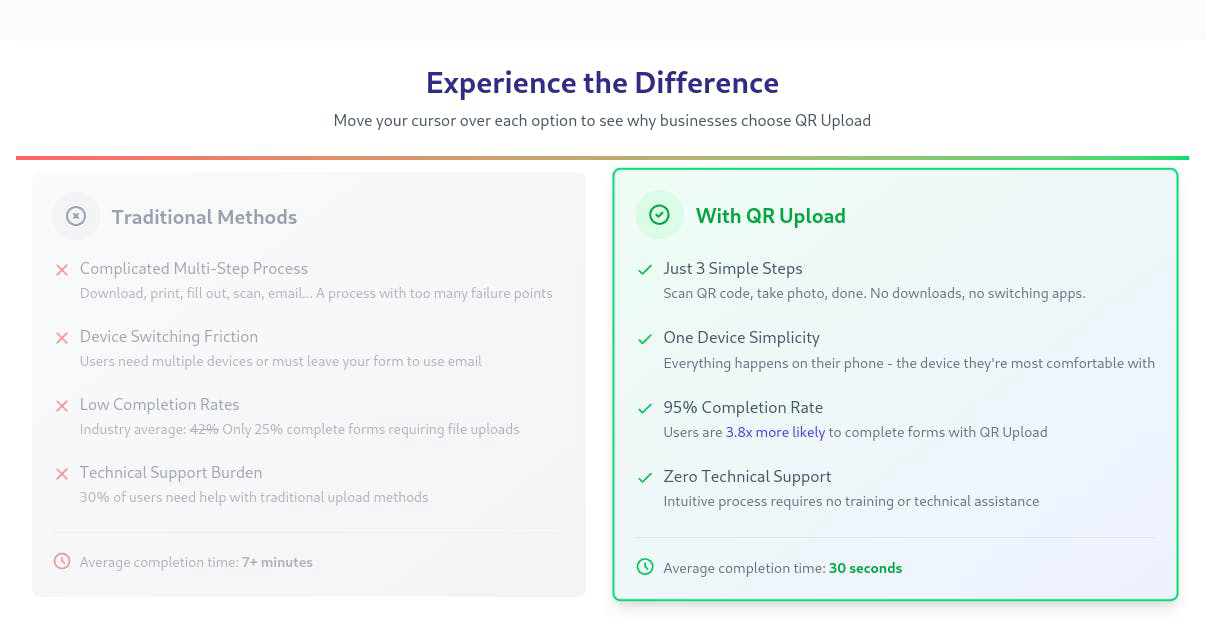
QR Upload is a revolutionary solution that bridges the gap between desktop and mobile by allowing users to easily upload images directly from their phones to desktop forms without the need for separate apps. This innovative platform transforms static desktop forms into mobile-friendly experiences, enhancing user engagement and streamlining data collection.
How to use UploadQR
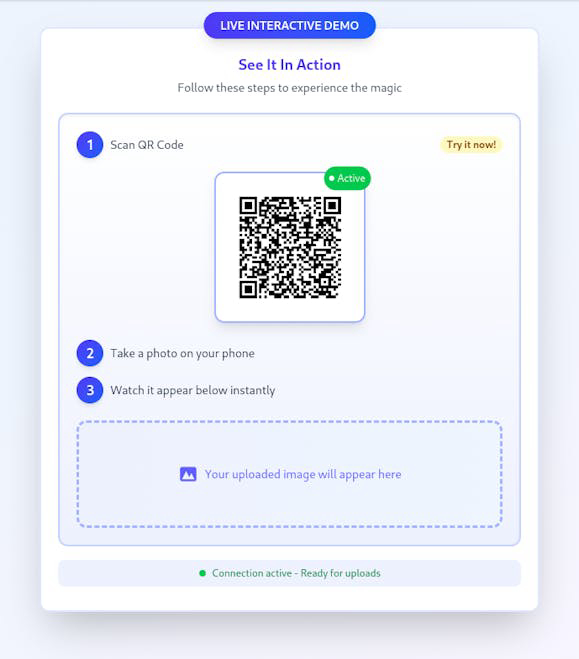
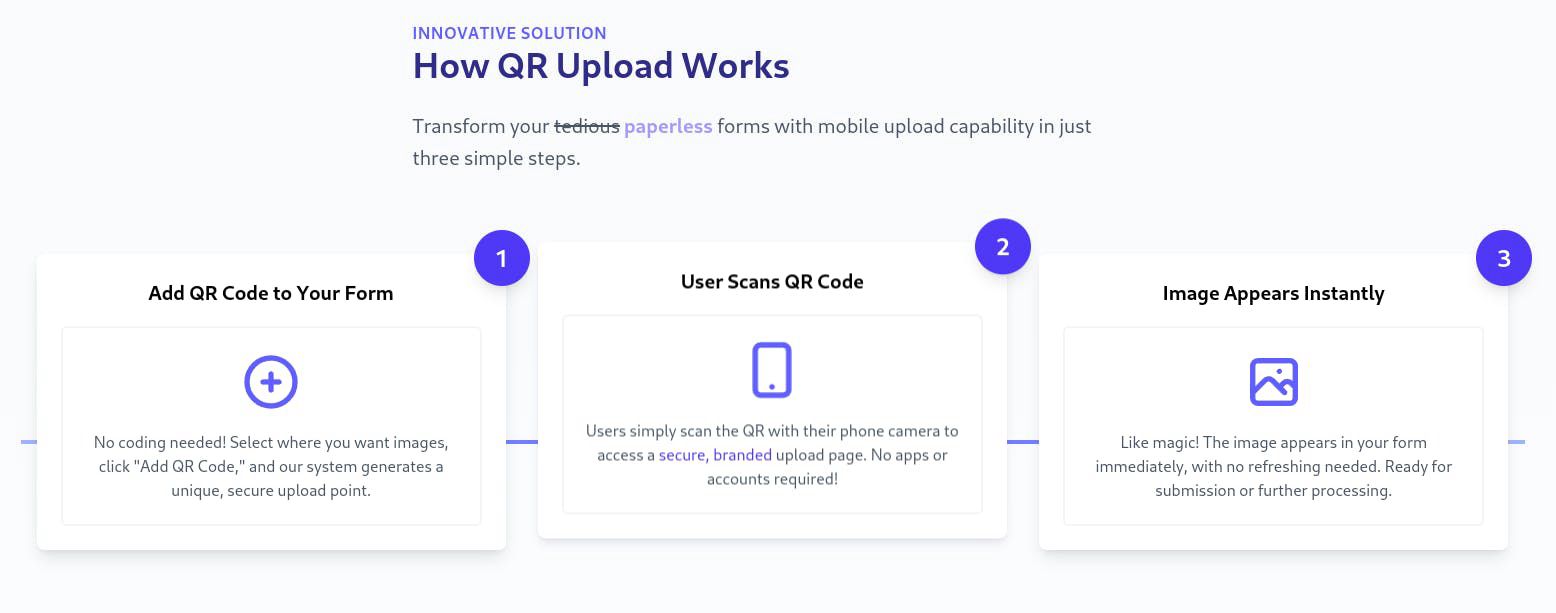
To use QR Upload, simply add a QR code to your form, have users scan the code with their phone, and they can take a photo or select one from their gallery. The image will instantly appear in your desktop form without any refreshing needed.
Core features
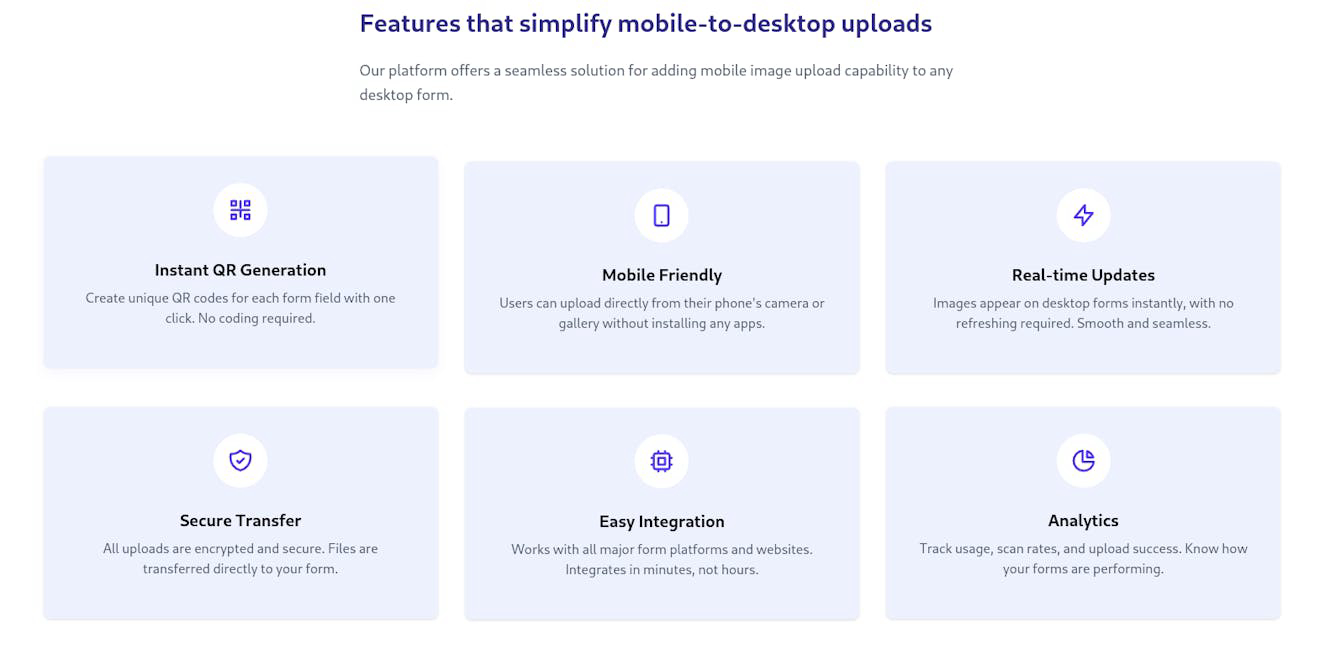
- 01Instant QR Generation
- 02Mobile Friendly Uploads
- 03Realtime Updates
- 04Secure Transfer
- 05Easy Integration
Use cases
- Streamlining form submissions for insurance companies
- Enhancing event registration processes
- Facilitating customer feedback collection
Who makes UploadQR
UploadQR is dedicated to simplifying the mobile-to-desktop upload process, providing businesses with innovative solutions to enhance their data collection methods. Their focus on user experience and security ensures that both businesses and users benefit from a seamless upload experience.
Frequently asked questions
How exactly does QR Upload work?
QR Upload creates a unique QR code for each upload field in your form. When a user scans the code with their phone, they are taken to a secure upload page where they can take a photo or select one from their gallery. The image instantly appears in your desktop form without refreshing.
Do users need to download an app to use this feature?
No, users do not need to download any app to use QR Upload.
What file types are supported for upload?
QR Upload supports various file types including JPEG, PNG, and GIF.
Is UploadQR secure? How is my data protected?
Yes, UploadQR is secure. All uploads are encrypted, and files are transferred directly to your form.
How long does the QR code remain active?
The QR code remains active as long as the form is active.
Can I customize the upload page to match my brand?
Yes, you can customize the upload page to align with your branding.
How do I integrate QR Upload with my existing forms?
Integration is easy and works with all major form platforms and websites, typically taking just minutes.


