On this page
- How we compared and scored these AI image generators
- 1. ChatGPT
- 2. Google Gemini (Nano Banana)
- 3. Midjourney
- 4. Adobe Firefly
- 5. Ideogram
- 6. Canva
- 7. Leonardo.Ai
- 8. Recraft
- 9. Stable Diffusion
- What a year of each tool really costs
- Free plans of the best AI image generators
- Which AI image generator is best for commercial use?
- How to choose an AI image generator
- Which AI image generator is right for you?
- Tools we considered but left out
- How to write prompts that get better AI images
- The verdict
- Frequently asked questions
- Sources
Picking from the best AI image generators in 2026 takes more work than it used to. Many tools now run the same models, prices are hidden behind credits and GPU hours, and the rules on who owns your images change from one free plan to the next. This guide is for founders, marketers, designers and creators who want to know which tool to pay for, or whether a free plan is enough.
We compared the nine best AI image generators that come up most in 2026 shortlists and Google's AI answers: ChatGPT, Google Gemini with Nano Banana, Midjourney, Adobe Firefly, Ideogram, Canva, Leonardo.Ai, Recraft and Stable Diffusion. Every price, plan limit and usage right below was checked on the vendor's own website on November 26, 2026.
TL;DR · Quick answer
The best AI image generators in 2026 are ChatGPT, Google Gemini and Midjourney. ChatGPT is the best all-rounder, Gemini's Nano Banana is the best free option, and Midjourney makes the most striking artistic images. For commercial work, choose Adobe Firefly. For text in images, choose Ideogram, and for vector graphics, Recraft.
| # | Tool | Best for | Pricing | Overall |
|---|---|---|---|---|
| 01 | Most people, thanks to accurate prompt-following, readable text in images and editing by chat | Free plan · from $8/mo | 9.0 | |
| 02 | The best free AI image generator, and cheap paid upgrades for photo editing | Free plan · from $4.99/mo | 8.9 | |
| 03 | Artists and designers who want the most striking, stylized images | No free plan · from $8/mo | 8.4 | |
| 04 | Commercial work and Adobe users who want images that are safe for client projects | Free plan · from $9.99/mo | 8.4 | |
| 05 | Posters, logos, social graphics and anything with words in the image | Free plan · from $15/mo | 8.3 | |
| 06 | Marketers who want AI images dropped straight into social posts, slides and ads | Free plan · from $12/mo | 8.2 | |
| 07 | Game art, concept art and creators who want many models and unlimited relaxed generation | Free plan · from $12/mo | 8.2 | |
| 08 | Vector graphics, icons, illustrations and on-brand design assets | Free plan · from $10/mo | 8.0 | |
| 09 | Developers and tinkerers who want free open models on their own computer, with full control | Free plan | 7.8 |
How we compared and scored these AI image generators
We looked at each tool the way a buyer would before paying for it. For every tool we:
- Checked every plan on the vendor's pricing page on November 26, 2026: monthly and yearly prices, credits, GPU hours, seat prices and what the free plan really includes.
- Read the usage and licensing terms: who owns the images, whether free images are public, whether commercial use is allowed and who offers IP indemnity.
- Read the vendor's documentation and release notes to see which models each tool runs in 2026 and what they can do: editing, text in images, reference images, resolution, vectors and video.
- Watched walkthrough videos, official ones where the vendor publishes them, to see how the main workflows work.
- Read public user reviews on November 26, 2026. We used G2 where the product has a listing with enough reviews, and Trustpilot otherwise, and summarized the themes that come up again and again. Each tool's review section names its source.
Each tool then got four scores from 1 to 10:
- Value for money: what the entry paid plan gets you for the price, and how useful the free plan is.
- Features: how many image jobs the tool covers well, from generating to editing, upscaling, text, vectors and video.
- Ease of use: how quickly someone new gets a usable image.
- Data depth: how much the tool can work with beyond a text prompt, such as reference images, style and character references, photos to edit, model choice and output resolution.
The overall score is the average of the four. The order of the list reflects which tool we'd recommend first to a typical founder, marketer or small team; the scores show the trade-offs behind that choice.
| Tool | Value for money | Features | Ease of use | Data depth | Overall |
|---|---|---|---|---|---|
| ChatGPT | 8.4 | 9.2 | 9.4 | 8.8 | 9.0 |
| Google Gemini (Nano Banana) | 9.2 | 8.6 | 9.1 | 8.5 | 8.9 |
| Midjourney | 8.0 | 8.6 | 7.8 | 9.2 | 8.4 |
| Adobe Firefly | 7.9 | 8.9 | 8.3 | 8.3 | 8.4 |
| Ideogram | 8.3 | 8.2 | 8.6 | 8.0 | 8.3 |
| Canva | 8.4 | 7.8 | 9.3 | 7.3 | 8.2 |
| Leonardo.Ai | 8.4 | 8.6 | 7.6 | 8.0 | 8.2 |
| Recraft | 8.4 | 8.0 | 7.9 | 7.9 | 8.0 |
| Stable Diffusion | 9.0 | 7.6 | 5.8 | 8.6 | 7.8 |
1. ChatGPT
- Pricing
- Free plan · from $8/moFree plan with limited image creation. Go costs $8 a month in the US and Plus $20 a month, with no yearly discount.
- Best for
- Most people, thanks to accurate prompt-following, readable text in images and editing by chat
- Founded
- 2015 · San Francisco, USA
ChatGPT · Video
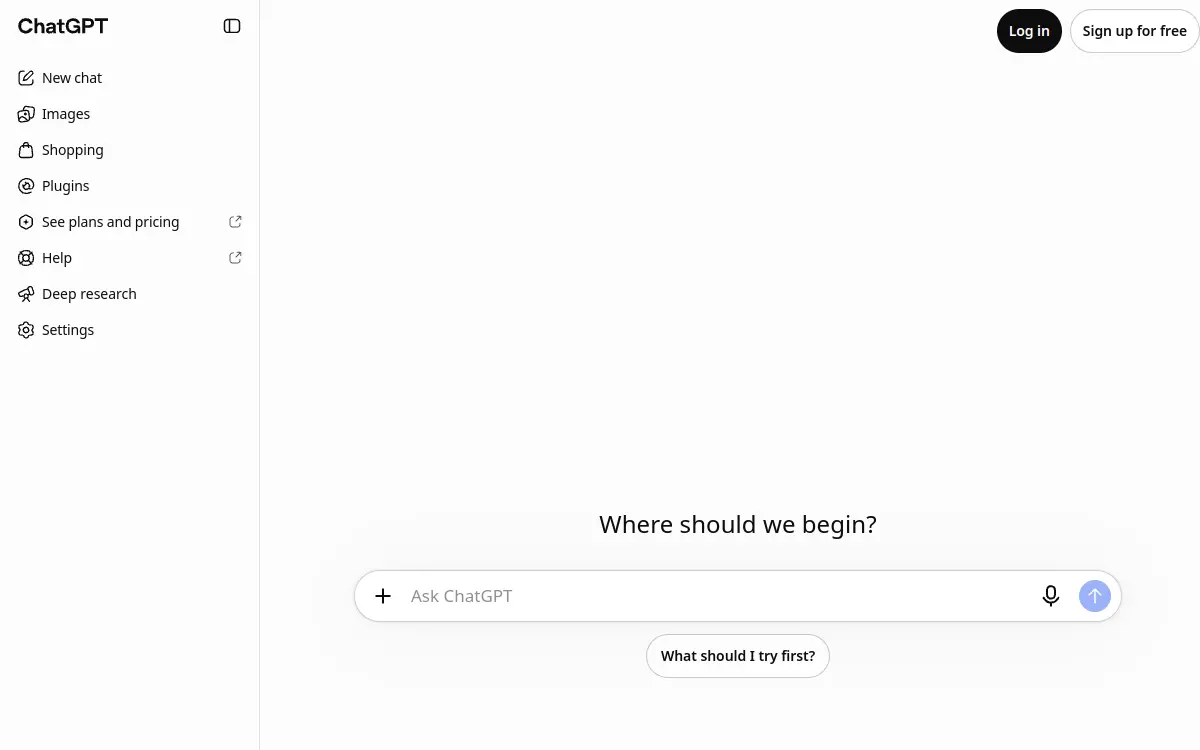
ChatGPT creates and edits images inside the same chat you use for everything else. Since November 4, 2026 it runs ChatGPT Images 2.6, which OpenAI says is 50% faster than the previous version and can also make GIFs. It's available on every plan, including the free one.
What it does well
ChatGPT is the easiest way to get an image that matches a detailed brief. You can describe a scene in plain language, ask for changes in the next message, or mark the part of the image you want changed. It handles text in images, transparent backgrounds and saved reference photos, and Plus adds "images with thinking" for more complex requests.
Under OpenAI's terms you own what you create, and since version 2.5 every image carries C2PA metadata and an invisible watermark that identify it as AI-made. Go costs $8 a month in the US and gives 10 times the free plan's image creation.
Where it falls short
OpenAI doesn't say how many images any plan includes: the free plan has "limited" image creation, and only Pro promises unlimited images at $100 a month or more. There's no yearly discount on Go, Plus or Pro. OpenAI's own help center warns that highlighted edits are not always precise, and Trustpilot reviewers (1.6 from 4,076 reviews) complain about blocked prompts and billing problems.
Who should pick it
Choose ChatGPT if you want one tool that turns a written brief into a usable image with little fuss, especially if you already pay for ChatGPT for writing or research.
What we like
- Follows long, detailed prompts and renders readable text
- Edit an image by describing the change, or mark the area to change
- You own the output under OpenAI's terms
Watch-outs
- OpenAI publishes no image numbers for any plan
- No yearly discount on Go, Plus or Pro
- Trustpilot score of 1.6, mostly about errors, blocks and billing
What reviewers say about ChatGPT
Recurring themes in public reviews on G2 and Trustpilot, summarized by our editors.
What reviewers praise
- Reviewers find the interface intuitive and easy to navigate, even for first-time users.
- Responses come back quickly, which keeps back-and-forth editing moving.
- Users say it saves them time on everyday creative and writing work.
What reviewers criticize
- It sometimes misreads a prompt or confidently gets details wrong.
- Content-policy blocks on harmless image prompts come up on Trustpilot.
- The jump from the $20 Plus plan to $100 or more for Pro feels steep.
| Plan | Price | What you get |
|---|---|---|
| Free | $0 | Limited image creation with ChatGPT Images 2.6 |
| Go | $8/mo | 10 times the free plan's image creation, messages and file uploads |
| Plus | $20/mo | More complex and accurate image creation, plus image generation with thinking |
| Pro | $100, $200 or $500/mo | Unlimited and faster image creation |
| Business | $25/user/mo ($20 billed yearly) | Images with thinking, admin controls and no training on workspace data |
2. Google Gemini (Nano Banana)
- Pricing
- Free plan · from $4.99/moNano Banana 2 is free in the Gemini app. Nano Banana 2.1 needs a Google AI plan from $4.99 a month.
- Best for
- The best free AI image generator, and cheap paid upgrades for photo editing
- Founded
- 1998 · Mountain View, USA
Google Gemini (Nano Banana) · Video
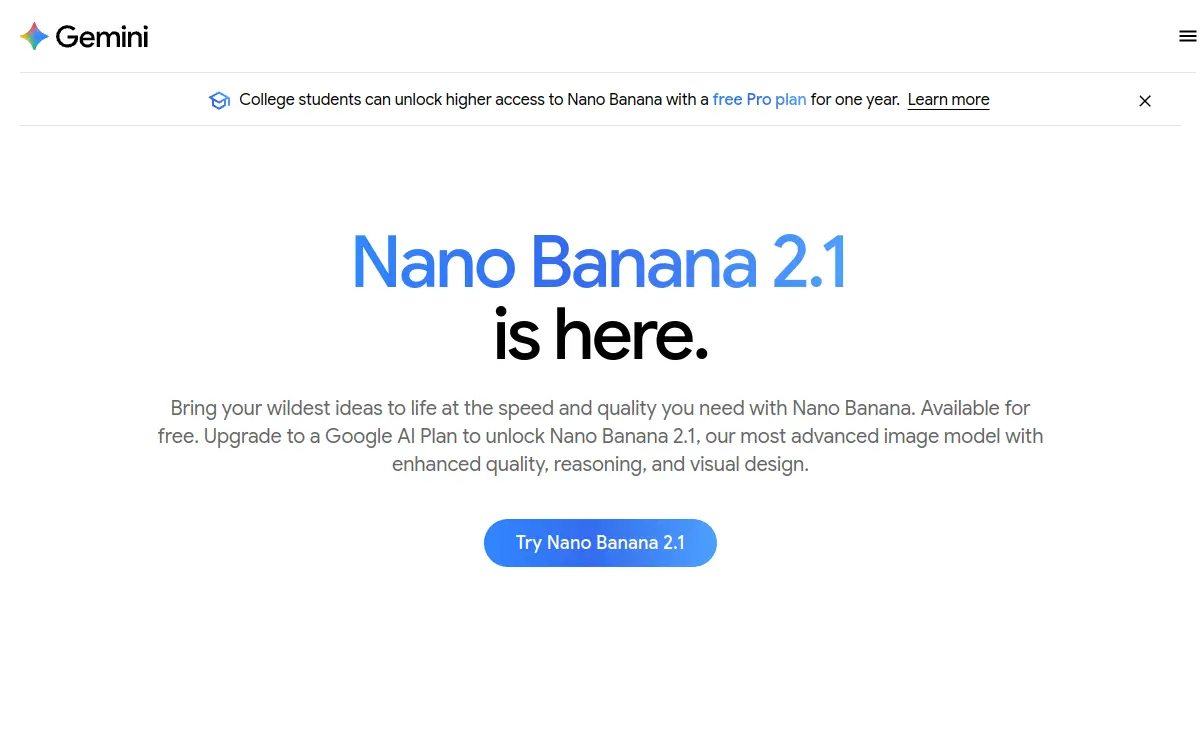
Google's image models are called Nano Banana, and you use them in the Gemini app. Nano Banana 2 is free, and Nano Banana 2.1, which Google calls its best image generation and editing model, comes with any Google AI plan.
What it does well
Gemini is the best free AI image generator in this guide. The free plan includes image generation and editing with Nano Banana 2 at 2K resolution, with a daily limit. Both models blend photos, keep characters consistent across images and render text in many languages, so they're strong for editing product photos and portraits you upload.
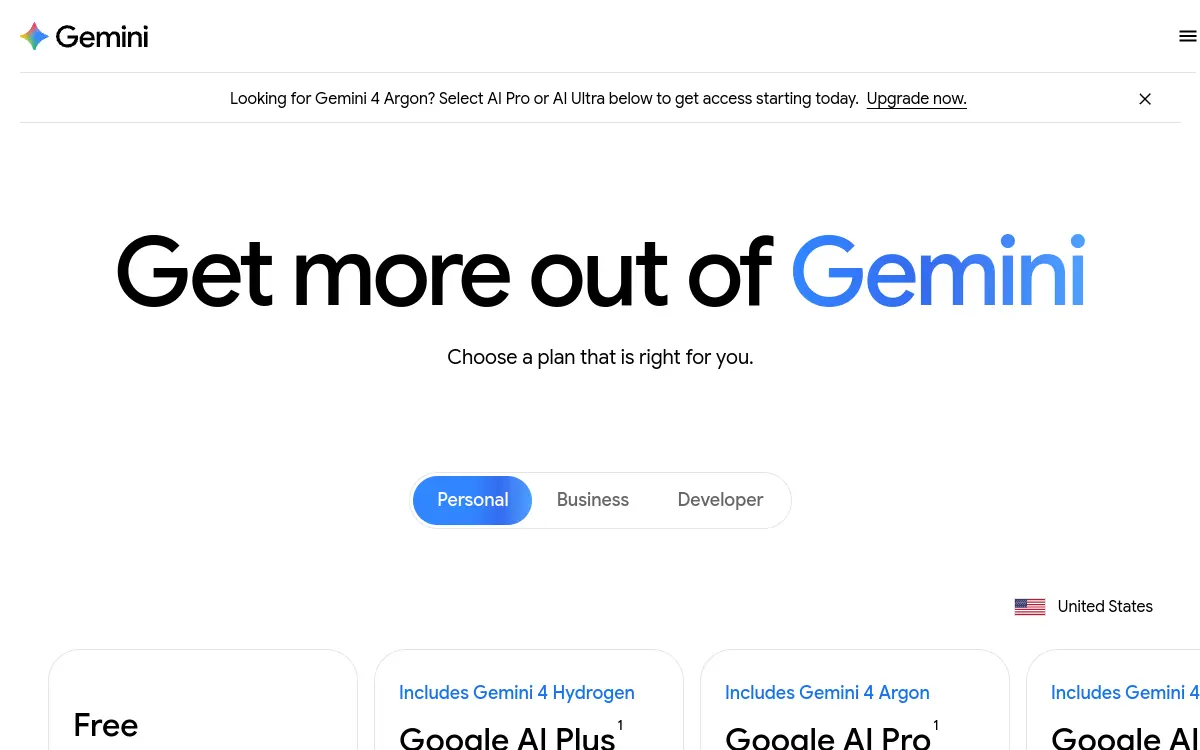
Paid plans are cheap. Google AI Plus costs $4.99 a month and unlocks Nano Banana 2.1 with twice the free usage, and paid users can redo an image with Nano Banana Pro. College students get Google AI Pro free for a year.
Where it falls short
Every image carries a visible AI watermark as well as Google's invisible SynthID mark. Google publishes usage multipliers, not image counts: Plus is 2x the free limit and Pro is 4x. G2 reviewers say images can miss details from the prompt, and Trustpilot reviewers (1.4 from 1,515 reviews) report product-photo edits that change the design and refused edits. You must be 18 or older to generate and edit images.
Who should pick it
Choose Gemini if you want good images for free, or a capable paid plan for less than $5 a month. It's also the natural choice if you work in Google Workspace.
What we like
- The most capable free image generator we found
- Google AI Plus at $4.99 a month is the cheapest paid plan here
- Strong at editing photos you upload while keeping people and products consistent
Watch-outs
- Every image carries a visible AI watermark plus an invisible SynthID mark
- Google publishes usage multipliers, not image counts
- Trustpilot score of 1.4, with complaints about wrong answers and quotas
What reviewers say about Google Gemini (Nano Banana)
Recurring themes in public reviews on G2 and Trustpilot, summarized by our editors.
What reviewers praise
- Reviewers say it is easy to set up and simple to use from day one.
- Responses and image generations come back fast.
- People who work in Google Workspace like having it next to their documents and email.
What reviewers criticize
- Images sometimes miss details from the prompt, such as specific text.
- Small edits to product photos can change the design instead of fixing one thing.
- Some edits are refused for safety reasons, and usage quotas run out quickly.
| Plan | Price | What you get |
|---|---|---|
| Free | $0 | Image generation and editing with Nano Banana 2, with a daily limit |
| Google AI Plus | $4.99/mo | Nano Banana 2.1, twice the free usage limits and 200 Flow credits |
| Google AI Pro | $19.99/mo | Four times the free usage limits, 1,000 Flow credits and video generation |
| Google AI Ultra | From $99.99/mo | The highest Nano Banana limits and 10,000 or more Flow credits |
3. Midjourney
- Pricing
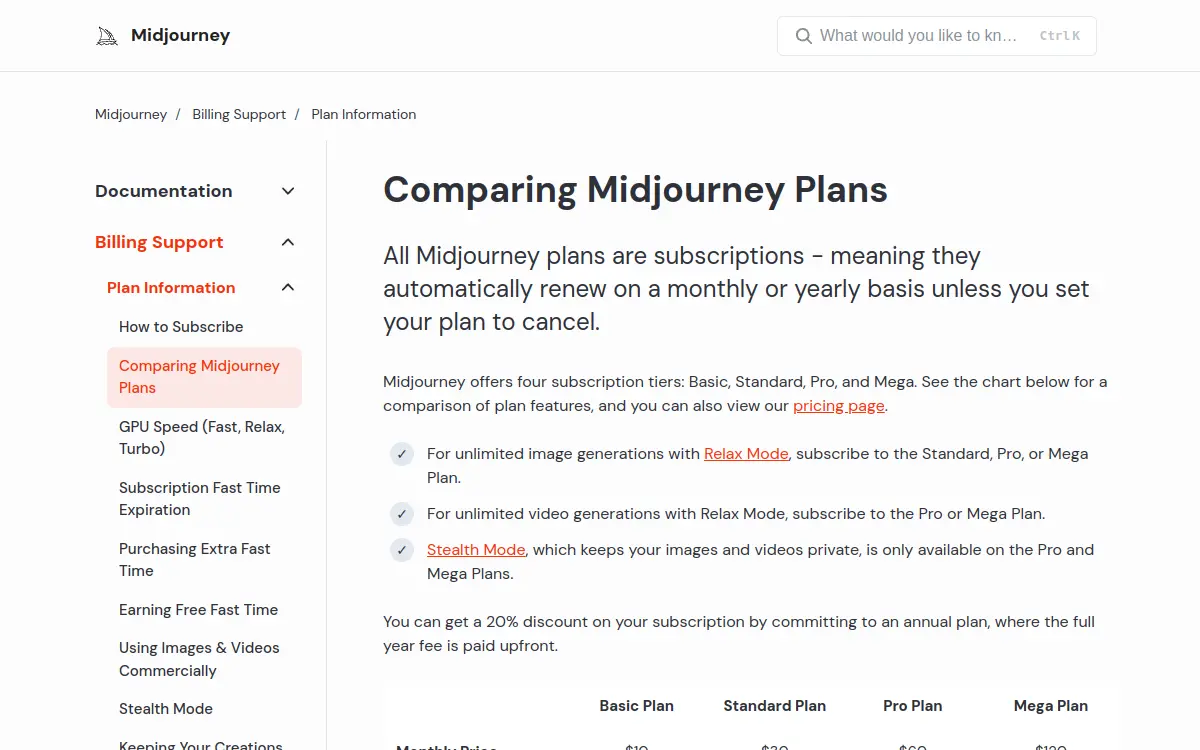
- No free plan · from $8/moNo free plan or trial. Basic costs $10 a month, or $96 a year (20% off).
- Best for
- Artists and designers who want the most striking, stylized images
- Founded
- San Francisco, USA
Midjourney · Video
Midjourney is a San Francisco company whose image generator is a favorite of artists and designers. Version 8.2 became the default on July 24, 2026, with a new Edit Model, and the plans also include video generation.
What it does well
Midjourney's images have the most distinctive, polished look of any tool here. G2 reviewers praise its lighting, textures and overall aesthetics, and the four-image grid with variations makes it fast for mood boards and concept work. Style references, moodboards and personalization keep a consistent look across a whole series. Version 8.1 renders standard jobs about four to five times faster and added native 2K images.
Standard ($30 a month, or $24 billed yearly) and higher plans include unlimited images in Relax mode, so heavy users don't run out.
Where it falls short
There's no free plan and no trial. Basic ($10 a month) gives only 3.3 hours of Fast GPU time and no Relax mode, and only Pro and Mega include Stealth mode to keep your images private. Companies with more than $1 million in yearly revenue must buy Pro or Mega. G2 reviewers say precise layouts and text in images are hard to get right, and Trustpilot reviewers (1.6 from 377 reviews) report account bans and unwanted renewals. There's no team plan.
Who should pick it
Choose Midjourney if image quality and style matter more than control and price, for example for concept art, editorial illustration or brand mood boards. If you need exact text or layouts, use ChatGPT or Ideogram.
What we like
- The most distinctive, polished look of any tool here
- Standard and higher plans include unlimited images in Relax mode
- Version 8.1 added native 2K images and much faster renders
Watch-outs
- No free plan and no trial
- Images are public unless you pay for Pro or Mega
- Companies with more than $1 million in yearly revenue must buy Pro or Mega
What reviewers say about Midjourney
Recurring themes in public reviews on G2 and Trustpilot, summarized by our editors.
What reviewers praise
- Reviewers rate its image quality, lighting and textures above other tools.
- The four-image grid and variations turn rough ideas into mood boards in minutes.
- Style references keep a consistent look across a whole set of images.
What reviewers criticize
- Exact layouts, object counts and small edits take many rounds of re-prompting.
- Text inside images often comes out garbled or misspelled.
- Fast hours run out quickly, and Trustpilot users report bans and unwanted renewals.
| Plan | Price | What you get |
|---|---|---|
| Basic | $10/mo ($8/mo billed yearly) | 3.3 hours of Fast GPU time a month, no Relax mode |
| Standard | $30/mo ($24/mo billed yearly) | 15 Fast hours, unlimited images in Relax mode, HD video |
| Pro | $60/mo ($48/mo billed yearly) | 30 Fast hours, Stealth mode for private images, Relax video |
| Mega | $120/mo ($96/mo billed yearly) | 60 Fast hours, Stealth mode, Relax video |
4. Adobe Firefly
- Pricing
- Free plan · from $9.99/moFree plan with limited daily generations. Paid plans include unlimited standard image generations.
- Best for
- Commercial work and Adobe users who want images that are safe for client projects
- Founded
- 1982 · San Jose, USA
Adobe Firefly · Video
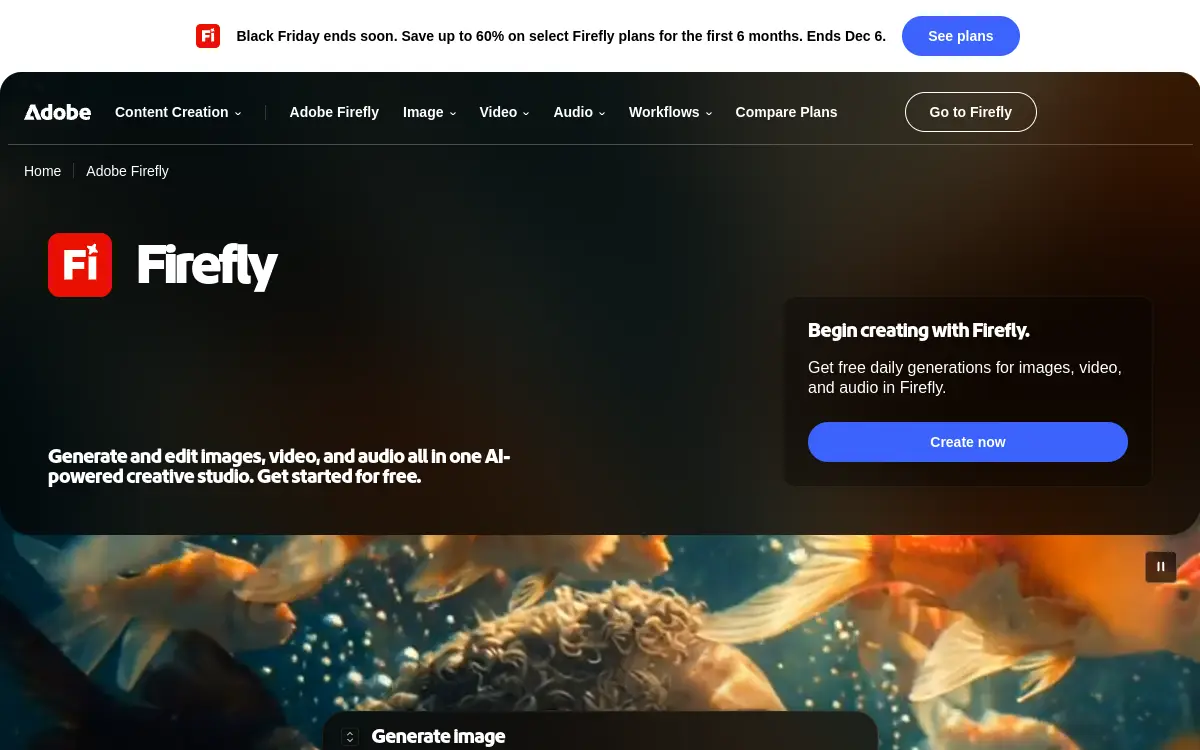
Adobe Firefly is Adobe's AI image, video and audio app. It runs Adobe's own Firefly Image 5 model, and one model picker also gives you partner models such as Nano Banana 2, GPT Image 1.5 and FLUX.2 [pro].
What it does well
Firefly is the safest choice for commercial work. Adobe trains its own models on licensed and public-domain content, says their outputs are safe for commercial use, and attaches Content Credentials to what you make. G2 reviewers (4.3 from 594 reviews) value that clarity for client work, along with how closely it works with Photoshop.
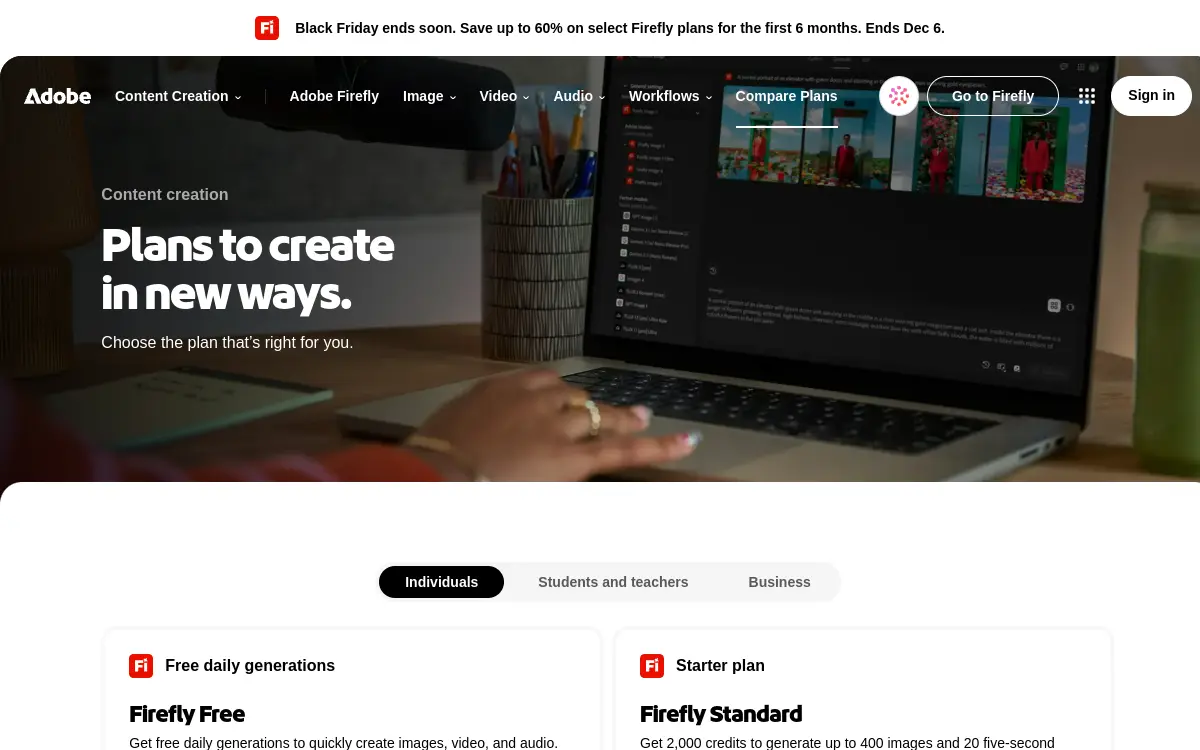
Adobe's FAQ says all paid plans include unlimited standard image and vector generations; credits are spent on video, audio and partner models. Firefly Standard costs $9.99 a month for 2,000 credits, and Firefly Pro ($19.99) adds Photoshop on web and mobile.
Where it falls short
The commercial-safety promise covers Adobe's own models. If you use a partner model, you're responsible for the output, and IP indemnity is only for eligible enterprise customers. Adobe shows no yearly price for individual plans, and credits don't roll over. G2 reviewers say prompts need to be very specific and content filters block harmless requests.
Who should pick it
Choose Firefly if you create images for clients or ads and need clear usage rights, or if you already work in Photoshop and other Adobe apps.
What we like
- Adobe says outputs from its own Firefly models are safe for commercial use
- One app with Firefly Image 5 plus partner models from Google, OpenAI and others
- Pro includes Photoshop on web and mobile
Watch-outs
- No yearly price shown for individual plans
- Partner-model outputs are your responsibility, not Adobe's
- IP indemnity is only for eligible enterprise customers
What reviewers say about Adobe Firefly
Recurring themes in public reviews on G2, summarized by our editors.
What reviewers praise
- Non-designers say they get usable visuals from a prompt quickly.
- It works closely with Photoshop and other Adobe apps, so generating and editing stay in one place.
- Clear commercial-use terms remove copyright worries for client work.
What reviewers criticize
- Prompts need to be very specific, and results can miss the intent.
- Credits run out quickly, and paid plans feel expensive.
- Content filters block harmless prompts, and generation can be slow.
| Plan | Price | What you get |
|---|---|---|
| Firefly Free | $0 | Limited daily image and video generations, one at a time |
| Firefly Standard | $9.99/mo | 2,000 credits a month for premium features, about 400 images or 20 five-second videos |
| Firefly Pro | $19.99/mo | 4,000 credits, Photoshop on web and mobile, and Adobe Express Premium |
| Firefly Pro Plus | $49.99/mo | 10,000 credits and Firefly Graph (beta) |
| Firefly Pro for teams | $19.99/license/mo | 4,000 credits per license, admin tools, annual contract |
5. Ideogram
- Pricing
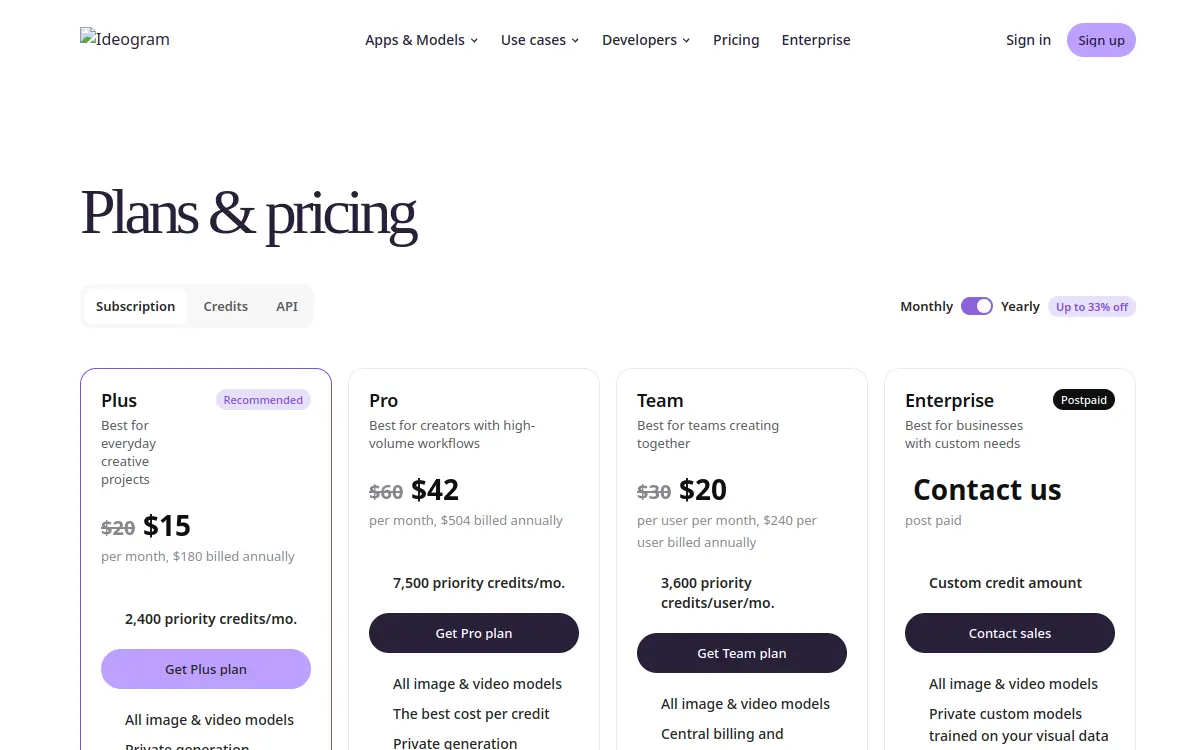
- Free plan · from $15/moFree weekly credits, with public images. Plus costs $20 a month, or $15 a month billed yearly.
- Best for
- Posters, logos, social graphics and anything with words in the image
- Founded
- 2022
Ideogram · Video
Ideogram is an AI image generator founded in 2022 and best known for putting readable text into images. Version 4.6, released November 19, 2026, adds 4K output and precise editing.
What it does well
Reviewers on Trustpilot and G2 say Ideogram renders words and typography more reliably than other tools, which makes it a strong pick for posters, logos, thumbnails and social graphics. It also makes transparent backgrounds and vector (SVG) images, and Pro can train custom models.
Plus costs $15 a month billed yearly for 2,400 priority credits, and paid plans include unlimited slow credits, so you can keep generating after the priority credits run out. You can use your images commercially; Ideogram says it doesn't claim ownership of them.
Where it falls short
Free images are public, and there's no free trial of paid plans. AI editing needs priority credits, so it stops working in the slow queue. Ideogram has only 3 reviews on G2, and its Trustpilot score is 3.7 from 170 reviews, with complaints about renewals and weaker prompt-following after the 2026 updates.
Who should pick it
Choose Ideogram if your images need words in them: event posters, product launches, ad creatives or YouTube thumbnails.
What we like
- Reviewers' favorite for readable text in images
- Version 4.6 adds 4K output and precise editing
- Paid plans keep images private, and you can use them commercially
Watch-outs
- Free images are public
- AI editing stops when priority credits run out
- No free trial of paid plans
What reviewers say about Ideogram
Recurring themes in public reviews on Trustpilot and G2, summarized by our editors.
What reviewers praise
- Reviewers say text and typography come out more reliably than in other tools.
- Support replies quickly, and several reviewers mention fast fixes or refunds.
- It is easy to use, with useful variations, several sizes and 4K output.
What reviewers criticize
- Some users report unexpected renewals and refused refunds.
- Several reviews say prompt-following got worse after the 2026 updates.
- The free plan is limited, and editing needs paid priority credits.
| Plan | Price | What you get |
|---|---|---|
| Free | $0 | Weekly credits (amount varies), images are public |
| Plus | $20/mo ($15/mo billed yearly) | 2,400 priority credits a month, unlimited slow credits, private images |
| Pro | $60/mo ($42/mo billed yearly) | 7,500 priority credits, batch generation, limited custom model training |
| Team | $30/user/mo ($20 billed yearly) | 3,600 priority credits per user, central billing and admin |
6. Canva
- Pricing
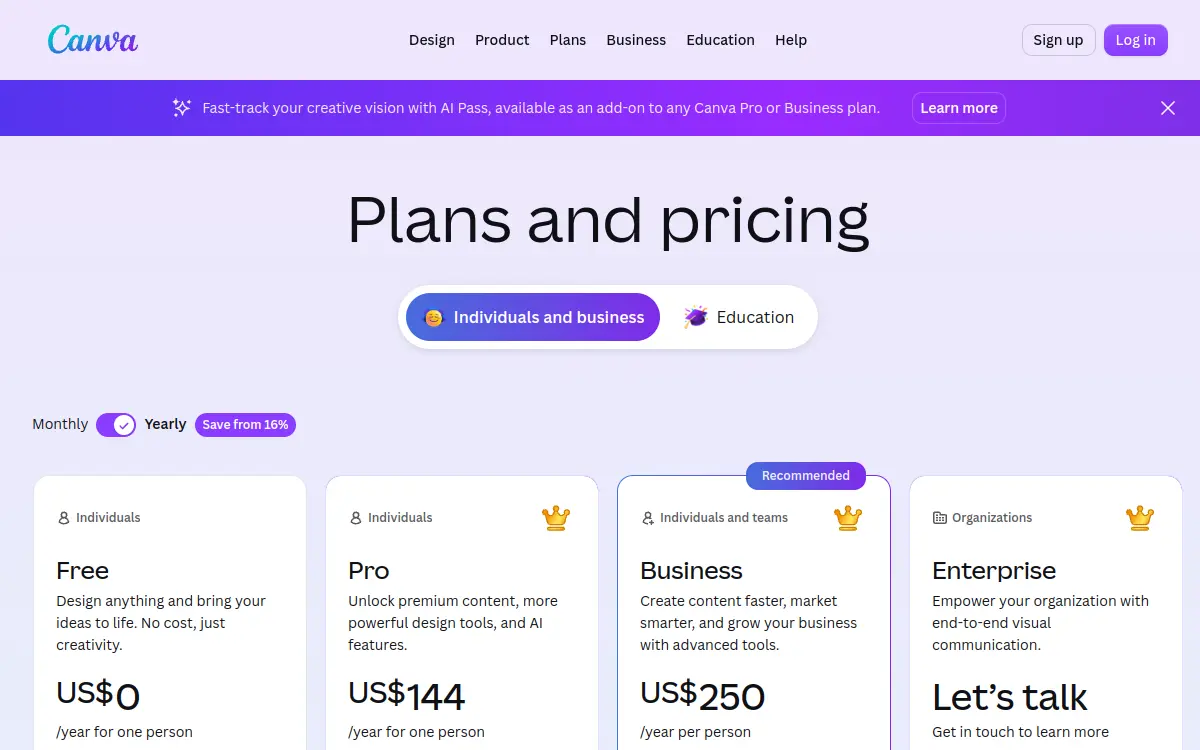
- Free plan · from $12/moFree plan with a small AI allowance. Pro costs $18 a month, or $144 a year.
- Best for
- Marketers who want AI images dropped straight into social posts, slides and ads
- Founded
- 2013 · Sydney, Australia
Canva · Video
Canva is the online design tool with more than 265 million monthly users. Its Canva AI can create images right inside a design, next to templates for social posts, slides, ads and documents.
What it does well
For marketers, Canva cuts out the most steps: a generated image lands in a social post or presentation, ready to resize with Magic Resize and match to your Brand Kit. G2 reviewers (4.7 from 7,940 reviews) praise how easy it is for beginners and how much time those tools save.
Pro costs $144 a year for one person and gives 10 times the free AI allowance, plus templates and premium content. Under Canva's AI terms you own your output, except for any Canva library content it includes.
Where it falls short
Canva doesn't publish how many images any paid plan includes, and the free plan gets only up to 20 Standard or Premium AI uses. As a generator, it's a step behind the dedicated tools on control and image quality. IP indemnity for AI output (Canva Shield) is only on Enterprise with at least 100 seats, and Trustpilot reviewers mention surprise renewals.
Who should pick it
Choose Canva if images are one part of your content work and you'd rather generate them where you design, not in a separate app. Canva also owns Leonardo.Ai, our next pick, if you need a more powerful generator.
What we like
- Generated images go straight into a design, with no exporting
- Pro at $144 a year also buys templates, Brand Kit and premium content
- You own your AI output, except for parts that use Canva library content
Watch-outs
- Canva doesn't publish how many images paid plans include
- Image quality is a step behind the dedicated generators
- AI indemnity needs Enterprise with at least 100 seats
What reviewers say about Canva
Recurring themes in public reviews on G2 and Trustpilot, summarized by our editors.
What reviewers praise
- Beginners find it easy, with a huge template library and everything in one place.
- Brand Kit and Magic Resize save marketing teams a lot of time.
- AI tools sit right inside the designs people are already making.
What reviewers criticize
- Many features and assets are locked behind the paid plans.
- It lacks advanced editing and can lag on large projects.
- Trustpilot reviewers report surprise renewals and refused refunds.
| Plan | Price | What you get |
|---|---|---|
| Free | $0 | Up to 20 Standard or Premium AI uses, templates and the design editor |
| Pro | $18/mo ($144/yr) | For one person, 10 times the free AI allowance, Brand Kit and premium content |
| Business | $25/person/mo ($250/yr) | 20 times the free AI allowance, team features and brand controls |
| Enterprise | Custom | Custom AI options and IP indemnity for AI output (100-seat minimum) |
7. Leonardo.Ai
- Pricing
- Free plan · from $12/moFree plan with 150 tokens a day and public images. The pricing page says yearly billing saves up to 20%.
- Best for
- Game art, concept art and creators who want many models and unlimited relaxed generation
- Founded
- 2022 · Sydney, Australia
Leonardo.Ai · Video
Leonardo.Ai is an AI image and video platform from Sydney that Canva bought in 2024 and still runs separately. It started with art for video games and now offers more than 80 models in one app.
What it does well
Leonardo offers more models than any other tool here. Alongside its own, such as Lucid Origin and Lucid Realism, you can use third-party models like Nano Banana, GPT Image and FLUX. Premium ($30 a month) includes unlimited relaxed image generation on selected models, and you can train your own model from 10 to 20 images to keep a consistent style. Unused tokens roll over, up to three times your monthly allowance.
Trustpilot reviewers (4.7 from 1,611 reviews) praise the quality of results from simple prompts and the support team.
Where it falls short
Free images are public, and while free users get a commercial licence, Leonardo holds rights to their images. Unlimited relaxed generation excludes the third-party models, so those always cost tokens. Reviewers say tokens drain fast on video and that hands, text and complex prompts still need regenerating. Rolled-over tokens are lost when you cancel.
Who should pick it
Choose Leonardo.Ai if you make lots of game art, concept art or character images and want many models and a consistent style for less than Midjourney's unlimited plans.
What we like
- 80+ models, including Nano Banana, GPT Image and FLUX, in one app
- Unused tokens roll over, up to three times the monthly amount
- Train your own model from 10 to 20 images
Watch-outs
- Free images are public, and Leonardo holds rights to them
- Relaxed unlimited generation excludes third-party models
- Busy interface with a learning curve
What reviewers say about Leonardo.Ai
Recurring themes in public reviews on G2 and Trustpilot, summarized by our editors.
What reviewers praise
- Reviewers get high-quality, stylish images quickly from fairly simple prompts.
- The wide choice of models, plus training your own, keeps a consistent look.
- Users call it good value and say support is responsive.
What reviewers criticize
- Tokens run out fast, especially on video and premium models.
- Hands, text and complex prompts still go wrong and need regenerating.
- Rolled-over tokens are lost when you cancel, and the best features are paid.
| Plan | Price | What you get |
|---|---|---|
| Free | $0 | 150 fast tokens a day, Auto model only, public images |
| Essential | $12/mo | 8,500 tokens a month, 80+ models, private images, 10 custom models a month |
| Premium | $30/mo | 25,000 tokens, unlimited relaxed image generation on selected models |
| Ultimate | $60/mo | 60,000 tokens, unlimited relaxed image and video generation on selected models |
| Team Starter | $24/seat/mo | 25,000 tokens per seat, unlimited relaxed images and video on selected models |
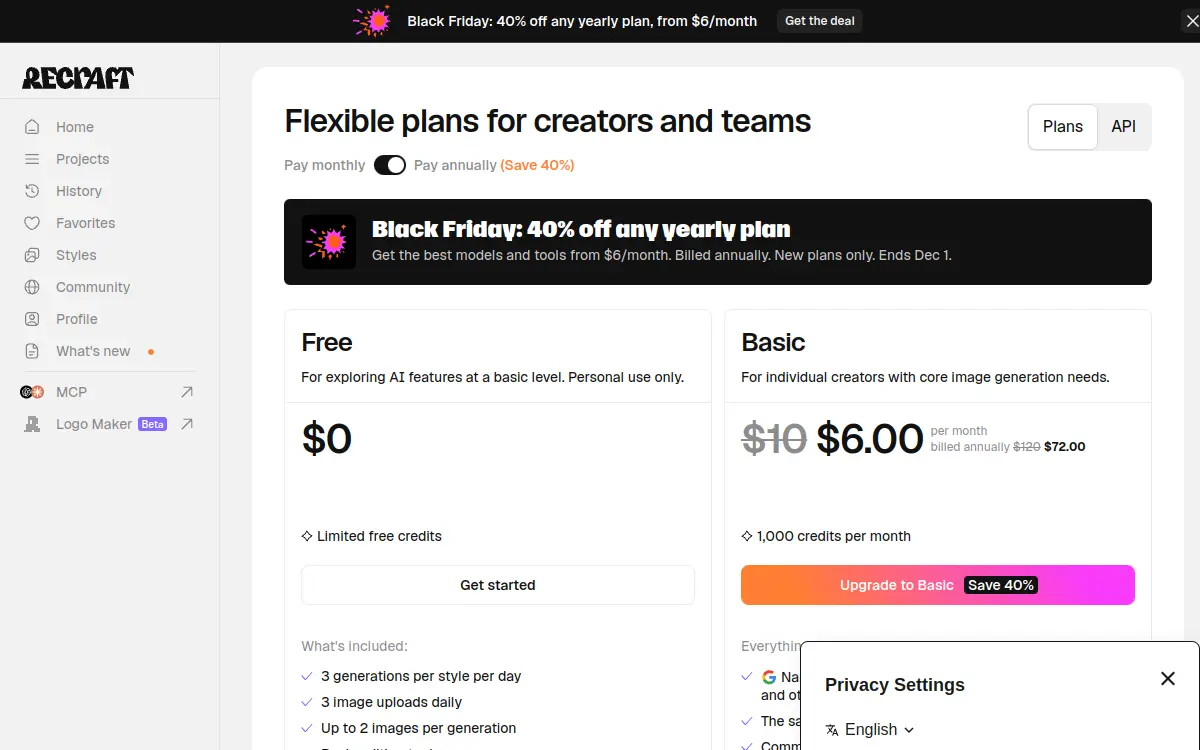
8. Recraft
- Pricing
- Free plan · from $10/moFree plan with daily credits, but free images are public and can't be used commercially. Basic costs $12 a month, or $10 billed yearly.
- Best for
- Vector graphics, icons, illustrations and on-brand design assets
- Founded
- 2022 · London, UK
Recraft · Video
Recraft is a London-based AI design tool built for brand and design work. Its standout feature is generating real vector graphics (SVG), not just flat images.
What it does well
Recraft is the best tool here for icons, illustrations, logos and other assets that need to scale. Its V4.1 models create both raster and vector images, and you can control color palettes to keep a set of images on brand. G2 reviewers (4.7 from 456 reviews) praise the clean vectors and consistent style.
Basic costs $10 a month billed yearly for 1,000 credits, includes full ownership and commercial rights, and adds third-party models such as GPT Image, Nano Banana and FLUX.
Where it falls short
Free images are public, owned by Recraft and can't be used commercially, so the free plan is only for trying it out. Pro-quality and vector images cost more credits (a V4.1 Pro Vector image uses 12, against 2 for a standard V4.1 image). On Trustpilot, Recraft scores 2.5 from 49 reviews, with complaints about credits used on failed generations and refused refunds.
Who should pick it
Choose Recraft if you need vector graphics, icon sets or illustrations in a consistent brand style.
What we like
- Generates real vector (SVG) files, which most tools can't
- Paid plans include full ownership and commercial rights
- Basic adds third-party models such as GPT Image, Nano Banana and FLUX
Watch-outs
- Free images are public and can't be used commercially
- Trustpilot score of 2.5 from 49 reviews
- Pro-quality and vector images cost more credits
What reviewers say about Recraft
Recurring themes in public reviews on G2 and Trustpilot, summarized by our editors.
What reviewers praise
- Designers like the clean vectors and the control over color palettes.
- It keeps a consistent brand style across a set of images.
- Iterating on a design is easy and fast.
What reviewers criticize
- Credit costs are high or unclear, and failed generations still use credits.
- Some Trustpilot reviewers were refused refunds and got generic support replies.
- Prompts often take several tries, with occasional misspellings.
| Plan | Price | What you get |
|---|---|---|
| Free | $0 | Daily credits, public images owned by Recraft, no commercial use |
| Basic | $12/mo ($10/mo billed yearly) | 1,000 credits a month, commercial rights, private images, third-party models |
| Pro | $20/mo ($16/mo billed yearly) | 2,000 credits a month (more in higher tiers) and video models |
| Teams | $22/seat/mo ($17.58 billed yearly) | 2,000 credits per seat a month |
9. Stable Diffusion
- Pricing
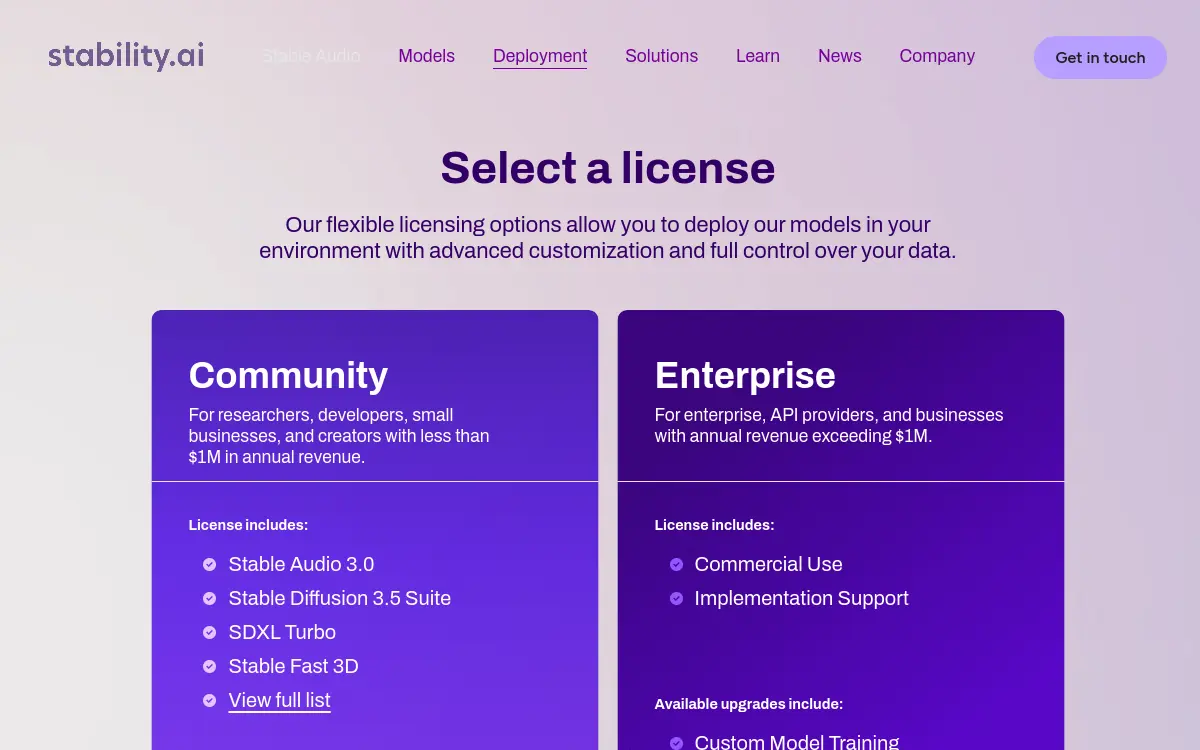
- Free planThe open model weights are free for individuals and businesses under $1 million in yearly revenue. The API costs from $0.009 to $0.08 per image.
- Best for
- Developers and tinkerers who want free open models on their own computer, with full control
- Founded
- 2019 · London, UK
Stable Diffusion · Video
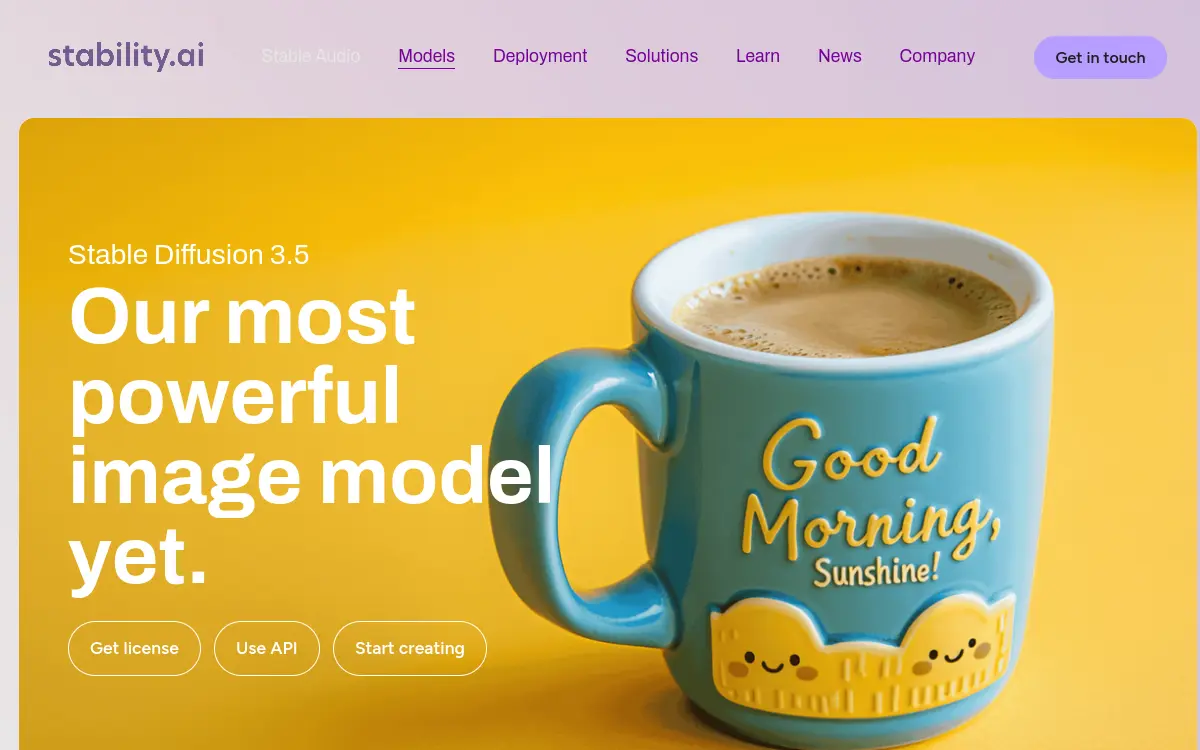
Stable Diffusion is the open image model family from Stability AI. You can download the weights and run them on your own computer, or call them through Stability's API.
What it does well
Stable Diffusion is the only tool here you can run for free with no limits. Stability's Community License lets individuals and businesses with less than $1 million in yearly revenue use Stable Diffusion 3.5 and SDXL commercially, after registering with Stability, and you own your outputs. You can fine-tune the models and train LoRAs for your own styles, products or characters.
The API is the cheapest in this guide: 1 credit costs $0.01, SD 3.5 Medium uses 3.5 credits an image and SDXL starts at 0.9 credits.
Where it falls short
Running it locally needs a capable graphics card and technical setup, which G2 reviewers name as the main drawback. Stability no longer offers a consumer app for it: DreamStudio now redirects to Brand Studio, a separate product that routes between several models. Stable Diffusion 3.5 is still Stability's newest open image model. G2 has only 10 reviews, none from 2025 or 2026.
Who should pick it
Choose Stable Diffusion if you're a developer or technical creator who wants full control, privacy and no per-image cost, or if you're building image generation into your own product.
What we like
- Free to run on your own computer, with no per-image cost
- The license allows your own fine-tunes and LoRAs
- Cheapest API in this guide, from under 1 cent per image
Watch-outs
- Needs a capable GPU and technical setup
- No consumer app from Stability: DreamStudio now redirects to its Brand Studio
- No new open image model since Stable Diffusion 3.5
What reviewers say about Stable Diffusion
Recurring themes in public reviews on G2 and Trustpilot, summarized by our editors.
What reviewers praise
- Reviewers value that it is open and runs on their own hardware.
- Image quality is high, with many settings and controls to adjust.
- API credits are cheap, and some apps include it at no extra cost.
What reviewers criticize
- Setting it up locally is fiddly and needs a powerful graphics card.
- Results can miss the prompt, which wastes credits on the API.
- Trustpilot reviewers of Stability's hosted apps report billing and support problems.
| Plan | Price | What you get |
|---|---|---|
| Community License | $0 | Stable Diffusion 3.5 and SDXL weights, for organizations under $1M yearly revenue (registration needed for commercial use) |
| API, pay as you go | $0.01 per credit | SD 3.5 Large at 6.5 credits ($0.065) an image, SD 3.5 Medium at 3.5 credits, 25 free credits to start |
| Enterprise License | Custom | Required once yearly revenue passes $1 million |
What a year of each tool really costs
Monthly prices hide the real cost, because yearly discounts and seat rules vary. Here is what the entry paid plan costs one person for a year, and the cheapest way to give three people their own access, using yearly billing where it's offered.
| Tool | Entry plan, 1 user, per year | Cheapest setup for 3 users, per year |
|---|---|---|
| Stable Diffusion | $0 (your own hardware) | $0 (your own hardware) |
| Google Gemini | About $60 (Google AI Plus, monthly billing) | About $180 (3 Google AI Plus plans) |
| ChatGPT | $96 (Go, monthly billing) | $288 (3 Go plans) or $720 (Business) |
| Midjourney | $96 (Basic) | $288 (3 Basic plans) |
| Adobe Firefly | About $120 (Standard, monthly billing) | About $360 (3 Standard plans) |
| Recraft | $120 (Basic) | $360 (3 Basic plans) or about $633 (Teams) |
| Canva | $144 (Pro) | $432 (3 Pro plans) or $750 (Business) |
| Leonardo.Ai | Up to $144 (Essential) | Up to $432 (3 Essential plans) |
| Ideogram | $180 (Plus) | $540 (3 Plus plans) or $720 (Team) |
Gemini is the cheapest paid option by a wide margin, and its free plan is enough for many people. The entry plans of Midjourney and ChatGPT cost the same, but Midjourney Basic has no Relax mode, so heavy users need Standard at $288 a year. And team plans cost more than three separate individual plans, sometimes more than double; they're worth it only if you need shared billing, admin controls or ChatGPT Business's promise not to train on your workspace data.
Free plans of the best AI image generators
Eight of the nine tools have a free plan, with very different limits and rights.
| Tool | Free plan | What to watch |
|---|---|---|
| Google Gemini | Nano Banana 2, with a daily limit | Visible AI watermark on every image |
| ChatGPT | Limited image creation | OpenAI publishes no number |
| Adobe Firefly | Limited daily generations | One generation at a time |
| Ideogram | Weekly credits, amount varies | Images are public |
| Leonardo.Ai | 150 tokens a day | Images are public, Leonardo holds rights |
| Canva | Up to 20 Standard or Premium AI uses | Small allowance shared across AI tools |
| Recraft | Daily credits | Public images, no commercial use |
| Stable Diffusion | Unlimited on your own computer | Needs a capable GPU |
| Midjourney | None | No free plan or trial |
For most people, Gemini is the best free AI image generator, with ChatGPT's free plan as a second option for images that need accurate text.
Which AI image generator is best for commercial use?
All nine tools let paying users use their images commercially, but the details differ:
- Adobe Firefly is the safest: Adobe says outputs from its own models are safe for commercial use, and eligible enterprise customers get IP indemnity.
- ChatGPT, Ideogram and Recraft (paid) let you own your images. Leonardo.Ai gives paying users full ownership, and Canva gives you ownership except for any Canva library content in the image.
- Midjourney allows commercial use on every plan, but companies with more than $1 million in yearly revenue must be on Pro or Mega.
- Stable Diffusion is free for commercial use below $1 million in yearly revenue, with registration; above that you need an Enterprise license.
- Free plans have stricter rules: Recraft's free images can't be used commercially, and Ideogram, Leonardo.Ai and Recraft make free images public.
None of this is legal advice. For a big campaign, read the vendor's terms and check that your image doesn't copy a protected character, logo or artist's style.
How to choose an AI image generator
These six questions will narrow the list quickly.
- What will you make most? Marketing images and illustrations from a brief suit ChatGPT. Photo edits suit Gemini. Art and mood boards suit Midjourney. Posters and text suit Ideogram, and vectors suit Recraft.
- Do you need words in the image? If so, test ChatGPT and Ideogram first.
- Will you use it for clients or ads? Adobe Firefly gives the clearest commercial terms. Avoid free plans that make images public or forbid commercial use.
- How many images a month? If you'll make hundreds, look for unlimited modes: Midjourney Standard's Relax mode, Leonardo Premium's relaxed generation or Ideogram's slow credits.
- Where do the images end up? If they go straight into social posts and slides, Canva saves the most steps. If you edit in Photoshop, Firefly fits best.
- Do you want to pay at all? Start with Gemini's free plan. If you're technical, Stable Diffusion runs on your own computer for free.
Which AI image generator is right for you?
- Small business owner or founder: ChatGPT, which you may already pay for, plus Gemini's free plan for photo edits.
- Marketer or social media manager: Canva for images inside designs, plus Ideogram for graphics with text.
- Artist, illustrator or designer: Midjourney, the best AI art generator for style and mood.
- Realistic product photos and portraits: Gemini with Nano Banana, or ChatGPT.
- Agency or client work: Adobe Firefly for its commercial terms.
- Game and concept artist: Leonardo.Ai for many models and custom style training.
- Brand and icon work: Recraft for vectors.
- Developer: Stable Diffusion for local use or its low-cost API.
- Zero budget: Gemini, then ChatGPT and Firefly's free plans.
If you also need AI for writing, see our guide to the best AI writing tools.
Tools we considered but left out
- Bing Image Creator is free, with 10 free creations in Fast mode and more after you sign in. It now defaults to Microsoft's own MAI-Image-2.6-Flash model. It's a useful free extra, but it's a feature of Bing rather than a tool you'd pay for.
- FLUX from Black Forest Labs is a strong model family, but it's sold by the image through a Playground and API (FLUX 3 Image costs from $0.041 an image), not as a consumer app. You can also use FLUX inside Leonardo.Ai, Recraft and Adobe Firefly.
- Grok Imagine from xAI is included in Grok's paid plans, from $8 a month. We left it out because its plans are built around the Grok chatbot rather than image work.
- Meta AI now uses Meta's Muse Image model, which Meta says is free for everyday creation. It lives inside Meta's apps rather than being a standalone image tool.
- DALL-E 3 is gone: OpenAI shut down its API on May 12, 2026 and retired the DALL-E GPT in ChatGPT. ChatGPT Images replaced it.
- Sora was OpenAI's video app, not an image tool, and it was discontinued on April 26, 2026.
How to write prompts that get better AI images
The same habits improve results in every tool:
- Describe the subject, setting, style and light. "A ceramic coffee mug on a wooden desk, soft morning window light, product photo" beats "coffee mug".
- Say what the image is for. Mention the format and aspect ratio, such as a 16:9 blog header or a square Instagram post.
- Use reference images. Most tools now accept a photo or a style reference, and it's the fastest way to get a consistent look.
- Change one thing at a time. When editing, ask for a single change per message, so the rest of the image stays the same.
- Keep text short. Even the best tools render short headlines more reliably than whole paragraphs. Put exact wording in quotes.
- Check before you publish. Look closely at hands, text, logos and anything that resembles a real person or brand.
The verdict
ChatGPT is the best AI image generator for most people in 2026: it turns a written brief into an accurate image, handles text and lets you edit by describing the change. Gemini's Nano Banana is the best free option and the cheapest upgrade at $4.99 a month. Choose Midjourney for the most striking art, Adobe Firefly for commercial work, Ideogram for text in images and Recraft for vectors.
Start with the free plans of Gemini and ChatGPT, give both the same prompt, and pay only when you hit a limit that matters to you.
Frequently asked questions
What is the best AI image generator in 2026?
For most people, ChatGPT is the best AI image generator in 2026: it follows detailed prompts closely, renders readable text and lets you edit images by describing the change. Google Gemini with Nano Banana is the best free option, Midjourney produces the most striking artistic images, and Adobe Firefly is the safest choice for commercial work.
What is the best free AI image generator?
Google Gemini is the best free AI image generator: Nano Banana 2 is free in the Gemini app, with a daily limit and a visible AI watermark. ChatGPT, Adobe Firefly, Ideogram, Canva and Leonardo.Ai also have free plans, but with tighter limits, and Ideogram, Leonardo.Ai and Recraft make free images public.
Is ChatGPT the best AI image generator?
ChatGPT is the best all-round AI image generator for most people, because it follows long prompts accurately, handles text well and edits images through conversation. Midjourney still produces more artistic, polished images, and Gemini is better value if you want to pay little or nothing.
Which AI image generator is best for realistic photos?
For realistic photos, ChatGPT and Google Gemini with Nano Banana are the strongest choices, and Gemini is especially good at editing photos you upload while keeping faces and products consistent. Midjourney also produces photorealistic images, and Leonardo.Ai has dedicated models such as Lucid Realism.
What is the best AI art generator?
Midjourney is the best AI art generator for stylized, painterly and cinematic images, and its style references keep a consistent look across a series. Leonardo.Ai is a cheaper alternative with many art models and the option to train your own style.
Which AI image generator is best for commercial use?
Adobe Firefly is the safest AI image generator for commercial use, because Adobe trains its own models on licensed content and says their outputs are safe for commercial use. ChatGPT, Ideogram, Recraft and Leonardo.Ai let paying users own and use their images commercially, while Midjourney requires companies with more than $1 million in yearly revenue to buy Pro or Mega.
What are the best Midjourney alternatives?
The best Midjourney alternatives are ChatGPT for accurate prompt-following and text, Google Gemini for a capable free plan, Leonardo.Ai for many art models with unlimited relaxed generation, and Ideogram for typography. Unlike Midjourney, all four have a free plan.
Can I use AI-generated images for free without a watermark?
Gemini adds a visible AI watermark to its images, and most tools now attach invisible markers such as C2PA metadata or SynthID. Free plans from Ideogram, Leonardo.Ai and Recraft also make your images public, and Recraft's free plan doesn't allow commercial use, so check the terms before you publish.
Sources
Prices, plans and published data were checked on each vendor's own website, and review ratings on the review sites listed, on Nov 26, 2026.
- [01]ChatGPT: pricing and plans
- [02]OpenAI: introducing ChatGPT Images 2.6
- [03]OpenAI: introducing ChatGPT Go
- [04]OpenAI Help Center: what is ChatGPT Plus
- [05]OpenAI Help Center: ChatGPT Pro tiers
- [06]OpenAI Help Center: ChatGPT Business overview
- [07]OpenAI Help Center: creating and editing images
- [08]OpenAI: terms of use
- [09]ChatGPT reviews on G2
- [10]ChatGPT reviews on Trustpilot
- [11]Google Gemini: image generation with Nano Banana
- [12]Google Gemini: subscription plans
- [13]Gemini Help: usage limits
- [14]Gemini Help: create and edit images
- [15]Google Gemini reviews on G2
- [16]Google Gemini reviews on Trustpilot
- [17]Midjourney: comparing plans
- [18]Midjourney: model versions
- [19]Midjourney reviews on G2
- [20]Midjourney reviews on Trustpilot
- [21]Adobe Firefly: product overview
- [22]Adobe Firefly: plans and pricing
- [23]Adobe Firefly reviews on G2
- [24]Ideogram: pricing and plans
- [25]Ideogram reviews on Trustpilot
- [26]Ideogram reviews on G2
- [27]Canva: pricing
- [28]Canva Help: AI access and usage
- [29]Canva: AI product terms
- [30]Canva reviews on G2
- [31]Canva reviews on Trustpilot
- [32]Leonardo.Ai: pricing and plans
- [33]TechCrunch: Canva acquires Leonardo.Ai
- [34]Leonardo.Ai reviews on Trustpilot
- [35]Leonardo.Ai reviews on G2
- [36]Recraft: pricing
- [37]Recraft docs: paid plans
- [38]Recraft docs: commercial rights and ownership
- [39]Recraft reviews on G2
- [40]Recraft reviews on Trustpilot
- [41]Stability AI: Stable Diffusion 3.5
- [42]Stability AI: license options
- [43]Stability AI: community license agreement
- [44]Stability AI: API pricing
- [45]Stable Diffusion reviews on G2
- [46]Bing Image Creator
- [47]Black Forest Labs: FLUX pricing
- [48]Grok: plans
- [49]Meta: introducing Muse Image in Meta AI
- [50]OpenAI: images in ChatGPT
- [51]OpenAI: what to know about the Sora discontinuation

About the author
Dan Paul · Founder, TopTool
Dan Paul is a developer turned founder. He runs TopTool, writes its buyer's guides for SEO, AI and marketing tools, and checks every price and plan limit on the vendor's own website.