On this page
- How we compared and scored these AI writing tools
- 1. Claude
- 2. ChatGPT
- 3. Google Gemini
- 4. Grammarly
- 5. Jasper
- 6. QuillBot
- 7. Notion AI
- 8. Anyword
- 9. Sudowrite
- What a year of each tool really costs
- How to choose an AI writing tool
- Which AI writing tool is right for you?
- Tools we considered but left out
- How to get better writing from any AI tool
- The verdict
- Frequently asked questions
- Sources
AI writing tools have split into very different products. Some are general assistants that will write anything you ask for, some polish what you've already written, and some are built for one job, like marketing copy or fiction. Picking the wrong type costs more than picking the wrong brand.
We compared the nine AI writing tools that come up most in 2026 shortlists and in Google's own AI answers: Claude, ChatGPT and Gemini, the editors Grammarly and QuillBot, the marketing platforms Jasper and Anyword, Notion AI for teams, and Sudowrite for fiction. Every price and plan limit below was checked on the vendor's own website on November 25, 2026.
TL;DR · Quick answer
The best AI writing tools in 2026 are Claude, ChatGPT and Google Gemini. Claude writes the most natural drafts, ChatGPT is the most versatile, and Gemini is the best value if you work in Google Docs and Gmail. To polish your own writing, choose Grammarly. Marketing teams should look at Jasper, and fiction writers at Sudowrite.
- 01
ClaudeNatural-sounding long-form writing, editing and anyone who wants drafts that need less rewriting
- 02
ChatGPTVersatile everyday writing, brainstorming and research-backed drafts, plus images and voice in one app
- 03
Google GeminiTeams that write in Google Docs and Gmail and want AI inside the tools they already use
| # | Tool | Best for | Pricing | Overall |
|---|---|---|---|---|
| 01 | Natural-sounding long-form writing, editing and anyone who wants drafts that need less rewriting | Free plan · from $17/mo | 9.0 | |
| 02 | Versatile everyday writing, brainstorming and research-backed drafts, plus images and voice in one app | Free plan · from $20/mo | 9.0 | |
| 03 | Teams that write in Google Docs and Gmail and want AI inside the tools they already use | Free plan · from $4.99/mo | 8.8 | |
| 04 | Polishing your own writing everywhere you type, from email to Google Docs | Free plan · from $12/mo | 8.2 | |
| 05 | Marketing teams that need on-brand content at scale, with brand voice controls and agents | No free plan · from $59/mo | 7.8 | |
| 06 | Students and non-native writers who need paraphrasing, summaries and grammar help on a small budget | Free plan · from $8.33/mo | 7.8 | |
| 07 | Teams that already keep their docs and notes in Notion and want AI where the work lives | Free plan · from $20/seat/mo | 7.7 | |
| 08 | Performance marketers writing ads, landing pages and emails who want copy scored before it ships | No free plan · from $39/mo | 7.7 | |
| 09 | Novelists and screenwriters who want an AI built for fiction, from story planning to line edits | No free plan · from $10/mo | 7.5 |
How we compared and scored these AI writing tools
We looked at each tool the way a buyer would before paying for it. For every tool we:
- Checked every plan on the vendor's pricing page on November 25, 2026, including monthly versus yearly billing, seat prices, usage caps and what the free plan really includes.
- Read the vendor's documentation and plan pages to see what each tool does in 2026: drafting, rewriting, brand voice, plagiarism checks, team controls and agents.
- Watched official walkthroughs where vendors publish them, to see how the main writing workflows work.
- Checked how each tool treats your data, such as whether business plans train on your content.
- Read public user reviews on November 25, 2026. We used G2 where the product has a listing with a verifiable rating, and Trustpilot otherwise, and summarized the themes that come up again and again. Each tool's review section names its source.
Each tool then got four scores from 1 to 10:
- Value for money: what you get on the entry paid plan for the price, including yearly discounts and seat costs.
- Features: how many writing jobs the tool covers well, from first drafts to editing, brand voice, plagiarism checks and team use.
- Ease of use: how quickly someone new gets a usable result.
- Data depth: how much context and source material the tool can work with, such as long documents, web research, your own files or performance data.
The overall score is the average of the four. The order of the list reflects which tool we'd recommend first to a typical founder, marketer or small team; the scores show the trade-offs behind that choice.
| Tool | Value for money | Features | Ease of use | Data depth | Overall |
|---|---|---|---|---|---|
| Claude | 9.0 | 8.8 | 9.1 | 9.0 | 9.0 |
| ChatGPT | 8.5 | 9.4 | 9.1 | 8.8 | 9.0 |
| Google Gemini | 9.0 | 8.6 | 8.6 | 8.8 | 8.8 |
| Grammarly | 8.6 | 7.8 | 9.3 | 7.0 | 8.2 |
| Jasper | 6.4 | 8.8 | 8.0 | 8.0 | 7.8 |
| QuillBot | 9.2 | 7.0 | 8.8 | 6.0 | 7.8 |
| Notion AI | 7.6 | 8.0 | 7.6 | 7.6 | 7.7 |
| Anyword | 7.0 | 7.6 | 8.2 | 7.8 | 7.7 |
| Sudowrite | 7.8 | 7.4 | 7.8 | 6.8 | 7.5 |
1. Claude
- Pricing
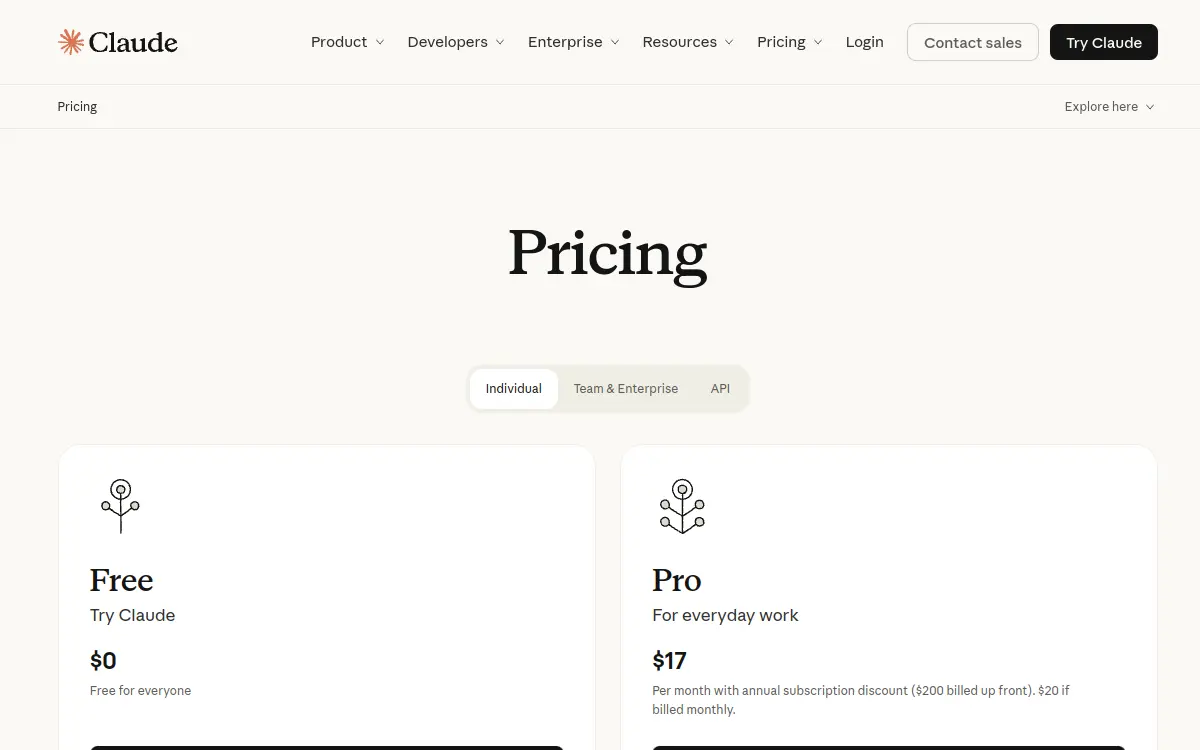
- Free plan · from $17/moFree plan with limited usage. Pro costs $20 a month, or $200 a year.
- Best for
- Natural-sounding long-form writing, editing and anyone who wants drafts that need less rewriting
- Founded
- 2021 · San Francisco, USA
Claude · Video
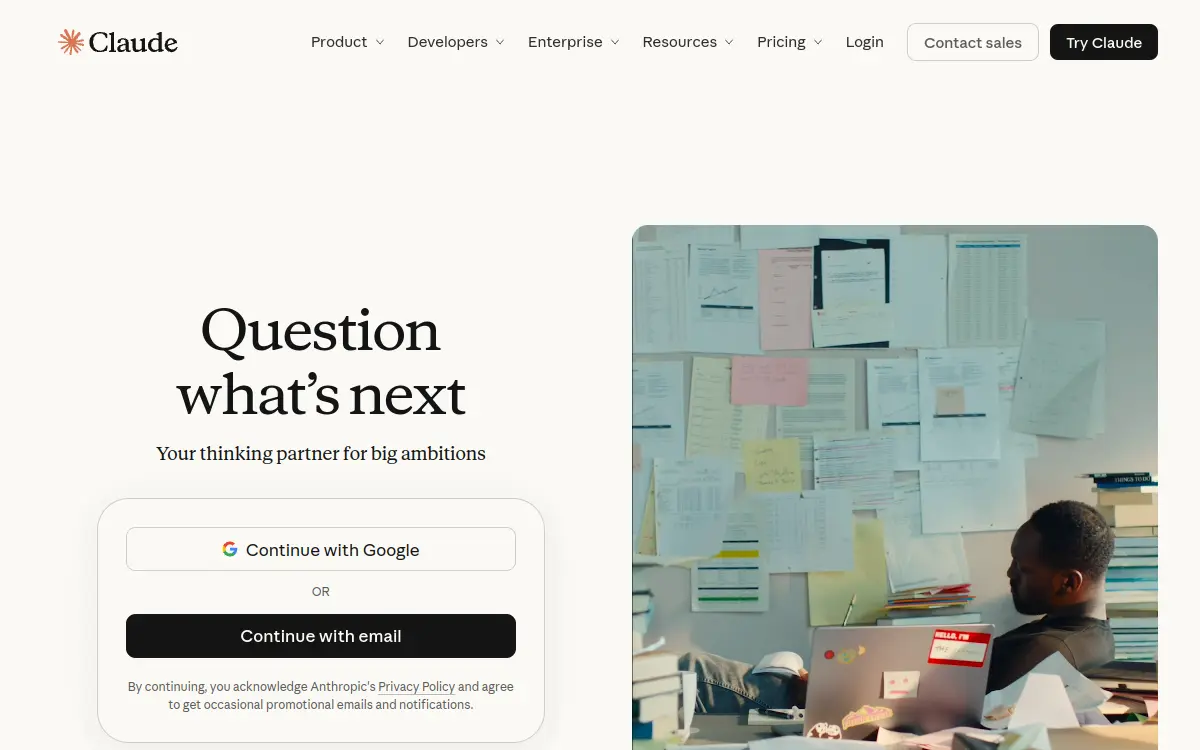
Claude is Anthropic's AI assistant. You can use it in a browser, on desktop and on mobile, and it handles anything from a two-line email to a long report. Among general assistants, it's the one writers mention most for drafts that already sound like a person wrote them.
What it does well
Writing quality is the main reason to choose Claude. G2 reviewers repeatedly say it gets the tone right on the first try and follows long, multi-part instructions without losing track. In practice, that means less time deleting filler and rewriting stiff sentences.
It's also good value. Pro costs $20 a month, or $200 a year, which works out to about $17 a month. That makes it the cheapest paid plan of the three big assistants if you pay yearly. Projects keep your briefs, style notes and reference files in one place, so you don't have to paste them in every time.
Where it falls short
Usage limits are the most common complaint on G2. The free plan and Pro both have caps that reset every five hours and every week, and long documents use them up faster. Heavy users need Max ($100 a month) or Ultra ($200 a month), and neither shows a yearly discount.
Who should pick it
Choose Claude if writing is the main thing you'll use AI for: articles, newsletters, emails, proposals or creative work. Teams that need admin controls can use Team at $20 per seat a month on yearly billing.
What we like
- Reviewers single out how natural its drafts sound
- Pro is the cheapest paid plan of the big three on yearly billing ($200 a year)
- Team plan keeps your content out of model training by default
Watch-outs
- Usage caps reset every 5 hours and weekly, and heavy writers hit them
- Max ($100) and Ultra ($200) show no yearly discount
- Team needs at least 2 seats
What reviewers say about Claude
Recurring themes in public reviews on G2, summarized by our editors.
What reviewers praise
- Reviewers say drafts sound natural and usually get the tone right without heavy rewriting.
- Many use it to turn rough notes into clear, well-structured emails, reports and proposals.
- It keeps track of context across long, messy, multi-part requests.
What reviewers criticize
- Usage limits are the most common complaint, even on paid plans during long sessions.
- Answers can run longer than needed, so users ask it to shorten them.
- Like any AI, it sometimes states outdated or wrong facts that need checking.
| Plan | Price | What you get |
|---|---|---|
| Free | $0 | Chat on web, desktop and mobile, web search, file creation and memory, with usage limits every 5 hours and every week |
| Pro | $20/mo ($17/mo billed yearly) | More usage, Projects, Claude Code, scheduled tasks and Claude in Chrome and Microsoft 365 |
| Max and Ultra | $100/mo and $200/mo | 5x or 10x Pro usage and monthly API credits |
| Team | $25/seat/mo ($20 billed yearly) | 2 to 150 seats, central billing, SSO and admin controls, no training on your content by default |
2. ChatGPT
- Pricing
- Free plan · from $20/moFree plan available. Plus is $20 a month, with no yearly discount.
- Best for
- Versatile everyday writing, brainstorming and research-backed drafts, plus images and voice in one app
- Founded
- 2015 · San Francisco, USA
ChatGPT · Video
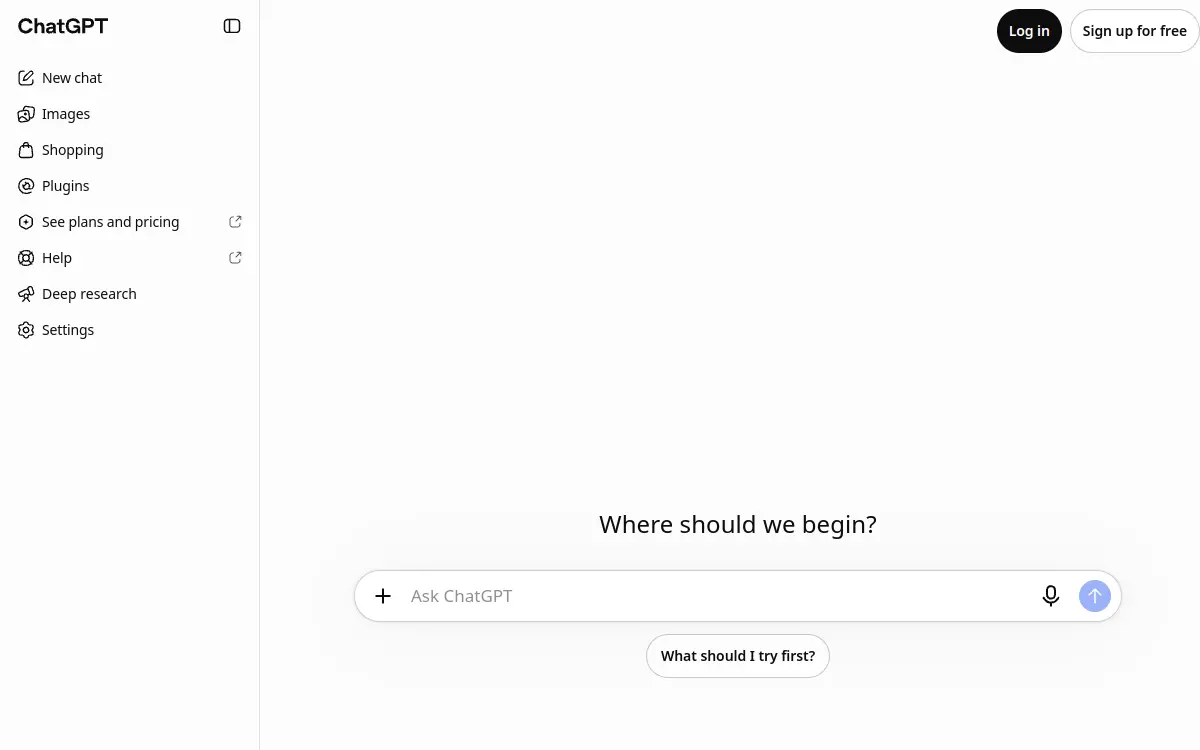
ChatGPT is the AI assistant most people try first, and it covers more than writing. Alongside drafting and rewriting, it runs deep research, works with uploaded files, creates images and talks by voice, all in one app.
What it does well
Versatility is ChatGPT's strength. You can research a topic, outline it, draft the article, generate a header image and turn it into social posts without switching tools. G2 reviewers value exactly that: one tool for brainstorming, writing, rewriting and research, with fast answers.
The free plan is generous enough for occasional writing, and Plus at $20 a month adds deep research, memory, projects and custom GPTs. The Business plan ($20 per user a month on yearly billing) keeps your workspace data out of model training.
Where it falls short
Plus has no yearly discount, so a year costs $240. OpenAI's help center says Plus can have message caps when demand is high. Reviewers on Trustpilot complain about made-up facts and ignored instructions, and default drafts often sound generic until you give it examples of your own style.
Who should pick it
Choose ChatGPT if writing is one of many jobs you want AI for, or if you want research, images and drafts in one subscription. If you only write, Claude is cheaper on yearly billing and usually needs less editing.
What we like
- The widest feature set here: writing, research, images, voice and file analysis
- Generous free plan for occasional writing
- Business plan keeps workspace data out of training
Watch-outs
- Plus has no yearly discount, so a year costs $240
- Default drafts often need editing to sound less generic
- Message caps on Plus can tighten when demand is high
What reviewers say about ChatGPT
Recurring themes in public reviews on G2 and Trustpilot, summarized by our editors.
What reviewers praise
- Reviewers value having brainstorming, drafting, rewriting and research in a single tool.
- Answers come back fast and explain difficult topics clearly.
- The interface is easy to pick up, including for students and first-time users.
What reviewers criticize
- It can make up facts or ignore parts of an instruction, so output needs checking.
- Some users report slowdowns, stalled chats and quality changes after updates.
- Billing and cancellation problems come up, with little access to human support.
| Plan | Price | What you get |
|---|---|---|
| Free | $0 | Text chat with limited uploads, image creation, voice and deep research |
| Plus | $20/mo | Advanced reasoning models, more messages, deep research, memory, projects, custom GPTs and scheduled tasks |
| Pro | From $100/mo | Three usage tiers at $100, $200 and $500 a month for the heaviest users |
| Business | $25/user/mo ($20 billed yearly) | Admin controls, company knowledge, agent and deep research, no training on workspace data |
3. Google Gemini
- Pricing
- Free plan · from $4.99/moFree plan available. Gemini for business comes with Google Workspace from $14 per seat.
- Best for
- Teams that write in Google Docs and Gmail and want AI inside the tools they already use
- Founded
- 1998 · Mountain View, USA
Google Gemini · Video
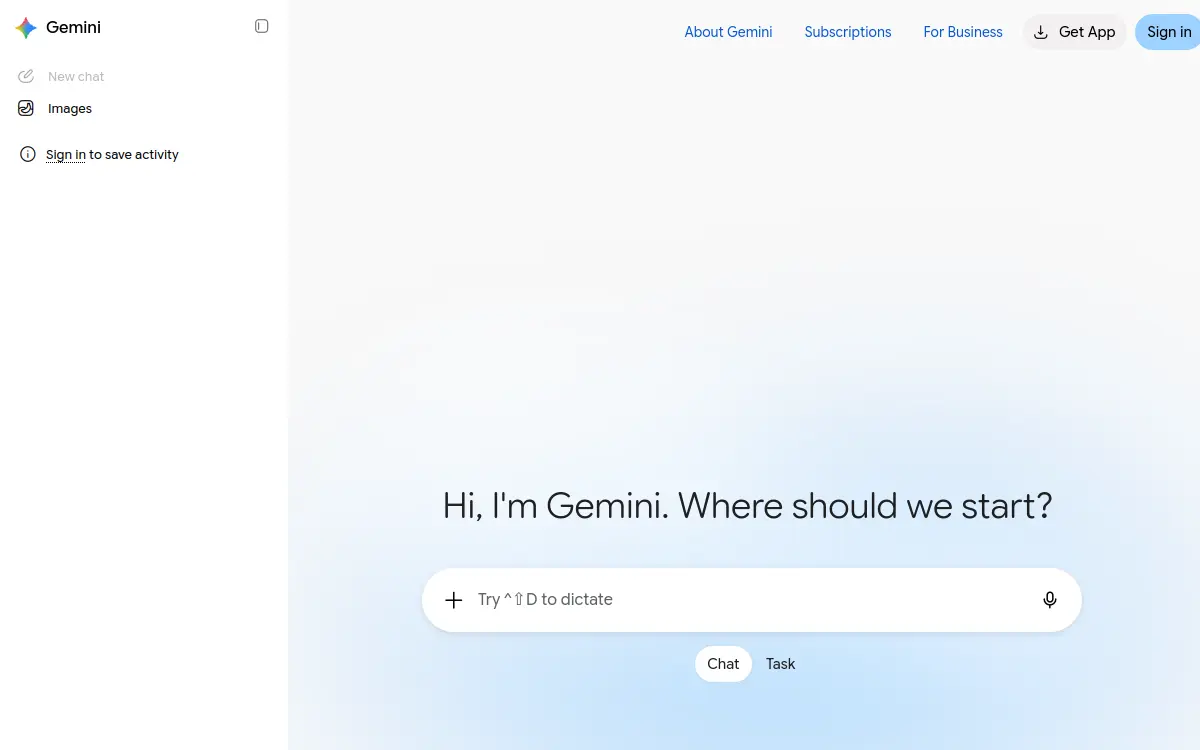
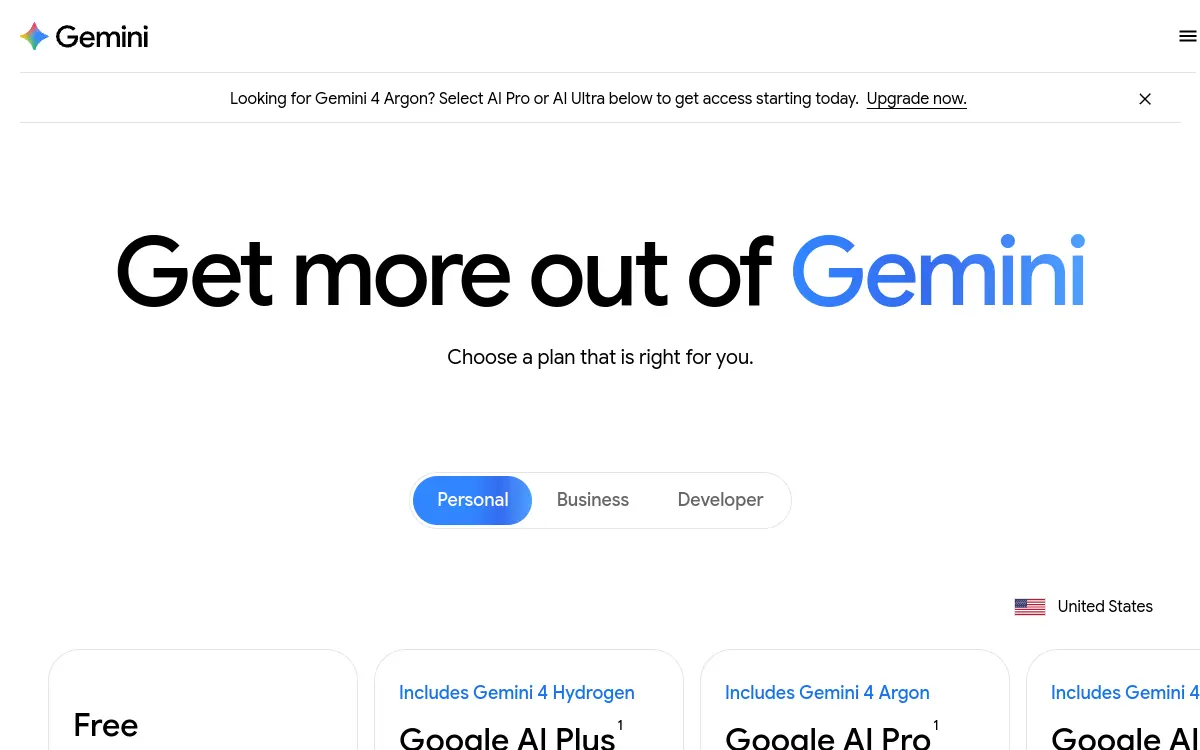
Gemini is Google's AI assistant. It's available as a standalone app, and with a Google Workspace plan it also works inside Gmail, Docs, Sheets and Slides.
What it does well
Gemini's advantage is where it lives. If your team already writes in Google Docs and Gmail, it can draft, rewrite and summarize right there, without copying text between tabs. G2 reviewers like exactly this, along with fast, readable answers.
It's also the best value on paper. Google AI Plus costs $4.99 a month, the cheapest paid plan in this guide. Google AI Pro costs $19.99 a month and includes 5 TB of Google storage, which can replace a storage plan you already pay for. For businesses, Gemini with Google Workspace starts at $14 per seat a month.
Where it falls short
The Gemini plans page doesn't show yearly prices, and Workspace's cheapest plan includes only limited Gemini features. Reviewers on G2 and Trustpilot complain about confident wrong answers, half-finished multi-part requests and safety refusals that are stricter than they'd like.
Who should pick it
Choose Gemini if your writing happens in Google Workspace, or if you want a capable paid plan for less than $5 a month. Writers who care most about voice tend to prefer Claude.
What we like
- The cheapest paid AI writing plan in this guide ($4.99 a month)
- Writes directly inside Gmail, Docs and Slides with a Workspace plan
- AI Pro includes 5 TB of Google storage
Watch-outs
- No yearly prices on the Gemini plans page
- The cheapest Workspace plan includes only limited Gemini features
- Reviewers report confident wrong answers on multi-part requests
What reviewers say about Google Gemini
Recurring themes in public reviews on G2 and Trustpilot, summarized by our editors.
What reviewers praise
- Reviewers like that it works inside Gmail, Docs and Meet without extra logins.
- Many describe its answers as fast, accurate and easy to read.
- It is useful for summarizing long documents and research-heavy writing.
What reviewers criticize
- It can give confident wrong answers and half-finish multi-part instructions.
- Some find its safety refusals too strict for normal requests.
- Paid quotas can run out quickly, and automatic model choice overrides the user's pick.
| Plan | Price | What you get |
|---|---|---|
| Free | $0 | Gemini app with Deep Research, Canvas, image generation and 15 GB storage |
| Google AI Plus | $4.99/mo | 2x free usage, Gemini in Gmail and 400 GB storage |
| Google AI Pro | $19.99/mo | 4x free usage, more advanced models and 5 TB storage |
| Gemini with Google Workspace | From $14/seat/mo | Gemini in Gmail, Docs, Sheets and Slides, up to 300 seats, company data not used for training |
4. Grammarly
- Pricing
- Free plan · from $12/moFree plan with 100 AI prompts a month. Pro is $12 per member a month billed yearly, or $30 billed monthly.
- Best for
- Polishing your own writing everywhere you type, from email to Google Docs
- Founded
- 2009
Grammarly · Video
Grammarly started as a grammar checker and is now an AI writing assistant that works wherever you type: in the browser, email, Google Docs and desktop apps. The company behind it is now called Superhuman, and Grammarly is part of the Superhuman suite.
What it does well
Grammarly is the best tool here for improving writing you've already done. It catches spelling and grammar mistakes as you type, adjusts tone, rewrites clunky sentences and checks for plagiarism. G2 reviewers praise the real-time suggestions and how easily it fits into the apps they already use.
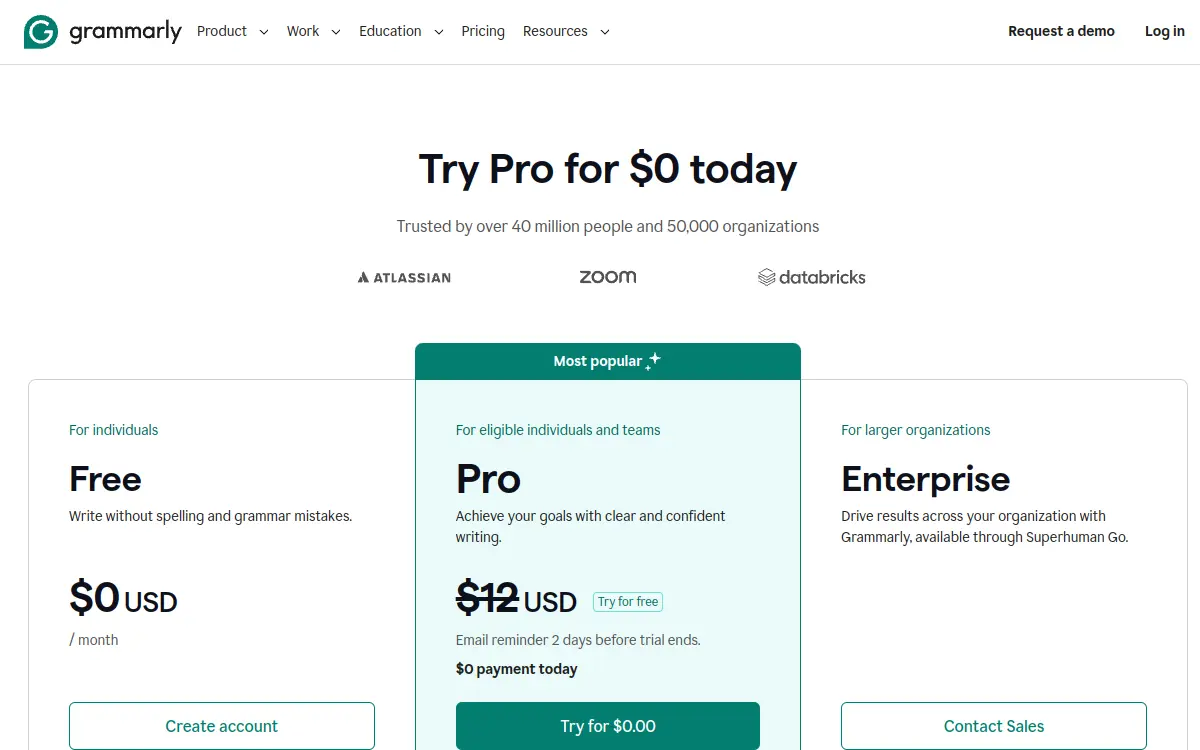
Pro costs $12 per member a month on yearly billing and includes 2,000 AI prompts a month, plagiarism and AI-text detection, a shared style guide and brand tone, and team analytics. That makes it a cheap way to keep a whole team's writing consistent.
Where it falls short
Monthly billing costs $30 per member, 2.5 times the yearly price. Grammarly is better at editing than at writing long pieces from scratch. Trustpilot reviewers, where it scores 3.0, often complain about renewal charges and suggestions that change text that was already correct.
Who should pick it
Choose Grammarly if you write a lot yourself and want cleaner, more consistent writing everywhere, or if you need a team style guide. Pair it with Claude or ChatGPT if you also want AI to write first drafts.
What we like
- Works in the browser, email, Docs and desktop apps you already use
- Plagiarism and AI-text detection included in Pro
- Team features (style guide, brand tone, snippets) on the same $12 plan
Watch-outs
- Monthly billing costs 2.5x the yearly rate ($30 vs $12)
- Better at editing than at writing long drafts from scratch
- Pro allows only 1 style guide and 1 brand tone
What reviewers say about Grammarly
Recurring themes in public reviews on G2 and Trustpilot, summarized by our editors.
What reviewers praise
- Reviewers say it reliably catches spelling and grammar mistakes before they send anything.
- Real-time suggestions work across apps without interrupting their writing.
- Content writers value the built-in plagiarism check.
What reviewers criticize
- Renewal charges and a long cancellation flow are frequent complaints on Trustpilot.
- Some suggestions change text that was already correct.
- Long-time users feel the push toward AI features made the core editor worse.
| Plan | Price | What you get |
|---|---|---|
| Free | $0 | Spelling and grammar fixes, tone detection and 100 AI prompts a month |
| Pro | $12/member/mo billed yearly ($30 billed monthly) | 2,000 AI prompts a month, rewrites, tone adjustment, plagiarism and AI-text detection, 1 to 149 seats |
| Enterprise | Custom | Unlimited prompts and style guides, SSO, data controls and dedicated support |
5. Jasper
- Pricing
- No free plan · from $59/moNo free plan. 7-day free trial of Pro.
- Best for
- Marketing teams that need on-brand content at scale, with brand voice controls and agents
- Founded
- 2021 · Austin, USA
Jasper · Video
Jasper is an AI platform built for marketing teams. It still writes content, but in 2026 it calls itself "the AI purpose-built for marketing", with brand voices, marketing agents and tools for getting cited in AI search answers.
What it does well
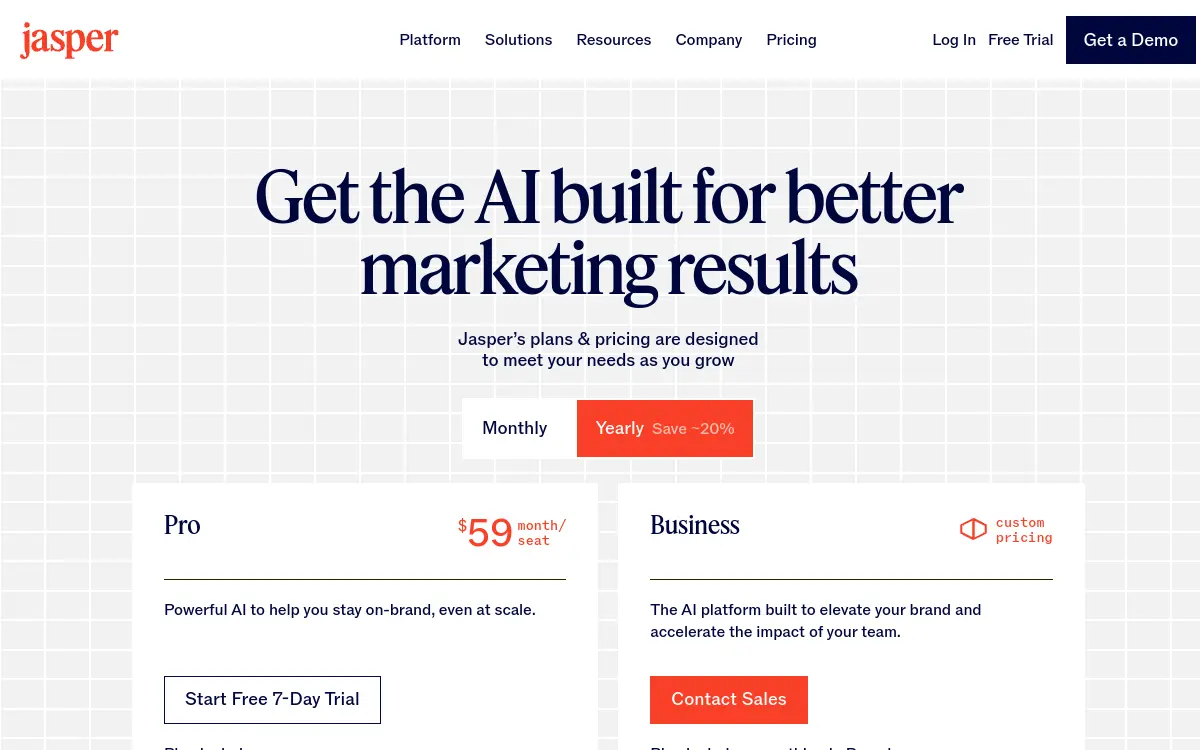
Jasper is built for consistency at scale. Brand voices, knowledge assets and audience profiles mean ten people on a team can write in the same voice with the same facts. G2 reviewers (4.7 from 1,319 reviews) value the speed of drafting campaign copy and the way it keeps output on-brand.
The Business plan adds a style guide, agents for GEO and translation, a no-code agent builder, API access and SSO, which larger marketing teams need.
Where it falls short
Jasper is expensive for small teams. Pro costs $59 per seat a month on yearly billing ($708 a year), there's no free plan, and the trial lasts 7 days. The style guide, API and SSO need the custom-priced Business plan. On Trustpilot, where Jasper scores 3.2 from 4,140 reviews, the top complaint is being charged after cancelling or after the trial.
Who should pick it
Choose Jasper if you run a marketing team that produces a lot of content and brand consistency matters more than price. Solo founders get most of the writing quality from Claude or ChatGPT for about a third of the cost.
What we like
- Brand voices, knowledge assets and audiences built for marketing teams
- Agents for marketing workflows, plus GEO and translation on Business
- API and MCP access for connecting to other tools
Watch-outs
- The most expensive entry plan here: $708 a year per seat
- No free plan, only a 7-day trial
- Style guide, API and SSO need the custom-priced Business plan
What reviewers say about Jasper
Recurring themes in public reviews on G2 and Trustpilot, summarized by our editors.
What reviewers praise
- Reviewers say it speeds up drafting marketing copy that is close to usable.
- Teams value keeping output consistent with their brand voice.
- The interface is clean and keeps campaign work organized.
What reviewers criticize
- Charges after cancelling or after the trial are the top complaint on Trustpilot, where it scores 3.2.
- Output can read as generic or robotic and still needs editing.
- Support can be hard to reach when billing problems need escalating.
| Plan | Price | What you get |
|---|---|---|
| Pro | $69/seat/mo ($59 billed yearly) | 2 brand voices, 5 knowledge assets, 3 audiences, Canvas and marketing agents |
| Business | Custom | Unlimited brand voices, style guide, GEO and translation agents, custom agent builder, API and SSO |
6. QuillBot
- Pricing
- Free plan · from $8.33/moFree plan. Premium is $8.33 a month billed yearly; a 40% discount to $5.00 was showing on November 25, 2026.
- Best for
- Students and non-native writers who need paraphrasing, summaries and grammar help on a small budget
- Founded
- 2017
QuillBot · Video
QuillBot is a set of AI writing tools from Learneo, best known for its paraphraser. One subscription also includes a grammar checker, summarizer, translator, plagiarism checker and an AI "Humanizer".
What it does well
QuillBot is the cheapest way to get unlimited rewriting. Premium costs $8.33 a month billed yearly, and a 40% discount to $5.00 was showing when we checked. It paraphrases in 9 modes and 23 languages and includes 25,000 plagiarism-check words a month. Trustpilot reviewers, mostly students, praise how simple it is and how much time it saves on research and assignments.
Where it falls short
QuillBot rewrites and summarizes; it isn't built to write long drafts from scratch. The free plan stops at 125 words per paraphrase. Only yearly pricing is shown publicly, and the Team Plan price is hidden. Some reviewers say paraphrased text can still be flagged by AI detectors, so don't rely on it to disguise AI writing.
Who should pick it
Choose QuillBot if you're a student, academic or non-native English writer who mostly rewrites, summarizes and checks text on a tight budget.
What we like
- The cheapest paid plan for unlimited paraphrasing and rewriting
- Plagiarism checker, summarizer, translator and Humanizer in one subscription
- Works on up to 10 devices at once
Watch-outs
- Not built for writing long drafts from scratch
- Only yearly pricing is shown publicly, and Team pricing is hidden
- Grammar checking covers 6 languages, versus 23 for paraphrasing
What reviewers say about QuillBot
Recurring themes in public reviews on Trustpilot, summarized by our editors.
What reviewers praise
- Reviewers find the interface simple and quick to learn.
- Paraphrasing saves time on research notes and assignments.
- Students like it for academic writing and practising English, at a lower price than rivals.
What reviewers criticize
- Free-plan caps feel tight, and users want a monthly payment option.
- Some users find the AI detector inaccurate.
- Paraphrased text can still be flagged by AI or plagiarism checkers.
| Plan | Price | What you get |
|---|---|---|
| Free | $0 | Paraphrasing up to 125 words at a time in 2 modes, summaries up to 1,200 words and basic grammar fixes |
| Premium | $8.33/mo billed yearly | Unlimited paraphrasing in 9 modes and 23 languages, 25,000 plagiarism-check words a month, Humanizer, translation |
| Team Plan | Custom | Premium features plus user management and central billing, with a discount for 5 or more members |
7. Notion AI
- Pricing
- Free plan · from $20/seat/moFree and Plus plans include only a trial of Notion AI. Full AI needs Business, $20 per seat a month billed yearly.
- Best for
- Teams that already keep their docs and notes in Notion and want AI where the work lives
- Founded
- 2013 · San Francisco, USA
Notion AI · Video
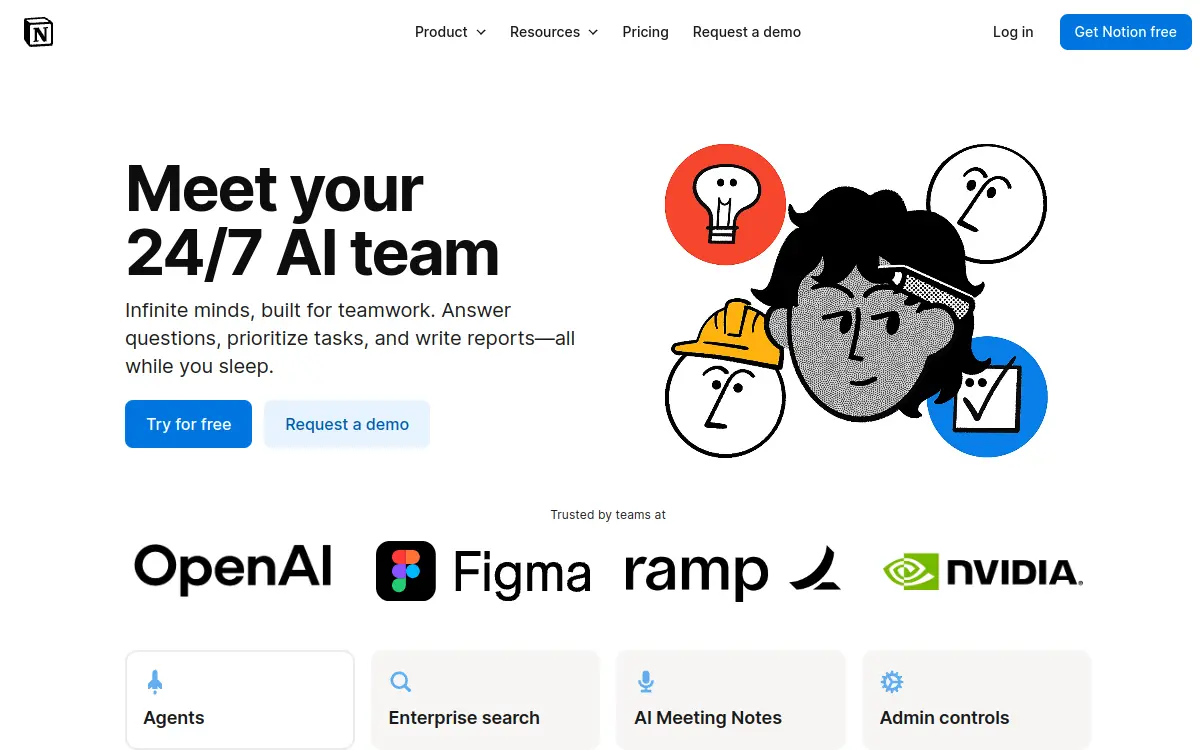
Notion AI is built into Notion, the workspace many teams use for docs, wikis and project notes. It writes and edits, but its real strength is working with what's already in your workspace.
What it does well
Because it can read your Notion pages, Notion AI can draft a project update from your meeting notes, answer questions from your wiki or fill in a database. Notion Agent can do multi-step tasks across Notion and connected apps, and Custom Agents can run recurring team work on a schedule. AI Meeting Notes records meetings without a bot joining the call.
Where it falls short
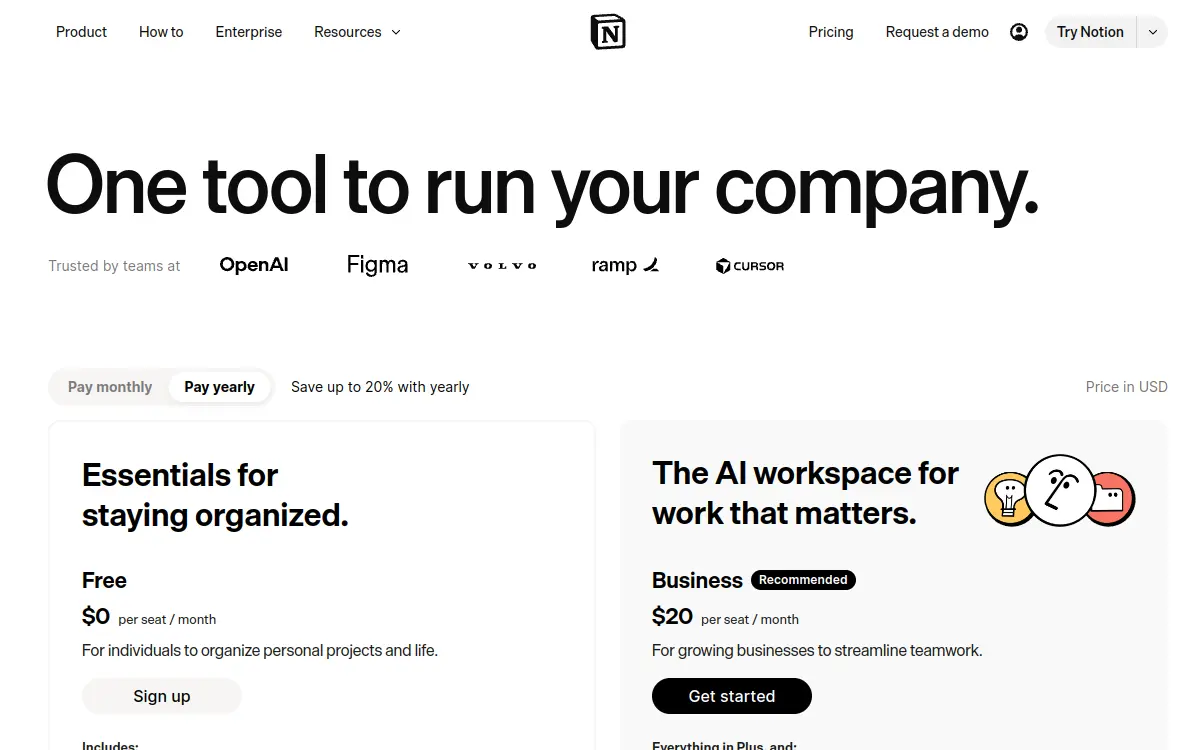
Full Notion AI needs the Business plan at $20 per seat a month on yearly billing; Free and Plus get only a trial. AI use is metered in credits (1,500 Standard and 500 Select per seat a month), and Notion doesn't publish the price of extra credits. Recent Trustpilot reviews complain about credits running out and AI features freezing. Its G2 rating (4.6) covers Notion as a whole, not just the AI.
Who should pick it
Choose Notion AI if your team already lives in Notion and you want AI that knows your docs. If you don't use Notion, a general assistant is cheaper and writes better first drafts.
What we like
- AI works on your own docs, wikis and databases, not on a blank page
- Agents can do multi-step tasks across Notion and connected apps
- Meeting notes, enterprise search and writing in one subscription
Watch-outs
- Full AI needs the $20 Business plan; Plus gets only a trial
- AI is metered in credits, and the price of extra credits isn't published
- The G2 rating covers all of Notion, not the AI features alone
What reviewers say about Notion AI
Recurring themes in public reviews on G2 and Trustpilot, summarized by our editors.
What reviewers praise
- Reviewers like having notes, tasks and docs organized in one flexible place.
- Teams find it reliable for shared docs and project notes across devices.
- Templates and nested pages suit structured work once learned.
What reviewers criticize
- Recent reviews say AI credits run out quickly and extra credits cost more.
- Some users report AI features freezing and dislike not being able to turn AI off.
- Billing surprises and slow, email-only support come up on Trustpilot.
| Plan | Price | What you get |
|---|---|---|
| Free and Plus | $0 and $10/seat/mo | Notion workspace with a limited Notion AI trial |
| Business | $20/seat/mo billed yearly | Notion AI with 1,500 Standard and 500 Select credits per seat a month, Notion Agent, Custom Agents and AI Meeting Notes |
| Enterprise | Custom | Custom AI credits, SAML SSO, zero data retention |
8. Anyword
- Pricing
- No free plan · from $39/moNo free plan. 7-day free trial limited to 2,500 words.
- Best for
- Performance marketers writing ads, landing pages and emails who want copy scored before it ships
Anyword · Video
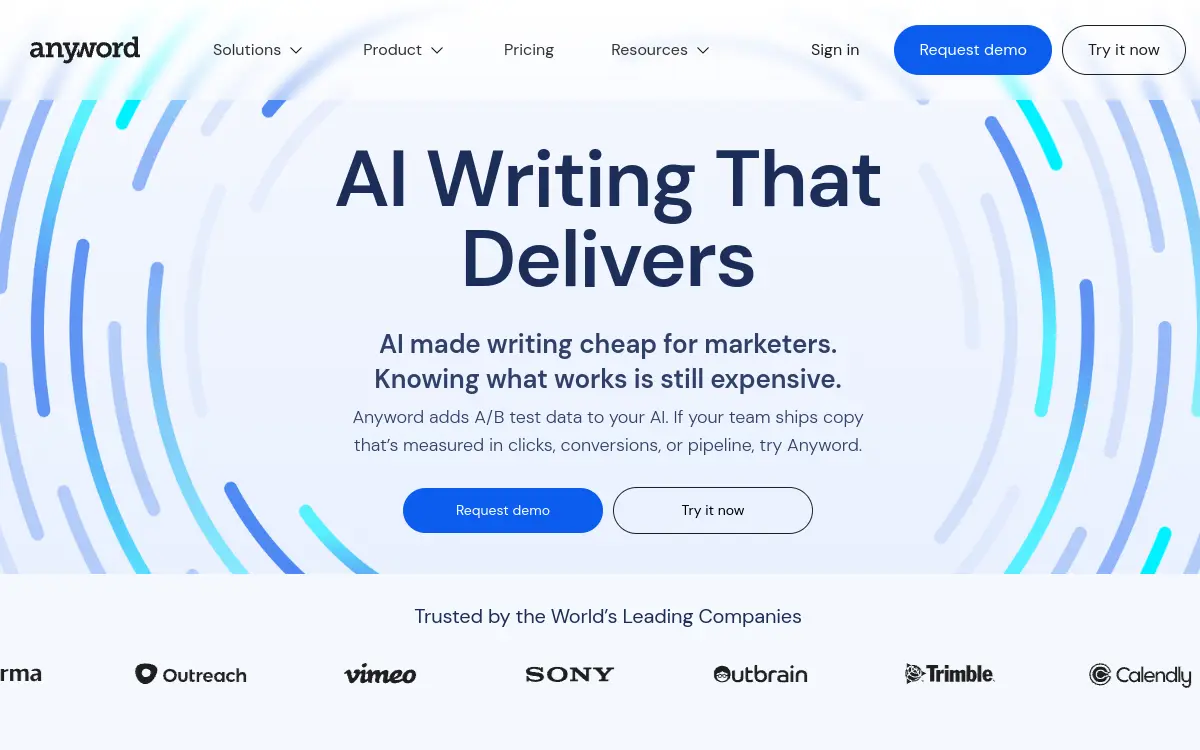
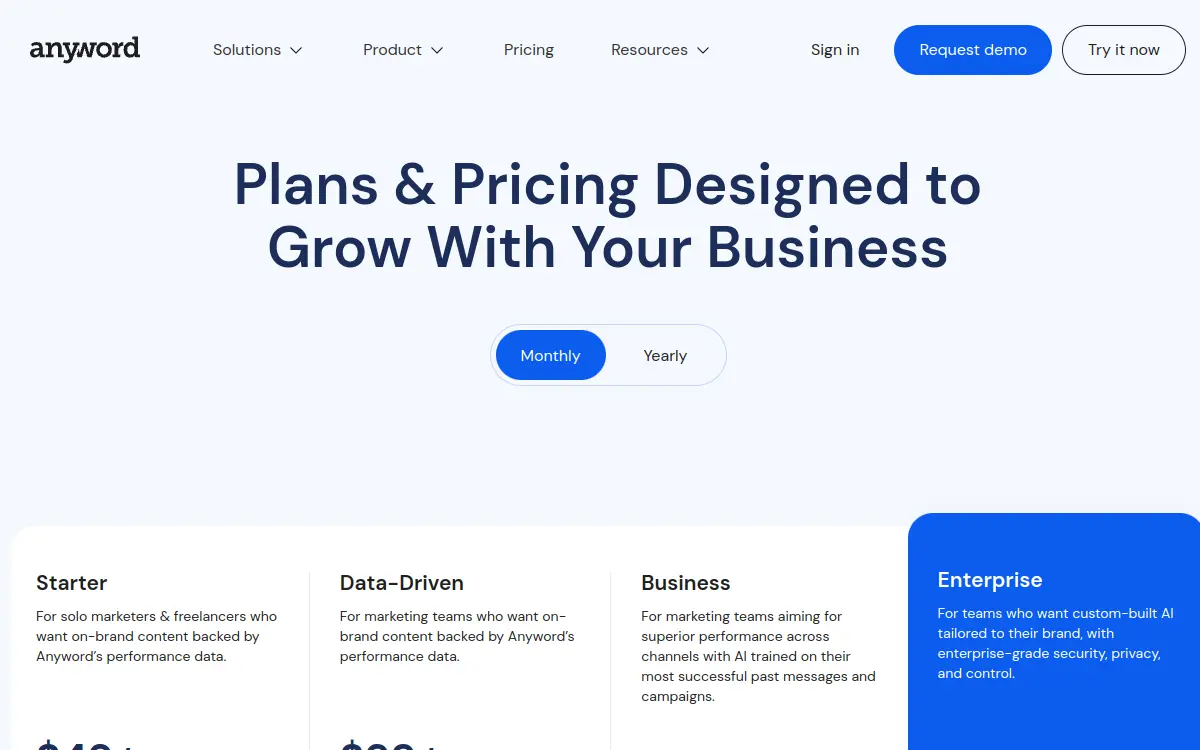
Anyword is an AI copywriter for performance marketing. It writes ads, landing pages, emails and blog posts, and gives each version a predicted-performance score so you can choose before you publish.
What it does well
The scoring is Anyword's edge. Instead of guessing which headline will work, you get a prediction for each variant, and higher plans compare new copy against your own past results. Words are unlimited on every plan, and the Data-Driven plan includes 3 seats for $79 a month on yearly billing, which makes it the cheapest marketing-specific setup for a small team. Trustpilot reviewers (4.8 from 5,208 reviews) say its copy reads naturally and needs little editing.
Where it falls short
Predictions are capped at 50 a month on Starter and 100 on Data-Driven, even though words are unlimited. There's no free plan, and the trial stops at 2,500 words. Most reviews are older: Anyword received only 2 new Trustpilot reviews in the last 12 months, so its high score mostly reflects earlier use.
Who should pick it
Choose Anyword if you write ads and landing pages where conversion rates matter and you want data, not just drafts. For general writing, Claude or ChatGPT is better value.
What we like
- Scores copy for predicted performance before you publish
- Unlimited words on every plan
- Data-Driven includes 3 seats, the cheapest marketing-tool setup for a small team
Watch-outs
- Performance predictions are capped per month even though words aren't
- Most reviews are older: only 2 new Trustpilot reviews in the last 12 months
- Custom models and A/B testing need the custom-priced Business plan
What reviewers say about Anyword
Recurring themes in public reviews on Trustpilot and G2, summarized by our editors.
What reviewers praise
- Reviewers say its copy reads naturally and needs little editing.
- The interface is easy to learn and speeds up content work.
- It helps writers get past a blank page on blogs and ads.
What reviewers criticize
- Some users say support emails went unanswered.
- A few reported account lockouts or being logged out mid-task.
- The 2,500-word trial runs out fast, and long-form output is seen as weaker.
| Plan | Price | What you get |
|---|---|---|
| Starter | $49/mo ($39 billed yearly) | 1 seat, unlimited words, 100+ templates, Blog Wizard, plagiarism checker, 50 performance predictions a month |
| Data-Driven | $99/mo ($79 billed yearly) | 3 seats, 5 workspaces, 100 performance predictions a month, extra seats from $49/mo |
| Business | Custom | Custom AI models, website A/B messaging, more brand voices and roles |
9. Sudowrite
- Pricing
- No free plan · from $10/moNo free plan, but a free trial with no credit card. Prices shown are billed yearly.
- Best for
- Novelists and screenwriters who want an AI built for fiction, from story planning to line edits
- Founded
- 2020
Sudowrite · Video
Sudowrite is an AI writing tool built only for fiction. It helps novelists and screenwriters plan stories, draft scenes, describe characters and edit manuscripts.
What it does well
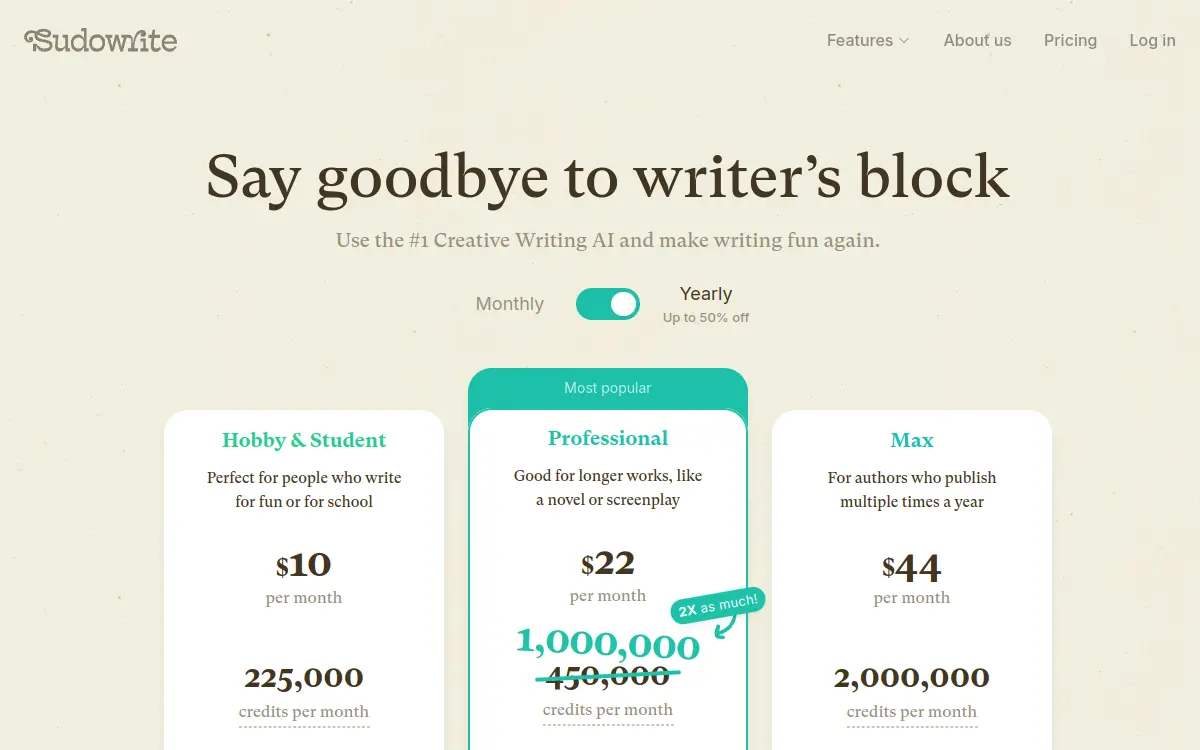
Sudowrite has tools general assistants don't: its own fiction models, a Story Bible that keeps characters, places and plot consistent across a whole book, series continuity, and style matching. The Professional plan ($22 a month billed yearly) adds developmental edits, line edits and beta reads. Its pricing FAQ says it doesn't train on your writing.
Where it falls short
There's no free plan, only a free trial, and no team plan. Usage runs on credits (225,000 to 2,000,000 a month), and Trustpilot reviewers say heavy sessions burn through them fast. Sudowrite has only 36 Trustpilot reviews, averaging 2.8, with complaints about wordy prose and billing problems.
Who should pick it
Choose Sudowrite if you're writing a novel or screenplay and want tools built for long fiction. For short stories or occasional creative writing, Claude is cheaper and more flexible.
What we like
- Built for fiction, with its own story models and a Story Bible
- Developmental edits, line edits and beta reads on Professional
- Does not train on your writing, per its pricing FAQ
Watch-outs
- No free plan and no team plan
- Credit-based usage that heavy writers can burn through
- Only 36 Trustpilot reviews, with a 2.8 average
What reviewers say about Sudowrite
Recurring themes in public reviews on Trustpilot, summarized by our editors.
What reviewers praise
- Several reviewers found support quick and helpful.
- The Story Bible and critique tools help keep characters and plot consistent.
- Brainstorming and description tools are useful, and live lessons help with onboarding.
What reviewers criticize
- Prose can be wordy or clichéd and may ignore length limits.
- Credits can drain quickly; one user used a month's allowance in about an hour.
- Wrong-plan charges and unanswered refund requests come up.
| Plan | Price | What you get |
|---|---|---|
| Hobby & Student | $10/mo billed yearly | 225,000 credits a month, Write, Rewrite, Describe and Expand, style matching and series continuity |
| Professional | $22/mo billed yearly | 450,000 credits a month (shown doubled to 1,000,000 in a current offer), plus developmental edits, line edits and beta reads |
| Max | $44/mo billed yearly | 2,000,000 credits a month, and unused credits roll over for 12 months |
What a year of each tool really costs
Monthly prices hide the real cost, because yearly discounts and seat rules vary a lot. Here is what the entry paid plan costs for one person for a year, and the cheapest way to give three people access, using yearly billing where it's offered.
| Tool | Entry plan, 1 user, per year | Cheapest setup for 3 users, per year |
|---|---|---|
| QuillBot | About $100 (Premium) | About $300 (3 Premium plans) |
| Sudowrite | $120 (Hobby & Student) | $360 (3 separate plans) |
| Grammarly | $144 (Pro) | $432 (Pro, 3 members) |
| Claude | $200 (Pro) | $600 (3 Pro plans) or $720 (Team) |
| Google Gemini | About $240 (Google AI Pro, monthly billing) | About $504 (Workspace, from $14 per seat) |
| ChatGPT | $240 (Plus, monthly billing only) | $720 (Business) |
| Notion AI | $240 (Business, 1 seat) | $720 (Business, 3 seats) |
| Anyword | $468 (Starter) | $948 (Data-Driven, 3 seats included) |
| Jasper | $708 (Pro) | $2,124 (3 Pro seats) |
Three things stand out. The three big assistants cost about the same for one person, so choose between them on writing style and features, not price. Claude is the only one with a yearly discount on its individual plan. And the marketing platforms, Jasper and Anyword, cost two to ten times more than a general assistant, which only pays off if you use their brand-voice or performance features every week.
How to choose an AI writing tool
Most people pick the tool their friends use and then fight it for months. These six questions get you to the right one faster.
- Do you want AI to write, or to improve your writing? For first drafts, choose Claude, ChatGPT or Gemini. To polish your own text, choose Grammarly or QuillBot.
- What do you mostly write? Articles, emails and reports suit Claude. Mixed work with research and images suits ChatGPT. Ads and landing pages suit Anyword, campaign content for a brand team suits Jasper, and novels suit Sudowrite.
- Where do you write? If it's Google Docs and Gmail, Gemini works inside them. If it's Notion, Notion AI knows your docs. Grammarly works almost everywhere.
- How many people need it? Seat rules change the price more than the headline does. Use the cost table above for your team size.
- Do you need plagiarism checks? Grammarly Pro, QuillBot Premium and Anyword include them.
- What happens to your content? If you write about clients or unreleased products, use a business plan that doesn't train on your data, such as Claude Team, ChatGPT Business or Gemini with Workspace.
Which AI writing tool is right for you?
- Solo founder or freelancer: Claude Pro for drafts, plus Grammarly's free plan for a final check.
- Small business team: Claude Team or ChatGPT Business for writing, or Gemini if you already pay for Google Workspace.
- Marketing team: Jasper for brand consistency across many writers, or Anyword if you want copy scored for performance.
- Blogger or content writer: Claude or ChatGPT for drafts, and Grammarly Pro for editing and plagiarism checks.
- Student or academic: QuillBot for paraphrasing and summaries, and Grammarly for grammar. Check your school's rules on AI use first.
- Novelist or screenwriter: Sudowrite.
- Zero budget: the free plans of Claude, ChatGPT and Gemini, with Grammarly's free plan for spelling and grammar.
Tools we considered but left out
Several tools that appear on older lists didn't make it, mostly because they've changed what they sell:
- Writesonic now sells itself as an AI search visibility platform. Its plans start at $79 a month billed yearly and focus on tracking how AI assistants mention your brand, with article writing capped by plan.
- Copy.ai has become a go-to-market (GTM) platform for sales and marketing teams. Its Chat plan costs $24 a month billed yearly, but the next plan jumps to $1,000 a month.
- Rytr now calls itself an AI relationship manager. Its writing assistant still exists, but its plans are now built around tracking contacts and follow-ups.
- Writer is an enterprise AI platform and doesn't publish prices on its plans page.
- Surfer is a content optimization tool for SEO rather than a general writing tool. We cover it in our guide to SEO tools.
How to get better writing from any AI tool
The tool matters less than how you use it. These habits improve results in all nine:
- Give it a sample of your writing. Paste two or three pieces you're happy with and ask it to match the tone. Most "generic AI" complaints come from skipping this step.
- Write a short brief. Say who the reader is, what they should do after reading, how long it should be and what to avoid.
- Draft in sections. Ask for an outline first, agree on it, then write one section at a time. Long one-shot drafts drift.
- Fact-check every claim. AI tools can state wrong facts confidently. Google's own guidance tells publishers to review AI content for accuracy before publishing.
- Edit for your voice last. Cut filler, add your own examples and opinions, and read it out loud. That's what makes it yours.
The verdict
Claude is the best AI writing tool for most people in 2026: its drafts sound the most natural, and Pro costs $200 a year. Choose ChatGPT if you want one app for writing, research, images and voice, and Gemini if your team works in Google Docs and Gmail. Add Grammarly to polish everything you write, Jasper if you run a marketing team that needs brand consistency, and Sudowrite if you're writing a novel.
Start with the free plans of Claude, ChatGPT and Gemini, give each the same brief, and keep the one whose first draft needs the least editing.
Frequently asked questions
What is the best AI writing tool in 2026?
For most people, Claude is the best AI writing tool in 2026 because reviewers rate its drafts as the most natural and it costs $17 a month on yearly billing. ChatGPT is the best all-rounder if you also want images, voice and research in one app. Grammarly is best for polishing your own writing, and Jasper is best for marketing teams.
What is the best free AI writing tool?
ChatGPT, Claude and Google Gemini all have free plans that can draft and rewrite text, with usage limits. Grammarly's free plan fixes spelling and grammar and includes 100 AI prompts a month, and QuillBot's free plan paraphrases up to 125 words at a time.
Is ChatGPT or Claude better for writing?
Claude is usually better for writing that has to sound human, such as articles, emails and personal or creative pieces, and reviewers praise its natural tone. ChatGPT is better when writing is mixed with research, images or data work. Both cost $20 a month on monthly billing, and only Claude offers a yearly discount.
What is the best AI content generator for blog posts?
Claude and ChatGPT write the strongest first drafts of blog posts for the price. Jasper suits marketing teams that need brand voice controls across many writers, and Anyword adds predicted-performance scores for ads and landing pages. Every AI draft still needs a human edit and a fact check before it is published.
Does Google penalize AI-generated content?
Google's guidance says generative AI can help with research and structure, but using it to publish many pages without adding value for readers may break its spam policy on scaled content abuse. Google also tells site owners to fact-check AI content before publishing, because AI models can produce inaccurate statements.
Which AI writing tool is best for fiction?
Sudowrite is the AI writing tool built for fiction. It has its own story models, a Story Bible for keeping characters and plot consistent, and developmental and line edits on its $22 Professional plan. General assistants like Claude are also popular with fiction writers but have no novel-specific tools.
Which AI writing tools check for plagiarism?
Grammarly Pro includes plagiarism and AI-text detection, QuillBot Premium includes 25,000 plagiarism-check words a month, and Anyword includes a plagiarism checker on its Starter plan.
How much do AI writing tools cost?
Most paid AI writing tools cost between $8 and $20 per user per month. QuillBot Premium costs $8.33 a month billed yearly, Grammarly Pro $12, Claude Pro $17 billed yearly, and ChatGPT Plus and Google AI Pro about $20. Marketing platforms cost more: Anyword starts at $39 and Jasper at $59 a month billed yearly.
Sources
Prices, plans and published data were checked on each vendor's own website, and review ratings on the review sites listed, on Nov 25, 2026.
- [01]Claude: pricing and plans
- [02]ChatGPT: pricing and plans
- [03]OpenAI Help Center: what is ChatGPT Plus
- [04]OpenAI Help Center: ChatGPT Pro tiers
- [05]OpenAI Help Center: ChatGPT Business overview
- [06]Google Gemini: subscription plans
- [07]Grammarly: plans
- [08]Grammarly Pro: billing terms
- [09]Grammarly: about the company
- [10]Jasper: pricing and plans
- [11]Jasper: about the company
- [12]QuillBot: Premium pricing
- [13]QuillBot: about the company
- [14]Notion: pricing and plans
- [15]Notion AI: features
- [16]Anyword: pricing and plans
- [17]Sudowrite: pricing and plans
- [18]Claude reviews on G2
- [19]ChatGPT reviews on G2
- [20]Gemini reviews on G2
- [21]Grammarly reviews on G2
- [22]Jasper reviews on G2
- [23]QuillBot reviews on G2
- [24]Notion reviews on G2
- [25]Anyword reviews on Trustpilot
- [26]Sudowrite reviews on Trustpilot
- [27]ChatGPT reviews on Trustpilot
- [28]Grammarly reviews on Trustpilot
- [29]Jasper reviews on Trustpilot
- [30]QuillBot reviews on Trustpilot
- [31]Notion reviews on Trustpilot
- [32]Google Search Central: guidance on using generative AI content
- [33]Writesonic: pricing and plans
- [34]Copy.ai: pricing
- [35]Rytr: pricing
- [36]Writer: plans

About the author
Dan Paul · Founder, TopTool
Dan Paul is a developer turned founder. He runs TopTool, writes its buyer's guides for SEO, AI and marketing tools, and checks every price and plan limit on the vendor's own website.