On this page
- How we tested and scored these plugins
- 1. Rank Math
- 2. Yoast SEO
- 3. SEOPress
- 4. RankSpot
- 5. All in One SEO (AIOSEO)
- 6. The SEO Framework
- 7. Slim SEO
- 8. SmartCrawl
- 9. Squirrly SEO
- What a year of each WordPress SEO plugin really costs
- How to choose a WordPress SEO plugin
- Which WordPress SEO plugin is right for you?
- Tools we considered but left out
- Switching WordPress SEO plugins without losing your rankings
- The verdict
- Frequently asked questions
- Sources
Most people install whichever WordPress SEO plugin they've heard of first. That usually works, but the WordPress SEO plugins on this list differ a lot in what the free version includes, what a licence costs once you run more than one site, and how much load they add to your dashboard.
We compared the eight plugins that show up in almost every shortlist, from the big four (Rank Math, Yoast SEO, SEOPress and All in One SEO) to four smaller picks for specific needs. We also added RankSpot, an AI agent that writes and publishes the content a plugin can't. Every price and plan limit below was checked on the vendor's own website on November 27, 2026, and every plugin rating comes from its WordPress.org page on the same day.
TL;DR · Quick answer
The best WordPress SEO plugins in 2026 are Rank Math, Yoast SEO and SEOPress. Rank Math has the most complete free version, Yoast is the easiest for writers thanks to its readability checks, and SEOPress is the cheapest way to cover several sites. To get SEO articles written, published to WordPress and tracked for you, add RankSpot alongside any of them. If speed matters most, choose The SEO Framework or Slim SEO.
| # | Tool | Best for | Pricing | Overall |
|---|---|---|---|---|
| 01 | Most sites that want the most SEO features in a free plugin | Free plan · from $8.99/mo | 9.0 | |
| 02 | Writers and content teams who want clear, guided on-page and readability checks | Free plan · from $118.80/yr | 8.3 | |
| 03 | Freelancers and small agencies running several sites on a budget | Free plan · from $49/yr | 8.2 | |
| 04 | WordPress sites that want SEO articles researched, written, published and tracked for them | Free plan · from $10 top-up | 8.1 | |
| 05 | Site owners who want guided checklists and built-in rank tracking | Free plan · from $99/yr | 8.0 | |
| 06 | Developers and speed-focused sites that want automated SEO with no upsells | Free plan · from $84/yr | 7.8 | |
| 07 | Small sites that want SEO set up automatically with almost no settings | Free plan · from $59/yr | 7.7 | |
| 08 | WPMU DEV members and agencies that want audits and white-label reports | Free plan · from $50/yr | 7.5 | |
| 09 | Beginners who want guided, step-by-step SEO with keyword research built in | Free plan · from $19.99/mo | 7.1 |
How we tested and scored these plugins
We looked at each plugin the way a site owner would before installing it. For every plugin we:
- Checked every plan on the vendor's pricing page on November 27, 2026, including how many sites each licence covers and whether renewals cost more than the first year. Several vendors were running Black Friday sales that day; we list regular prices.
- Compared the free and paid versions using each plugin's WordPress.org page and the vendor's own feature lists.
- Reviewed official documentation and walkthroughs for the core jobs: titles and meta descriptions, schema, sitemaps, redirects, content analysis and importing from another plugin.
- Checked 2026 features that matter now: llms.txt, AI crawler controls, AI writing tools and AI search visibility.
- Read public reviews on November 27, 2026, on WordPress.org for the plugins and on Product Hunt for RankSpot, and summarized the themes that come up again and again. Each review section links to its source.
- Looked at published speed data. We didn't run our own speed tests. We cite Accelera's performance comparison, which tested 2024 versions of six of these plugins.
Each plugin then got four scores from 1 to 10:
- Value for money: what the free version and the entry paid plan include for the price, and what more sites cost.
- Features: how many SEO jobs the plugin handles well, from meta tags to schema, redirects and WooCommerce.
- Ease of use: how quickly a non-specialist can set it up and act on its advice.
- Data depth: how much SEO data the plugin gives you inside WordPress, such as Search Console data, rank tracking, schema types and content analysis.
The overall score is the average of the four. The order of the list reflects which plugin we'd recommend first to a typical small business or blog. That's why Yoast sits above SEOPress despite a slightly lower value score: its readability analysis and huge ecosystem make it the safer pick for most content teams. RankSpot sits fourth because it does a different job: it works alongside whichever plugin you choose and covers content, which the plugins don't.
| Tool | Value for money | Features | Ease of use | Data depth | Overall |
|---|---|---|---|---|---|
| Rank Math | 9.3 | 9.4 | 8.4 | 8.8 | 9.0 |
| Yoast SEO | 7.2 | 8.8 | 9.2 | 7.8 | 8.3 |
| SEOPress | 9.0 | 8.3 | 8.0 | 7.4 | 8.2 |
| RankSpot | 8.8 | 7.6 | 8.6 | 7.4 | 8.1 |
| All in One SEO (AIOSEO) | 6.8 | 8.7 | 8.2 | 8.3 | 8.0 |
| The SEO Framework | 8.8 | 7.2 | 8.6 | 6.4 | 7.8 |
| Slim SEO | 8.6 | 7.0 | 9.0 | 6.2 | 7.7 |
| SmartCrawl | 8.0 | 7.4 | 7.6 | 7.0 | 7.5 |
| Squirrly SEO | 6.0 | 8.0 | 6.4 | 8.0 | 7.1 |
1. Rank Math
- Pricing
- Free plan · from $8.99/moFree plugin on WordPress.org. Paid plans are billed yearly, with a 30-day money-back guarantee.
- Best for
- Most sites that want the most SEO features in a free plugin
- Founded
- 2020 · Gurugram, India
Rank Math · Video
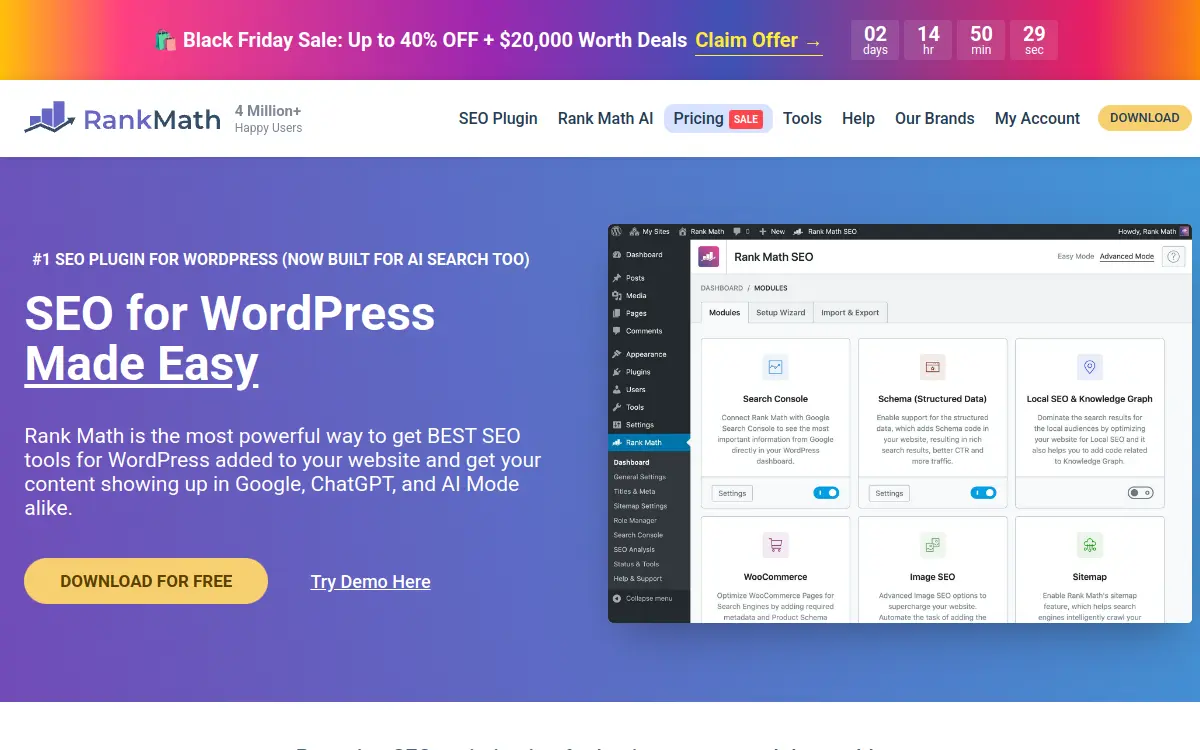
Rank Math has the most features in a free version of any plugin on this list. It covers titles and meta descriptions, schema, sitemaps, redirects and content analysis in one plugin, and it brings your Google Search Console and Analytics data into the WordPress dashboard.
What it does well
Redirects, a 404 monitor, Local SEO, WooCommerce SEO with automatic product schema and more than 16 schema types are all free. Most other plugins here charge for at least some of those.
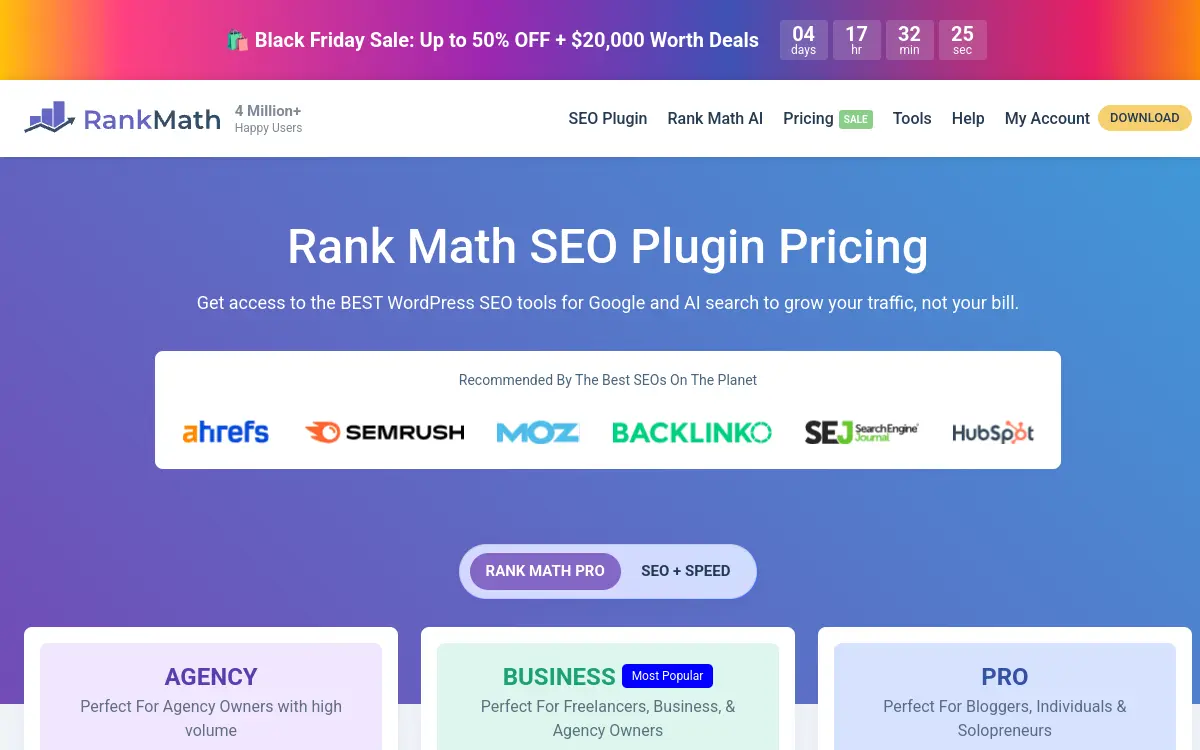
PRO costs $8.99 a month billed yearly ($107.88 a year) and covers unlimited personal websites, with 500 tracked keywords, a schema generator and AI Link Genius for internal links. It has more than 4 million active installs and a 4.8 rating from 7,531 reviews on WordPress.org.
Where it falls short
Rank Math switches many modules on by default, so the settings can feel crowded until you turn off what you don't use. PRO is for your own sites only: client sites need the Business plan at $335.88 a year, which covers 100 of them. One WordPress.org reviewer reports that a Content AI subscription was pre-selected at checkout, so check your cart before paying.
Who should pick it
Choose Rank Math if you want the most SEO features for free, run a WooCommerce store or local business, or manage several of your own sites. If you'd rather have fewer settings, look at Slim SEO or The SEO Framework.
What we like
- The most complete free version here: redirects, 404 monitor, Local SEO and WooCommerce SEO cost nothing
- PRO covers unlimited personal websites for $107.88 a year
- Search Console and Analytics data inside WordPress, plus a rank tracker on paid plans
- Imports settings from other SEO plugins when you switch
Watch-outs
- Many modules are switched on by default, so the interface can feel busy
- PRO is for your own sites only; client sites need the $335.88-a-year Business plan
- Watch the checkout: a reviewer reports an AI add-on was pre-selected
What reviewers say about Rank Math
Recurring themes in public reviews on WordPress.org, summarized by our editors.
What reviewers praise
- Reviewers like that one plugin handles meta tags, schema, sitemaps and redirects reliably across many sites.
- Beginners find the setup and recommendations clear enough to act on without SEO experience.
- Several users say the free version does more than competitors' paid tiers.
What reviewers criticize
- One Pro buyer says a Content AI subscription was added at checkout by default and then renewed.
- Some users hit slow saves or 504 errors after an update, and feel too many modules are on by default.
- A paying user reports the AI visibility feature didn't work as advertised.
| Plan | Price | What you get |
|---|---|---|
| Free | $0 | Redirects, 404 monitor, 16+ schema types, Local SEO, WooCommerce SEO, Search Console and Analytics data |
| PRO | $8.99/mo billed yearly ($107.88/yr) | Unlimited personal websites, 500 tracked keywords, Schema Generator, AI Link Genius |
| Business | $27.99/mo billed yearly ($335.88/yr) | 100 client websites, 10,000 tracked keywords |
| Agency | $64.99/mo billed yearly ($779.88/yr) | 500 client websites, 50,000 tracked keywords |
2. Yoast SEO
- Pricing
- Free plan · from $118.80/yrFree plugin on WordPress.org. Paid plans are billed yearly; a full refund within 30 days of the first purchase.
- Best for
- Writers and content teams who want clear, guided on-page and readability checks
- Founded
- 2010

Yoast SEO · Video
Yoast SEO is the best-known WordPress SEO plugin, with more than 10 million active installs. It's built around traffic-light checks for SEO and readability on every post.
What it does well
Yoast checks each post for keyphrase use, readability, sentence length and structure, and tells you in plain words what to fix. The free version also includes schema, XML sitemaps, a bulk metadata editor and llms.txt management, which several rivals keep behind a paywall.
Yoast SEO Premium costs $118.80 a year and adds up to five keyphrases per post, AI tools for titles and descriptions, a redirect manager, and Local, News and Video SEO in one package. Yoast SEO AI+ ($358.80 a year) adds brand visibility tracking in ChatGPT, Gemini, Perplexity and Claude.
Where it falls short
The free version has no redirect manager, so changing a URL means installing a second plugin or paying for Premium. Pricing for more than one site isn't listed (Yoast offers custom quotes), and refunds only cover the first purchase. WordPress.org reviewers mention PHP deprecation warnings and heavy promotion of Premium inside the plugin. In Accelera's 2024 speed comparison, Yoast added more load in the editor than most other plugins tested.
Who should pick it
Choose Yoast if writers or editors are the main users and you want clear, guided advice on every post. If you need redirects and Local SEO without paying, Rank Math gives you more for free.
What we like
- The most widely used SEO plugin, with 10+ million active installs
- Readability analysis that no other plugin here matches for writers
- llms.txt management and schema are included in the free version
- Premium bundles Local, News and Video SEO instead of selling them separately
Watch-outs
- A redirect manager and more than one keyphrase need Premium ($118.80 a year)
- Multi-site pricing isn't listed; Yoast offers custom quotes
- Refunds only cover the first purchase, not renewals
What reviewers say about Yoast SEO
Recurring themes in public reviews on WordPress.org, summarized by our editors.
What reviewers praise
- Reviewers say the traffic-light checks make on-page SEO simple for people who aren't SEO experts.
- Writing teams value the mature content and readability analysis.
- Long-time users find the free version covers everything they need.
What reviewers criticize
- Some users see frequent PHP deprecation warnings and errors.
- A ten-year user says free-plan users get no real support, and switched plugins.
- Premium promotions inside the plugin feel heavy to some reviewers.
| Plan | Price | What you get |
|---|---|---|
| Free | $0 | SEO and readability analysis, schema, XML sitemaps, llms.txt, bulk metadata editor |
| Yoast SEO Premium | $118.80/yr | Up to 5 keyphrases, AI tools, redirect manager, Local, News and Video SEO |
| Yoast WooCommerce SEO | $178.80/yr | Everything in Premium plus product schema and AI product metadata |
| Yoast SEO AI+ | $358.80/yr | Everything in WooCommerce SEO plus brand visibility tracking in ChatGPT, Gemini, Perplexity and Claude |
3. SEOPress
- Pricing
- Free plan · from $49/yrFree plugin on WordPress.org. PRO renews at the same price, with a 14-day money-back guarantee.
- Best for
- Freelancers and small agencies running several sites on a budget
- Founded
- 2018 · Bidart, France
SEOPress · Video
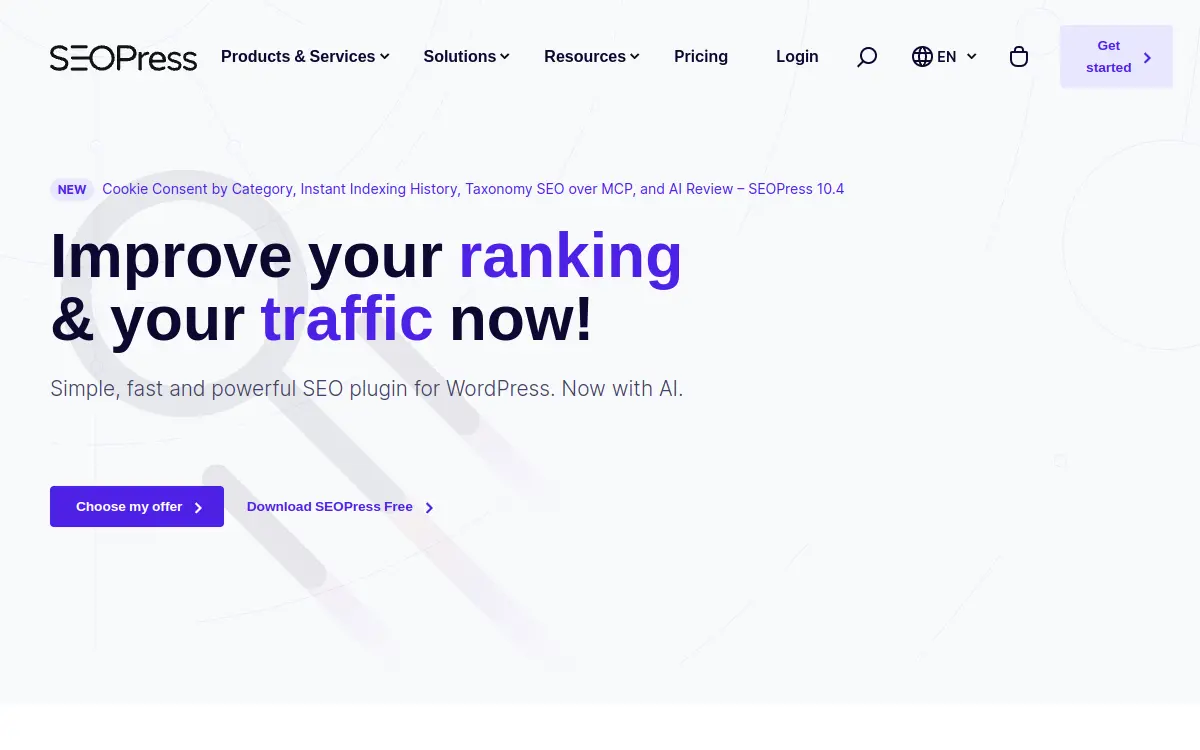
SEOPress is made in Bidart, France, where it started in 2017. It's lighter and cheaper than Rank Math and Yoast. It has more than 300,000 active installs and a 4.8 rating from 1,271 reviews on WordPress.org.
What it does well
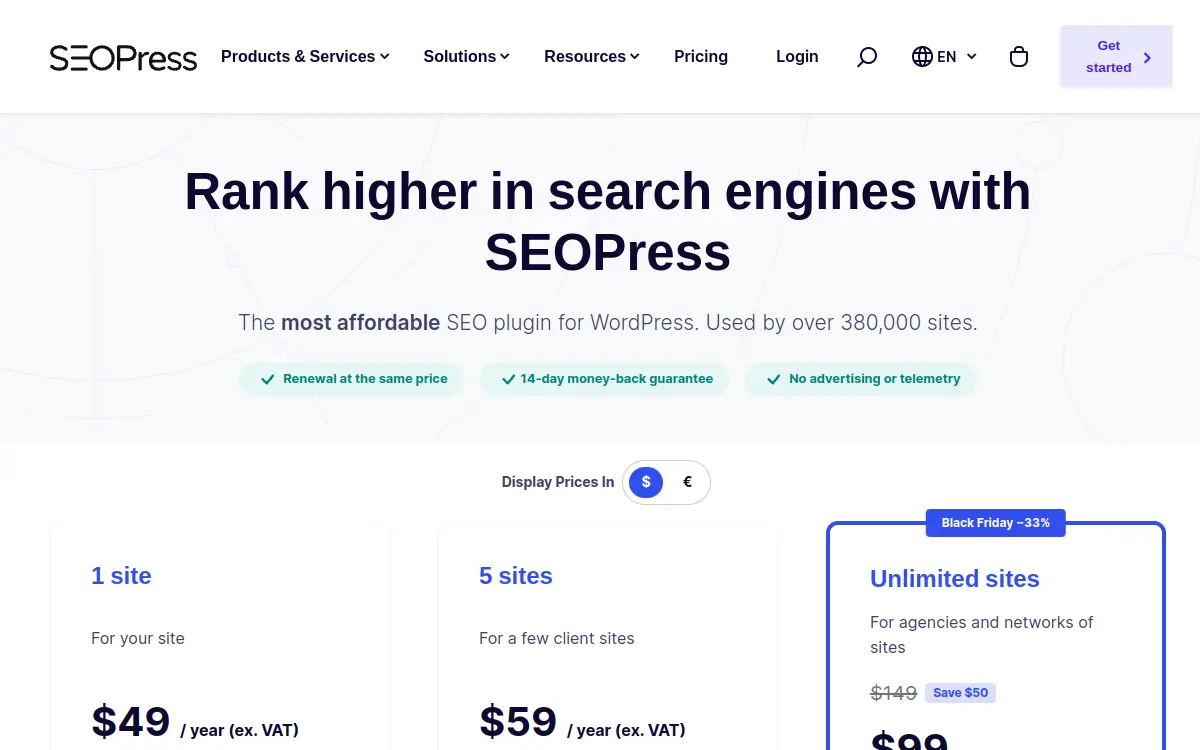
SEOPress PRO costs $49 a year for one site, $59 for five and $149 for unlimited sites, and renewals cost the same as the first year. That makes it the cheapest way on this list to cover a handful of client sites.
The free version has no ads or telemetry and includes unlimited target keywords, meta tags, sitemaps, instant indexing and basic redirects. PRO adds a full redirect manager, a 404 monitor, Local SEO, extended schemas, llms.txt and a broken link checker.
Where it falls short
Some 2026 features are PRO-only, including llms.txt. AI credits ($19 to $49 a month) and SEOPress Insights for rank and backlink tracking ($99 a year per site) are paid add-ons, and some reviewers call Insights buggy. There are also fewer tutorials and third-party guides than for Yoast or Rank Math.
Who should pick it
Choose SEOPress if you're a freelancer or small agency running several sites and want a full-featured plugin without per-site costs adding up.
What we like
- The cheapest way to cover several sites: $59 a year for 5
- Renewals cost the same as the first year
- No ads or telemetry in the free plugin
- Basic redirects and instant indexing in the free version
Watch-outs
- llms.txt, the redirect manager and the 404 monitor are PRO-only
- AI credits and rank tracking (SEOPress Insights, $99 a year per site) cost extra
- Fewer tutorials and third-party guides than Yoast or Rank Math
What reviewers say about SEOPress
Recurring themes in public reviews on WordPress.org, summarized by our editors.
What reviewers praise
- Reviewers describe it as lightweight, with no bloat or ads.
- Support is called fast and capable.
- Users see it as good value, with a strong free version.
What reviewers criticize
- The paid Insights add-on for rank and backlink tracking is described as buggy.
- One user felt instant indexing wasn't noticeably faster.
- Content analysis failed to find a keyword on one Elementor Pro homepage.
| Plan | Price | What you get |
|---|---|---|
| Free | $0 | Unlimited target keywords, meta tags, sitemaps, instant indexing, basic redirects, no ads or telemetry |
| PRO, 1 site | $49/yr | Redirect manager, 404 monitor, Local SEO, extended schemas, llms.txt, broken link checker |
| PRO, 5 sites | $59/yr | Everything in PRO on 5 sites |
| PRO, unlimited sites | $149/yr | Everything in PRO on unlimited sites |
4. RankSpot
- Pricing
- Free plan · from $10 top-upPay as you go: no subscription, credit rolls over. New accounts get $1 of free credit.
- Best for
- WordPress sites that want SEO articles researched, written, published and tracked for them


RankSpot · Video
RankSpot isn't a WordPress plugin, and it doesn't replace one. It's an AI SEO agent that handles the part of WordPress SEO no plugin does: deciding what to publish, writing it and getting it ranked.
It runs inside the AI assistant you already use. You connect it to Claude, ChatGPT, Cursor or n8n through MCP, ask in plain English, and approve what it proposes. A web dashboard is available too.
What it does well
RankSpot reads the top five Google results and the sources AI answers quote for a keyword, writes a more useful article, scores the draft against those pages, publishes it to WordPress and sends it to Google for indexing. Nothing goes live without your OK.
It then tracks the results: your Google rankings with click data from Search Console, and whether ChatGPT, Claude, Perplexity, Gemini, AI Overviews and AI Mode mention you. It can also find the editors of pages that rank for your keywords and send backlink pitches from your own mailbox.
There's no subscription. A published article costs $3, an AI visibility check costs $0.004, and reading your data is free. New accounts get $1 of credit, top-ups start at $10, and RankSpot says most sites spend $30 to $90 a month.
Where it falls short
RankSpot doesn't manage titles, meta descriptions, schema, sitemaps or redirects inside WordPress, so you still need one of the plugins on this list. Fixes made directly in your CMS are listed as coming soon. You also need your own AI plan, such as Claude or ChatGPT, and costs grow with how much you ask it to do. It's a young product with four public reviews so far.
Who should pick it
Choose RankSpot if your WordPress site is set up correctly but isn't getting traffic because you don't publish enough. Pair it with Rank Math, Yoast or SEOPress for the on-page side.
What we like
- Does the content side of WordPress SEO for you: research, writing, publishing and indexing
- Tracks Google rankings with Search Console clicks, and visibility in six AI answer engines
- No subscription: $3 per published article, and unused credit rolls over
- Runs inside the AI assistant you already use (Claude, ChatGPT, Cursor and others) through MCP
Watch-outs
- Not a WordPress plugin: it doesn't set titles, meta tags, schema or sitemaps, so keep one of the plugins above
- Site fixes in your CMS are still listed as coming soon
- A young product with only four public reviews so far
What reviewers say about RankSpot
Recurring themes in public reviews on Product Hunt, summarized by our editors.
What reviewers praise
- Reviewers say it automates blog content end to end, from research to a published article.
- Onboarding is quick and it connects to an existing stack fast.
- Users like having AI visibility, writing, outreach and research in one tool, paid per use.
What reviewers criticize
- Adding and managing more than one site wasn't clear to one reviewer.
- The first keyword and prompt setup felt like the weakest step until connected to Claude.
- Users want more control over AI-written content beyond tone of voice.
| Plan | Price | What you get |
|---|---|---|
| Article | $3 each | Researched from the top Google results, written, published to WordPress and sent for indexing |
| AI visibility check | $0.004 each | One prompt checked in one AI engine (ChatGPT, Claude, Perplexity, Gemini, AI Overviews, AI Mode) |
| Keyword update | $0.15 per site update | Rankings and keywords for your site or a competitor |
| Always free | $0 | Reading your data, tracking competitors, editing with your own AI |
5. All in One SEO (AIOSEO)
- Pricing
- Free plan · from $99/yrFree plugin on WordPress.org. First-year prices are discounted and renewals are at full price; 14-day refund on new purchases.
- Best for
- Site owners who want guided checklists and built-in rank tracking
- Founded
- 2007


All in One SEO (AIOSEO) · Video
All in One SEO, usually called AIOSEO, is one of the oldest WordPress SEO plugins: it dates back to 2007 and has more than 2 million active installs. It was formerly All in One SEO Pack, changed hands in 2020, and today focuses on guided checklists for beginners.
What it does well
The free version is generous on keywords: unlimited focus keywords with its TruSEO scores, plus an llms.txt generator, IndexNow and Search Console connection. Paid plans add features that other plugins keep out of the core product, like Author SEO for E-E-A-T, content decay tracking and keyword rank tracking inside WordPress (on Elite).
Many WordPress.org reviewers name the support agent who helped them.
Where it falls short
The prices on AIOSEO's pricing page are introductory: Basic is $49.50 for the first year, but renewals are at full price, which is $99 a year for one site. Redirects need the Pro plan at $399 a year. Reviewers complain about upgrade nags and the plugin installing other plugins without asking. In Accelera's 2024 speed comparison, AIOSEO was the slowest plugin on the front end.
Who should pick it
Choose AIOSEO if you want step-by-step checklists and rank tracking in one plugin and don't mind paying for it. If budget matters, Rank Math or SEOPress covers similar ground for less.
What we like
- Unlimited focus keywords, llms.txt and IndexNow in the free version
- Clear checklists and TruSEO scores guide beginners
- Rank tracking and content decay tracking built in on Elite
Watch-outs
- Renewals cost about twice the first-year price
- Redirects need the $399-a-year Pro plan
- Reviewers complain about upsells and extra plugin installs
What reviewers say about All in One SEO (AIOSEO)
Recurring themes in public reviews on WordPress.org, summarized by our editors.
What reviewers praise
- Many reviewers praise fast, helpful support, often naming the agent who helped.
- Users say it makes SEO manageable for people without SEO knowledge.
- Some note the free version includes tools that rivals charge for.
What reviewers criticize
- Reviewers report the plugin installing other plugins without asking.
- Upgrade nags and meta-box clutter annoy users; one reported a broken editor.
- Several find it expensive next to the alternatives.
| Plan | Price | What you get |
|---|---|---|
| Basic | $99/yr (introductory $49.50 first year) | 1 site, 10,000 AI credits |
| Plus | $199/yr (introductory $89.55) | 3 sites, Local SEO, Author SEO, image SEO |
| Pro | $399/yr (introductory $159.60) | 10 sites, redirects and 404 tracking, video and news sitemaps, Link Assistant |
| Elite | $599/yr (introductory $209.65) | 100 sites, keyword rank tracking, Search Console metrics, content decay tracking |
6. The SEO Framework
- Pricing
- Free plan · from $84/yrFree plugin on WordPress.org. Paid plans are billed yearly, with a 30-day refund.
- Best for
- Developers and speed-focused sites that want automated SEO with no upsells
- Founded
- Alphen aan den Rijn, Netherlands
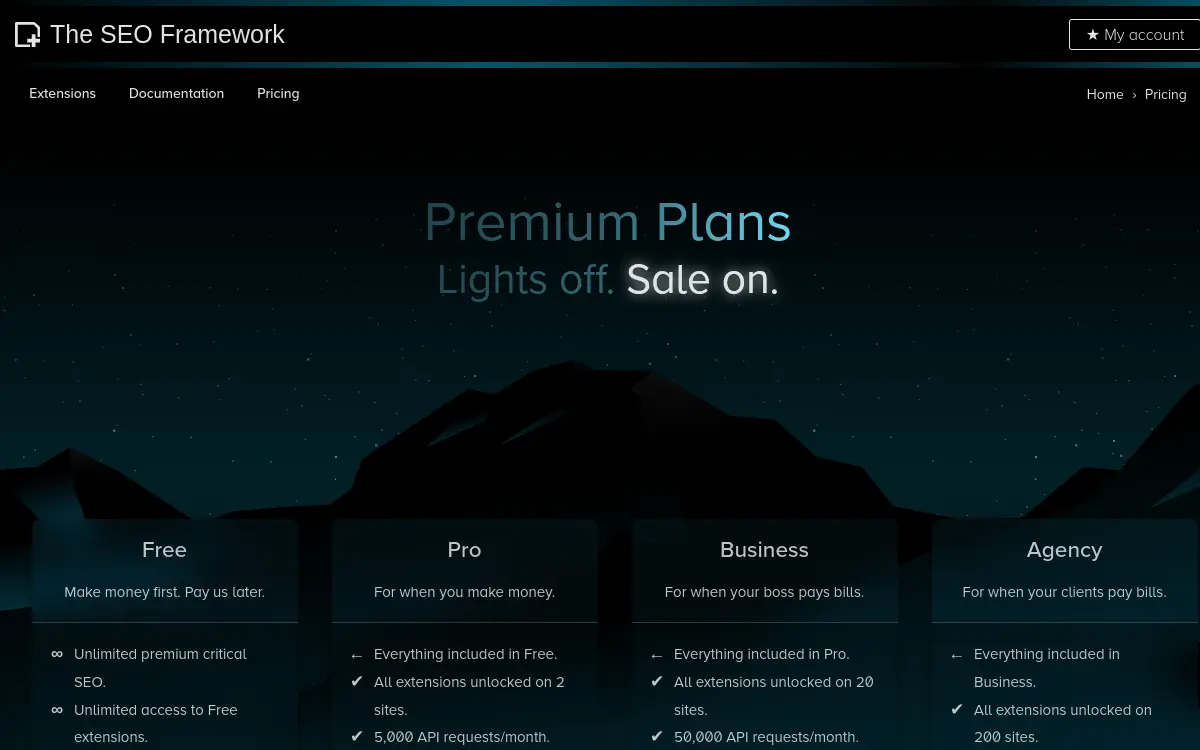
The SEO Framework sets up titles, meta descriptions and schema automatically and keeps the interface quiet, with no ads or upsells in the dashboard.
What it does well
In Accelera's 2024 speed comparison, The SEO Framework added 35 ms on the front end and 20 ms in the editor, against 71 ms and 177 ms for Yoast. It has the highest WordPress.org rating on this list, 4.9 from 382 reviews, and more than 200,000 active installs.
The free version covers the essentials, including WooCommerce support and blocking AI crawlers through robots.txt. Free extensions add migration from other plugins, AMP support and redirects for attachment pages. Paid plans start at $84 a year for two sites and unlock premium extensions like Focus (keyword analysis), Local and Articles (Google News sitemaps).
Where it falls short
There's no keyword or readability analysis without the paid Focus extension, and there are no AI writing tools. Writers who like Yoast's guidance will find it bare. A few reviewers report problems after uninstalling or with the extension manager.
Who should pick it
Choose The SEO Framework if you're a developer, care about speed, or simply want SEO handled correctly in the background without a busy dashboard.
What we like
- The highest WordPress.org rating here (4.9 from 382 ratings)
- Among the fastest plugins in a 2024 speed comparison by Accelera
- No ads or upsells in the dashboard
Watch-outs
- No keyword analysis in the free version; the Focus extension needs Pro
- Fewer features for content writers than Yoast or Rank Math
- No AI writing or metadata tools
What reviewers say about The SEO Framework
Recurring themes in public reviews on WordPress.org, summarized by our editors.
What reviewers praise
- Reviewers like that it is lightweight and clean, with no nags or aggressive upselling.
- The developer's hands-on support gets frequent praise.
- Setup is quick, and the automation covers the essentials.
What reviewers criticize
- One user couldn't remove a component left by the Extension Manager from the dashboard.
- One reviewer says rankings and sitemap indexing got worse after switching.
- A reviewer reports leftover data after uninstalling caused errors.
| Plan | Price | What you get |
|---|---|---|
| Free | $0 | Automated meta tags and schema, WooCommerce support, AI crawler blocking, free extensions |
| Pro | $84/yr | All extensions on 2 sites, 5,000 API requests a month |
| Business | $204/yr | All extensions on 20 sites, 50,000 API requests a month |
| Agency | $324/yr | All extensions on 200 sites, 500,000 API requests a month |
7. Slim SEO
- Pricing
- Free plan · from $59/yrFree plugin on WordPress.org, with no ads or time limit. Pro has a 14-day money-back guarantee.
- Best for
- Small sites that want SEO set up automatically with almost no settings
- Founded
- Vietnam
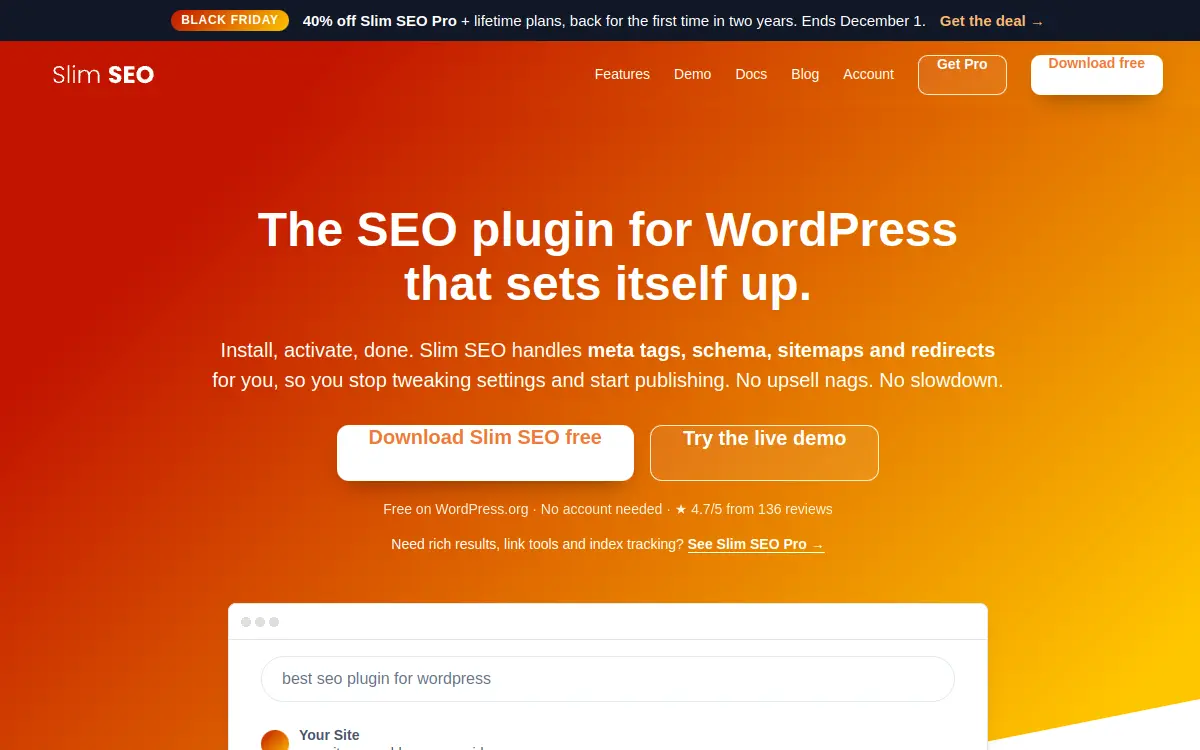
Slim SEO needs the least setup of any plugin here. Once installed, it handles meta tags, schema, sitemaps and redirects with almost no settings to configure.
What it does well
It was the fastest plugin in Accelera's 2024 speed comparison, with 23 ms on the front end. The free version includes redirects, a 404 monitor, automatic redirects when you change a slug, and AI meta titles and descriptions using your own OpenAI, Gemini, Claude or OpenRouter key.
Slim SEO Pro costs $59 a year for one site, $119 for ten and $179 for unlimited sites. It adds a visual schema builder with more than 30 types, link suggestions and broken link repair, and Search Console reports.
Where it falls short
Because it has so few settings, you get less control than with Rank Math or Yoast, and there's no content or readability analysis in the free version. It's a smaller project too, with more than 70,000 active installs and 137 WordPress.org reviews. Some reviewers report sitemap issues, such as drafts appearing.
Who should pick it
Choose Slim SEO for small business sites, portfolios and blogs where you want good technical SEO without learning a new interface.
What we like
- The fastest plugin in Accelera's 2024 speed comparison
- Redirects and a 404 monitor are free
- AI meta titles and descriptions with your own OpenAI, Gemini or Claude key
Watch-outs
- Few settings by design, so less control than Rank Math or Yoast
- No content or readability analysis in the free version
- Small user base (70,000+ active installs)
What reviewers say about Slim SEO
Recurring themes in public reviews on WordPress.org, summarized by our editors.
What reviewers praise
- Reviewers like that it automates SEO without bloat but still allows fine-tuning.
- The interface fits WordPress and has no ads or hard upsells.
- Support from the developers is described as fast and helpful.
What reviewers criticize
- Some users hit sitemap problems, such as drafts appearing or unwanted redirects.
- A Pro buyer coming from Rank Math felt the upgrade wasn't worth it.
- One reviewer found ACF support weak and replies slow.
| Plan | Price | What you get |
|---|---|---|
| Free | $0 | Automatic meta tags and schema, sitemaps, redirects, 404 monitor, AI meta with your own API key |
| Personal | $59/yr | 1 site, all Pro features (schema builder, link suggestions, Search Console reports) |
| Freelancer | $119/yr | 10 sites, all Pro features |
| Agency | $179/yr | Unlimited sites, all Pro features |
8. SmartCrawl
- Pricing
- Free plan · from $50/yrFree plugin on WordPress.org. Pro is sold on its own or in a WPMU DEV membership, with a 30-day money-back guarantee.
- Best for
- WPMU DEV members and agencies that want audits and white-label reports
- Founded
- 2007 · Melbourne, Australia
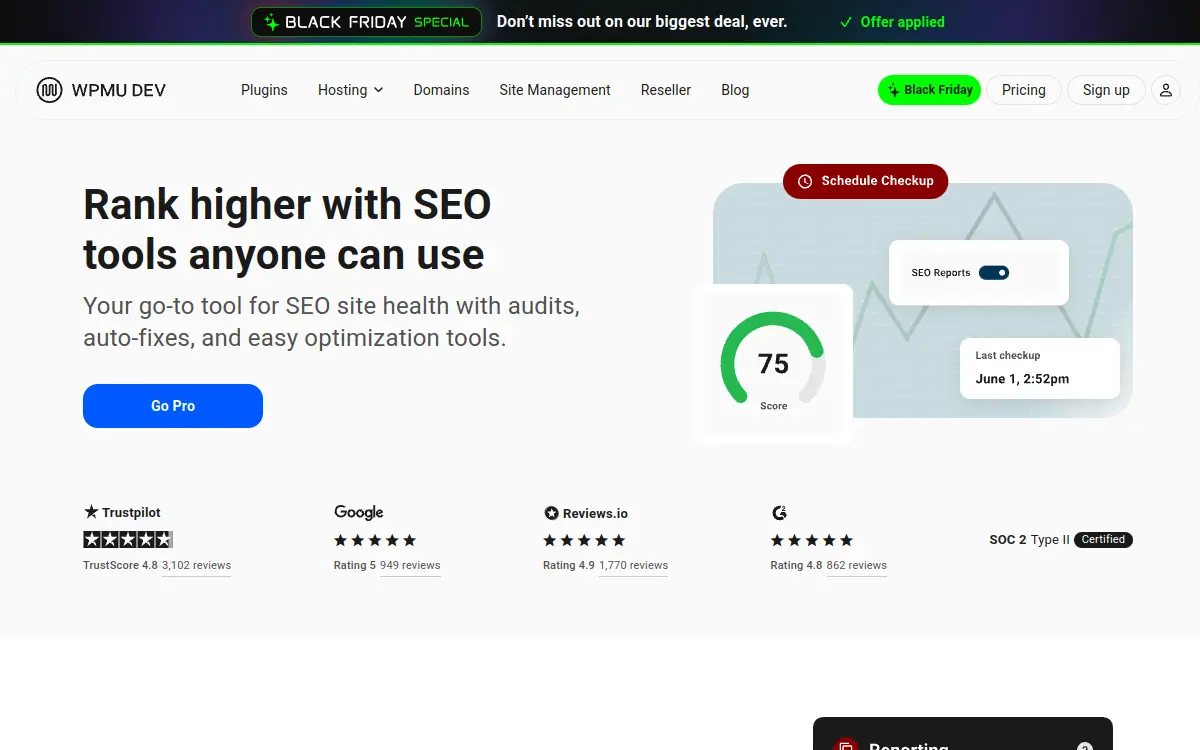
SmartCrawl comes from WPMU DEV, a Melbourne-based WordPress company that started in 2007. It's a full SEO plugin with a focus on site audits and reports.
What it does well
The free version is broad: an SEO checkup, content and keyword analysis, sitemaps, a schema builder with Local Business and Product types, WooCommerce SEO and 301 redirects. SmartCrawl Pro is now sold on its own, from $50 a year for one site to $100 a year for ten. It adds SEO audits and reports, automatic internal linking, instant indexing and white label options for agencies.
Where it falls short
SmartCrawl has the smallest user base on this list, with more than 10,000 active installs, and most of its WordPress.org reviews are from 2022 to 2024. Some reviewers report updates deleting keywords and meta descriptions, and sitemaps including pages that shouldn't be there.
Who should pick it
Choose SmartCrawl if you already use WPMU DEV for hosting or other plugins, or you're an agency that wants white-label SEO reports at a low price.
What we like
- Schema builder, WooCommerce SEO and 301 redirects in the free version
- Cheap standalone Pro plans, from $50 a year
- White label and a central dashboard for agencies
Watch-outs
- The smallest user base here (10,000+ active installs)
- Most public reviews are from 2022 to 2024
- Best value only if you already use other WPMU DEV tools
What reviewers say about SmartCrawl
Recurring themes in public reviews on WordPress.org, summarized by our editors.
What reviewers praise
- Reviewers find it lighter than the big-name SEO plugins.
- Users say it is easy to use and has plenty of features.
- Some appreciate the lack of constant upgrade prompts.
What reviewers criticize
- Some users say updates deleted keywords and meta descriptions.
- Sitemaps included pages that shouldn't be there, like the login page.
- It can be hard to remove when installed through WPMU DEV.
| Plan | Price | What you get |
|---|---|---|
| Free | $0 | SEO checkup, content analysis, sitemaps, schema builder, WooCommerce SEO, 301 redirects |
| Pro Basic | $50/yr | 1 site, SEO audits and reports, automatic linking, instant indexing |
| Pro Standard | $75/yr | 3 sites, same features as Pro Basic |
| Pro Plus | $100/yr | 10 sites, same features as Pro Basic |
9. Squirrly SEO
- Pricing
- Free plan · from $19.99/moFree plan for 1 site. Paid plans have no renewal fees and can be cancelled anytime.
- Best for
- Beginners who want guided, step-by-step SEO with keyword research built in

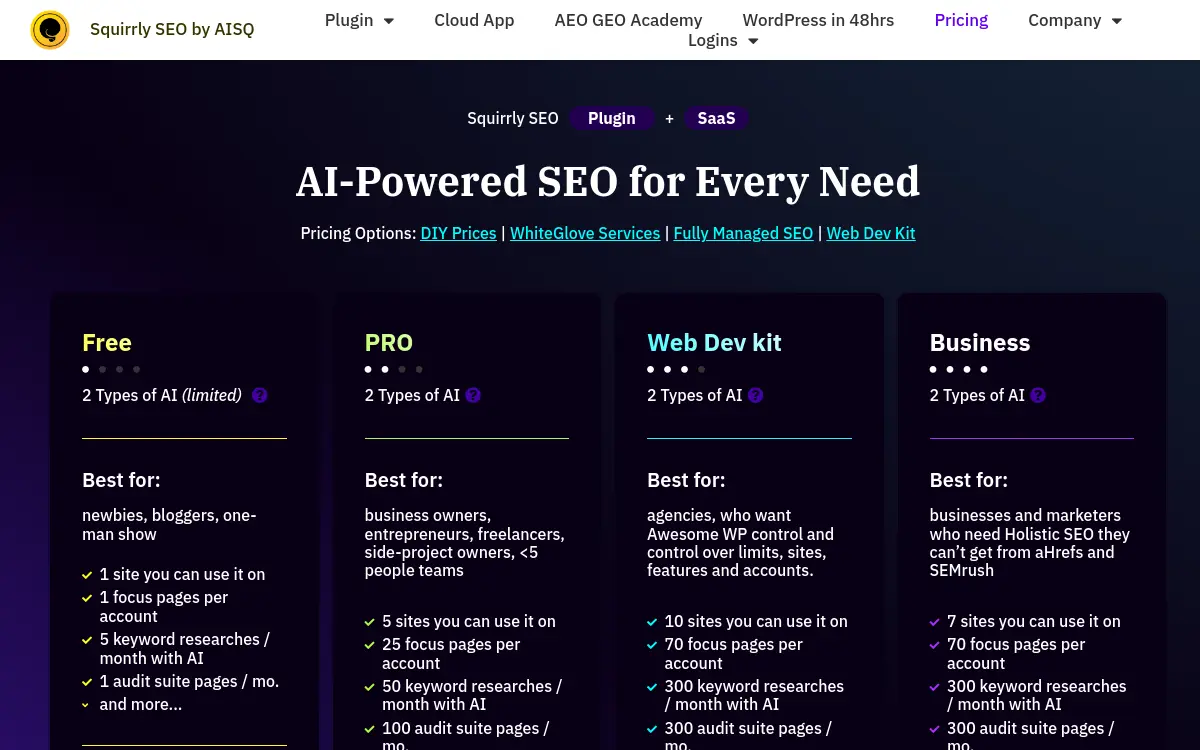
Squirrly SEO adds keyword research, a live writing assistant and site audits inside WordPress, and is now listed on WordPress.org as the GEO Plugin by Squirrly SEO.
What it does well
If you don't have a separate SEO tool, Squirrly gives you research and guidance in one place. Its Focus Pages feature walks you through what to improve on your most important pages, and it includes AI search features like a GEO audit, llms.txt files and AI crawler controls. It also works outside WordPress through its Cloud App.
Where it falls short
It's the most expensive entry plan here. PRO costs $19.99 a month billed yearly ($239.88 a year), and the free plan covers only one site, one Focus Page and five keyword researches a month. Several WordPress.org reviewers find the interface cluttered and confusing for beginners, and the pricing page doesn't state refund terms.
Who should pick it
Choose Squirrly if you want keyword research and step-by-step guidance inside WordPress and won't pay for a separate SEO tool. If you already use Semrush or Ahrefs, a lighter plugin is enough.
What we like
- Keyword research and audits built into the plugin
- AI search features: GEO audit, llms.txt, AI crawler controls
- Also works outside WordPress through its Cloud App
Watch-outs
- The free plan covers only 1 site and 1 Focus Page
- The most expensive entry plan here ($239.88 a year)
- No refund terms on the pricing page
What reviewers say about Squirrly SEO
Recurring themes in public reviews on WordPress.org, summarized by our editors.
What reviewers praise
- Reviewers praise fast, friendly support that often fixes problems within hours.
- Users like the complete feature set for all-round SEO.
- Plenty of tutorials and guided onboarding help new users.
What reviewers criticize
- Several reviewers find the interface cluttered and confusing for beginners.
- Developers say some custom-table integrations fall short.
- One paying user got only FAQs and a chatbot instead of human support.
| Plan | Price | What you get |
|---|---|---|
| Free | $0 | 1 site, 1 Focus Page, 5 AI keyword researches a month |
| PRO | $19.99/mo billed yearly | 5 sites, 25 Focus Pages, 50 keyword researches and 100 audit pages a month |
| Web Dev Kit | $51.20/mo | 10 sites, 70 Focus Pages, 300 keyword researches a month |
| Business | $71.99/mo billed monthly | 7 sites, 70 Focus Pages, 300 keyword researches, 3,000 SERP checker credits |
What a year of each WordPress SEO plugin really costs
WordPress SEO plugins are licensed per site, not per user, so the real cost depends on how many sites you run. Here is the cheapest paid plan for one site and for five sites, at regular yearly prices.
| Plugin | Paid plan for 1 site, per year | Cheapest paid setup for 5 sites, per year |
|---|---|---|
| SmartCrawl | $50 (Pro Basic) | $100 (Pro Plus, 10 sites) |
| SEOPress | $49 (PRO) | $59 (PRO, 5 sites) |
| Slim SEO | $59 (Personal) | $119 (Freelancer, 10 sites) |
| The SEO Framework | $84 (Pro, 2 sites) | $204 (Business, 20 sites) |
| AIOSEO | $99 (Basic; $49.50 the first year) | $399 (Pro, 10 sites) |
| Rank Math | $107.88 (PRO) | $107.88 for your own sites (PRO); $335.88 for client sites (Business) |
| Yoast SEO | $118.80 (Premium) | Not listed (custom quote) |
| Squirrly SEO | $239.88 (PRO) | $239.88 (PRO, 5 sites) |
| RankSpot | Pay as you go; about $360 to $1,080 at RankSpot's estimated $30 to $90 a month | No per-site pricing; one account covers several sites |
SEOPress is the cheapest way to cover five sites, at $59 a year. If all the sites are your own, Rank Math PRO covers every one of them for $107.88. And AIOSEO's first-year discount disappears at renewal, so budget for the full price. RankSpot isn't licensed per site at all: you pay for the articles and checks it runs.
How to choose a WordPress SEO plugin
All eight plugins handle the basics: titles, meta descriptions, sitemaps and schema. These seven questions will help you pick the right one.
- Is the free version enough? For one blog, usually yes. Rank Math's free version includes the most, and Yoast, SEOPress, The SEO Framework and Slim SEO are all solid free choices.
- Do you need redirects? You will as soon as you change a URL. Rank Math, Slim SEO and SmartCrawl include redirects for free; Yoast and AIOSEO keep them in paid plans.
- How many sites do you run? Licences are per site. Rank Math PRO covers unlimited personal sites, and SEOPress covers five for $59 a year. Check the cost table above.
- Who will use it? Writers get the most from Yoast's readability checks. Developers usually prefer The SEO Framework or Slim SEO.
- Does speed matter? On shared hosting or large sites, lighter plugins help. The SEO Framework and Slim SEO were the fastest in Accelera's 2024 comparison.
- Do you run a store or a local business? Rank Math includes WooCommerce SEO and Local SEO for free. Yoast sells WooCommerce SEO as a separate $178.80-a-year plan.
- Is your problem settings or content? A plugin fixes how your pages are set up. If they're set up well and still get little traffic, you need more and better content: that's what RankSpot does.
Which WordPress SEO plugin is right for you?
- Bloggers: Rank Math or Yoast SEO, both free to start.
- Content teams and writers: Yoast SEO, for its readability analysis.
- WooCommerce stores: Rank Math, which includes WooCommerce SEO for free.
- Local businesses: Rank Math (free Local SEO) or Yoast SEO Premium.
- Freelancers and agencies: SEOPress for cheap multi-site licences, or SmartCrawl for white-label reports.
- Developers and speed-focused sites: The SEO Framework or Slim SEO.
- Beginners with no other SEO tool: Squirrly SEO for built-in keyword research, or AIOSEO for checklists.
- Founders and small teams with no time to write: RankSpot, alongside Rank Math or Yoast, to research, write, publish and track articles for you.
A plugin handles SEO inside WordPress, but it won't tell you which keywords to target or how your competitors rank. For that, see our guide to the best SEO tools.
Tools we considered but left out
A few tools that often appear in WordPress SEO lists didn't make this one:
- WP Rocket and other caching plugins improve speed, which helps SEO, but they don't manage titles, schema or sitemaps.
- Schema Pro and Redirection each do one job well. Every plugin on this list already includes schema, and most include redirects.
- Semrush, Ahrefs and Surfer plugins connect those tools to the WordPress editor, but they need a paid account and don't replace an SEO plugin.
Switching WordPress SEO plugins without losing your rankings
Moving to a new SEO plugin is safe if you do it in the right order:
- Back up your site before you start.
- Install the new plugin and run its import tool. Rank Math, SEOPress, Slim SEO and The SEO Framework (through its free Transport extension) can import titles, descriptions and other settings from other plugins.
- Check a few pages to confirm titles, meta descriptions, canonical tags and schema came across.
- Deactivate the old plugin. Never run two SEO plugins at once, because both will output meta tags and schema.
- Resubmit your sitemap in Google Search Console, because the sitemap URL may change.
The verdict
Rank Math is the best WordPress SEO plugin for most sites in 2026: its free version does more than any other, and PRO covers all your own sites for $107.88 a year. Choose Yoast SEO if writers are your main users and you value readability checks, and SEOPress if you run several sites and want low, flat renewals. The SEO Framework and Slim SEO are the best picks when speed matters more than features. Whichever plugin you choose, add RankSpot if what your site really lacks is content: it researches, writes, publishes and tracks articles for $3 each.
Start with the free version of your pick on one site, and upgrade only when you need a paid feature.
Frequently asked questions
What is the best SEO plugin for WordPress?
Rank Math is the best SEO plugin for most WordPress sites in 2026, because its free version includes redirects, a 404 monitor, Local SEO, WooCommerce SEO and Search Console data. Yoast SEO is the better pick for content teams that want readability checks, and SEOPress is the best value for several sites.
What is the best free SEO plugin for WordPress?
Rank Math has the most complete free version. If you want something lighter, The SEO Framework and Slim SEO are free, fast and set most things up automatically. Yoast SEO's free version is also enough for many blogs, but it has no redirect manager.
Is Rank Math better than Yoast?
Rank Math gives you more for free, including redirects, a 404 monitor and Local SEO, and its PRO plan covers unlimited personal sites for $107.88 a year. Yoast SEO has better readability analysis and is easier for writers, but Premium costs $118.80 a year and many features are Premium-only.
Do I need an SEO plugin for WordPress?
Most WordPress sites benefit from one. WordPress doesn't let you set custom title tags and meta descriptions per page out of the box, and an SEO plugin adds that along with schema markup, better sitemaps and redirects. All eight plugins in this guide have a free version.
Can I use two SEO plugins at the same time?
No. Two full SEO plugins will both output titles, meta tags, schema and sitemaps, which creates duplicates and conflicts. Pick one, import your settings into it, and deactivate the other. Slim SEO Pro is an exception: it is built to run alongside Yoast or Rank Math for its extra features.
Which WordPress SEO plugin is the fastest?
In Accelera's 2024 performance comparison, Slim SEO and The SEO Framework were the fastest, with the lowest load times on the front end and in the editor. AIOSEO and Yoast SEO added the most load in that test. Newer versions may perform differently.
Is a premium SEO plugin worth paying for?
Only if you need a specific paid feature, such as a redirect manager in Yoast, Local SEO for a business with locations, rank tracking or licences for client sites. For a single blog, the free version of Rank Math, Yoast or SEOPress usually covers the essentials.
Can ChatGPT do SEO for a WordPress site?
ChatGPT and other AI assistants can write titles, descriptions and content drafts, and several plugins now include AI tools for this. They don't replace an SEO plugin, which handles the technical side inside WordPress: meta tags, schema, sitemaps and redirects. Tools like RankSpot connect your AI assistant to SEO data so it can research, write, publish and track articles on your WordPress site.
How do I switch WordPress SEO plugins without losing my settings?
Install the new plugin, run its import tool to copy titles, descriptions and other settings from the old one, check a few pages, then deactivate the old plugin. Rank Math, Slim SEO, SEOPress and The SEO Framework (through its free Transport extension) can import from other SEO plugins.
Sources
Prices, plans and published data were checked on each vendor's own website, and review ratings on the review sites listed, on Nov 27, 2026.
- [01]Rank Math: pricing and plans
- [02]Rank Math: about the company
- [03]Rank Math on WordPress.org
- [04]Yoast SEO Premium: pricing
- [05]Yoast: about us
- [06]Yoast: refund policy
- [07]Yoast SEO on WordPress.org
- [08]SEOPress: pricing and plans
- [09]SEOPress: about
- [10]SEOPress on WordPress.org
- [11]AIOSEO: pricing and plans
- [12]AIOSEO: about
- [13]All in One SEO on WordPress.org
- [14]The SEO Framework: pricing
- [15]The SEO Framework: about
- [16]The SEO Framework on WordPress.org
- [17]Slim SEO Pro: pricing
- [18]Slim SEO on WordPress.org
- [19]SmartCrawl: pricing and features
- [20]WPMU DEV: about
- [21]SmartCrawl on WordPress.org
- [22]Squirrly SEO: pricing
- [23]Squirrly SEO on WordPress.org
- [24]RankSpot: pricing
- [25]RankSpot: features
- [26]RankSpot reviews on Product Hunt
- [27]Accelera: best free WordPress SEO plugins, performance comparison

About the author
Dan Paul · Founder, TopTool
Dan Paul is a developer turned founder. He runs TopTool, writes its buyer's guides for SEO, AI search and marketing tools, and checks every price and plan limit on the vendor's own website.