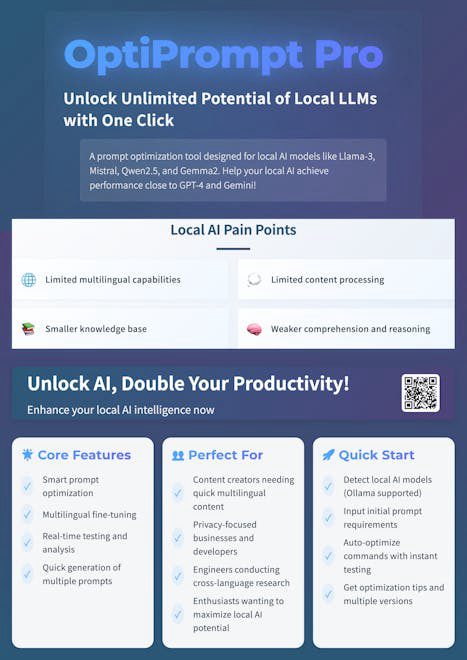

What is OptiPrompt Pro?
OptiPrompt Pro is a prompt optimization tool designed specifically for multilanguage environments, enabling users to unlock the full potential of local AI models like Llama3, Mistral, Qwen25, and Gemma2. It automatically optimizes prompts to significantly improve response accuracy and fluency, particularly in non-English contexts such as Chinese, Japanese, and Korean, thus freeing users from language constraints.
How to use OptiPrompt Pro
To use OptiPrompt Pro, first install Ollama to detect local AI models. Then, input your initial prompt, and the tool will automatically optimize it. After that, test and evaluate the response, and finally, receive optimization suggestions for further improvement.
Core features
- 01Automatic Connection and Prompt Optimization
- 02Multilanguage Calibration
- 03Quick AI Response Testing
- 04Response Quality Analysis
- 05One-click Multiversion Prompt Generation
Use cases
- Content Creators can generate fluent, creative multilingual content and improve writing efficiency.
- Businesses and Developers can enhance multilingual customer service and document generation while optimizing processes in privacy-restricted environments.
- Researchers and Engineers can conduct cross-language testing and generation in technical fields while maintaining AI performance and protecting confidential data.
Who makes OptiPrompt Pro
OptiPrompt Pro is developed by a team dedicated to enhancing the capabilities of local AI models, focusing on optimizing prompt performance in multilanguage contexts to ensure users can achieve the best results from their AI tools.
Frequently asked questions
What is OptiPrompt Pro?
OptiPrompt Pro is a prompt optimization tool designed to enhance the performance of local AI models in multilanguage environments.
Which AI models are compatible with OptiPrompt Pro?
OptiPrompt Pro works with local AI models such as Llama3, Mistral, Qwen25, and Gemma2.
How does OptiPrompt Pro improve prompt performance?
It automatically optimizes prompts to improve response accuracy and fluency, especially in non-English contexts.
Who can benefit from using OptiPrompt Pro?
Content creators, businesses, developers, researchers, engineers, and AI enthusiasts can all benefit from using OptiPrompt Pro.
Is there a desktop application for OptiPrompt Pro?
Yes, there is a Mac desktop application available for download.
What are the steps to use OptiPrompt Pro?
1. Detect local AI models by installing Ollama. 2. Input your initial prompt. 3. The tool will automatically optimize it. 4. Test and evaluate the response. 5. Get optimization suggestions.
Does OptiPrompt Pro support non-English languages?
Yes, it is specifically designed to enhance understanding in non-English contexts such as Chinese, Japanese, and Korean.


