On this page
- How we compared and scored these AI video generators
- 1. Google Gemini Omni & Veo
- 2. Kling AI
- 3. Runway
- 4. Seedance (Dreamina)
- 5. Higgsfield
- 6. Adobe Firefly
- 7. HeyGen
- 8. Synthesia
- 9. InVideo AI
- 10. Luma Dream Machine
- What a year of each tool really costs
- What a 10-second AI video clip costs
- Free plans of the best AI video generators
- What happened to Sora?
- Models versus apps: what you're really buying
- How to choose an AI video generator
- Which AI video generator is right for you?
- Tools we considered but left out
- How to write prompts that get better AI videos
- The verdict
- Frequently asked questions
- Sources
Choosing from the best AI video generators got harder in 2026. OpenAI shut down Sora, Google launched a new model family called Gemini Omni, and most apps now sell access to several models at once, priced in credits that are hard to compare. This guide is for founders, marketers and creators who want to know which tool is worth paying for, and whether a free plan is enough.
We compared the ten AI video generators that come up most in 2026 shortlists and in Google's AI answers: Google's Gemini Omni and Veo, Kling AI, Runway, Seedance, Higgsfield, Adobe Firefly, HeyGen, Synthesia, InVideo AI and Luma Dream Machine. Every price, credit allowance and plan limit below was checked on the vendor's own website on November 28, 2026. Several vendors were running Black Friday sales that day, so we list regular prices and point out the sales.
TL;DR · Quick answer
The best AI video generators in 2026 are Google's Gemini Omni and Veo, Kling AI and Runway. Google is the best place to start, with free daily credits in Google Flow and paid plans from $4.99 a month. Kling is the best value for longer clips in 4K, and Runway is best for editing real footage. For cinematic clips with sound, try Seedance 2.5, and for talking-presenter videos, choose HeyGen or Synthesia.
| # | Tool | Best for | Pricing | Overall |
|---|---|---|---|---|
| 01 | Most people, with a free daily allowance in Google Flow and the cheapest paid upgrade | Free plan · from $4.99/mo | 8.8 | |
| 02 | Realistic 30-second clips in up to 4K with sound, at a low entry price | Free plan · from $10/mo | 8.6 | |
| 03 | Filmmakers and creative teams who generate clips and then edit real footage with AI | Free plan · from $8.40/mo | 8.4 | |
| 04 | Cinematic clips with synced sound from ByteDance's Seedance 2.5 model | Free plan · from $15/mo | 8.3 | |
| 05 | Creators who want Kling, Seedance, Veo and other top models in one app, with camera controls | Free plan · from $19/mo | 8.3 | |
| 06 | Brands and Adobe users who want a commercially safe video model plus partner models in one app | Free plan · from $9.99/mo | 8.3 | |
| 07 | Talking-avatar videos of yourself and lip-synced translation into 175+ languages | Free plan · from $24/mo | 8.2 | |
| 08 | Training, onboarding and internal videos with AI presenters for companies | Free plan · from $14/mo | 8.1 | |
| 09 | Turning a prompt or script into a full edited video with stock footage, voiceover and AI clips | Free plan · from $20/mo | 8.0 | |
| 10 | Video professionals who need HDR and EXR output and keyframe control | No free plan · from $25/mo | 7.9 |
How we compared and scored these AI video generators
We looked at each tool the way a buyer would before paying for it. For every tool we:
- Checked every plan on the vendor's pricing page on November 28, 2026: monthly and yearly prices, credits, what a credit buys and what the free plan really includes.
- Worked out what a clip costs wherever the vendor publishes credits per second, so you can compare tools that price in different units.
- Read the help pages and usage terms: clip length, resolution, sound, watermarks and whether you can use the videos commercially.
- Picked a walkthrough video for each tool, from the vendor's own channel where one exists, so you can see the main workflow before signing up.
- Read public user reviews on November 28, 2026. We used G2 where the product has a listing with enough reviews, and Trustpilot otherwise, and summarized the themes that come up again and again. Each tool's review section names its source.
Each tool then got four scores from 1 to 10:
- Value for money: what the entry paid plan buys, measured in seconds or minutes of video where possible, and how useful the free plan is.
- Features: how many video jobs the tool covers well, from text-to-video and image-to-video to sound, editing, avatars and translation.
- Ease of use: how quickly someone new gets a usable clip.
- Data depth: how much the tool can work with beyond a text prompt, such as reference images, keyframes, uploaded footage, the choice of models, clip length and output resolution.
The overall score is the average of the four. The order of the list reflects which tool we'd recommend first to a typical founder, marketer or small team; the scores show the trade-offs behind that choice.
| Tool | Value for money | Features | Ease of use | Data depth | Overall |
|---|---|---|---|---|---|
| Google Gemini Omni & Veo | 9.3 | 8.6 | 9.0 | 8.4 | 8.8 |
| Kling AI | 8.8 | 8.9 | 8.2 | 8.6 | 8.6 |
| Runway | 7.6 | 9.0 | 8.0 | 8.8 | 8.4 |
| Seedance (Dreamina) | 8.2 | 8.7 | 7.8 | 8.6 | 8.3 |
| Higgsfield | 7.8 | 9.1 | 7.9 | 8.4 | 8.3 |
| Adobe Firefly | 7.6 | 8.6 | 8.5 | 8.3 | 8.3 |
| HeyGen | 8.0 | 8.3 | 9.0 | 7.6 | 8.2 |
| Synthesia | 8.0 | 7.9 | 8.9 | 7.4 | 8.1 |
| InVideo AI | 7.5 | 8.2 | 8.3 | 7.8 | 8.0 |
| Luma Dream Machine | 6.8 | 8.6 | 7.4 | 8.8 | 7.9 |
1. Google Gemini Omni & Veo
- Pricing
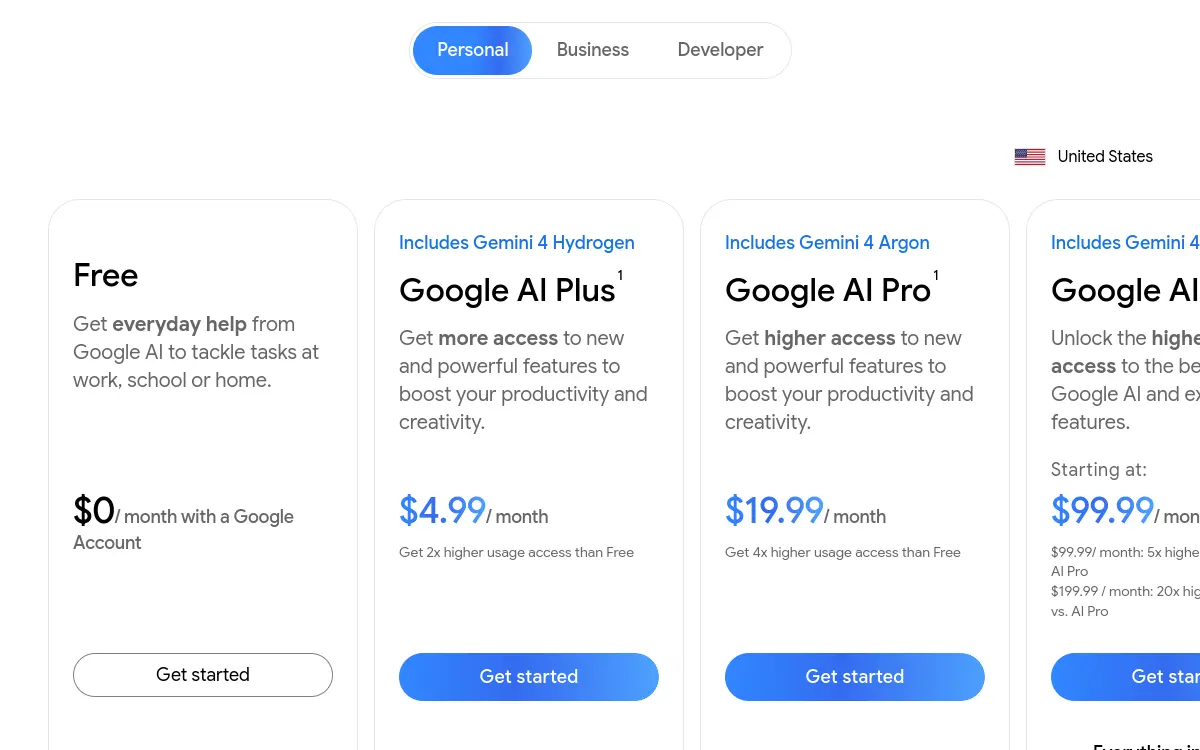
- Free plan · from $4.99/moGoogle Flow gives every account 50 free credits a day for short Omni Flash or Veo 3.1 Lite clips. Video in the Gemini app needs a Google AI plan from $4.99 a month.
- Best for
- Most people, with a free daily allowance in Google Flow and the cheapest paid upgrade
- Founded
- 1998 · Mountain View, USA
Google Gemini Omni & Veo · Video
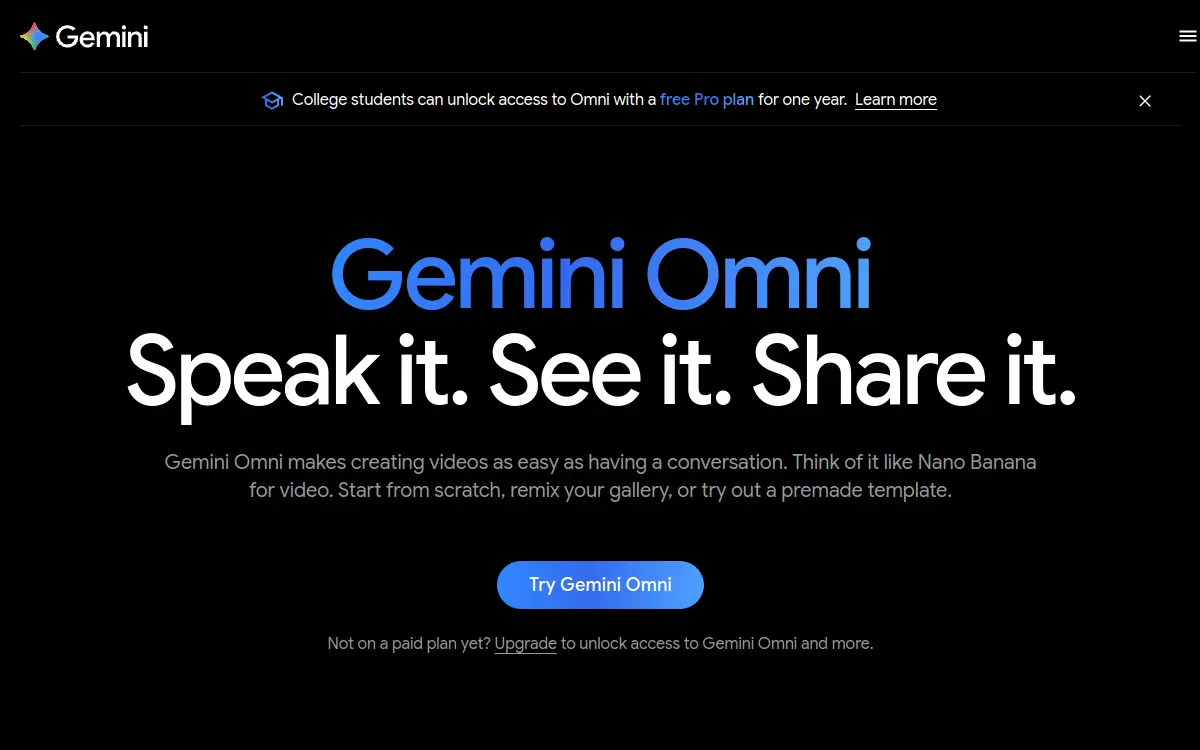
Google makes AI video in two places: the Gemini app, where you ask for a clip as you would in a chat, and Google Flow, its filmmaking tool. Both now run Gemini Omni, a model family Google announced at I/O in May 2026 that turns any mix of text, images, voice and video into video. Google's video page says Omni will replace Veo in the Gemini app, and in Flow the older Veo 3.1 Fast and Quality models retire on December 5, 2026, leaving Veo 3.1 Lite.
What it does well
Google has the most generous free allowance of any tool here. Every Google account gets 50 Flow credits a day, with or without a subscription. An Omni Flash 1.2 clip costs 1 credit a second at 360p and 3 at 720p, so the free credits cover one 10-second 720p clip a day, or five 8-second Veo 3.1 Lite clips at 10 credits each.
Paid plans are cheap. Google AI Plus costs $4.99 a month, adds video in the Gemini app and 200 Flow credits, and lets clips run to 15 seconds. Clips come with native sound, and Omni can also edit a video you upload by prompt. College students can get the Pro plan free for a year.
Where it falls short
Clips are short: 3 to 10 seconds free and up to 15 seconds on paid plans. Omni generates at 360p or 720p, and 1080p comes through free upscaling on paid plans; 4K upscaling needs Ultra, from $99.99 a month. Every video carries Google's invisible SynthID watermark. Credits refresh daily or monthly and don't roll over. The G2 rating (4.4 from 2,961 reviews) covers Gemini as a whole, and Trustpilot reviewers (1.4 from 1,523 reviews) complain about wrong answers and quotas.
Who should pick it
Choose Google if you're new to AI video, want to make clips for free, or already pay for a Google AI plan. It's the cheapest way to get good short clips with sound.
What we like
- The most generous free allowance here: 50 Flow credits every day
- Google AI Plus at $4.99 a month is the cheapest paid plan in this guide
- Omni can edit a video you upload by prompt, not only create new clips
Watch-outs
- Short clips: up to 10 seconds free and 15 seconds on paid plans
- Generates at 360p or 720p; 1080p and 4K come through upscaling
- Trustpilot score of 1.4, with complaints about wrong answers and quotas
What reviewers say about Google Gemini Omni & Veo
Recurring themes in public reviews on G2 and Trustpilot, summarized by our editors.
What reviewers praise
- Reviewers say Gemini is easy to set up and simple to use every day.
- Responses and generations come back quickly.
- People who work in Google Workspace like having it next to Gmail, Docs and Drive.
What reviewers criticize
- It can state wrong details confidently, so reviewers double-check important output.
- Generated results sometimes miss specific details asked for in the prompt.
- Paid subscribers on Trustpilot say usage quotas run out quickly on simple tasks.
| Plan | Price | What you get |
|---|---|---|
| Free | $0 | 50 Google Flow credits a day, Omni Flash 1.2 clips up to 10 seconds |
| Google AI Plus | $4.99/mo | Video in the Gemini app, 200 Flow credits a month, Omni clips up to 15 seconds |
| Google AI Pro | $19.99/mo | 1,000 Flow credits a month, a limited Veo 3.1 Lite trial, free upscaling of short Omni clips |
| Google AI Ultra | From $99.99/mo | 10,000 or 25,000 Flow credits a month ($199.99 tier), 4K upscaling, cheaper Veo 3.1 Lite clips |
2. Kling AI
- Pricing
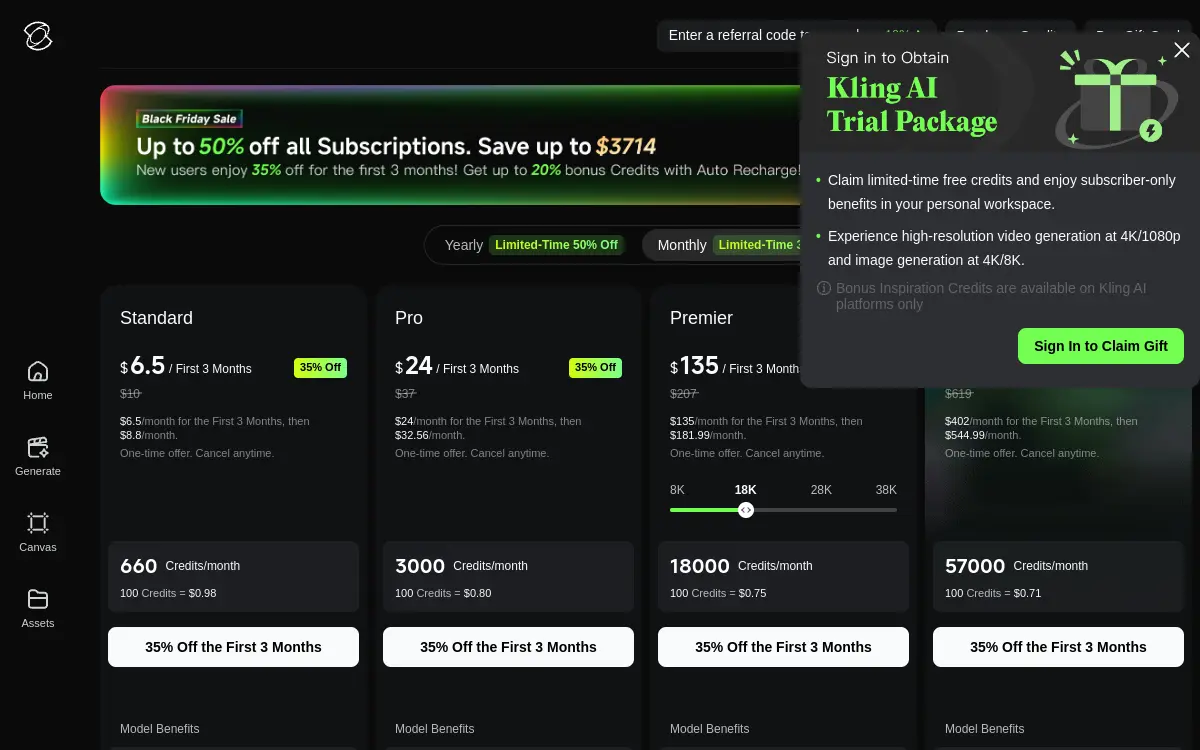
- Free plan · from $10/moFree plan with watermarked, non-commercial videos. Standard lists at $10 a month for 660 credits; a Black Friday offer cuts the first three months until November 30, 2026.
- Best for
- Realistic 30-second clips in up to 4K with sound, at a low entry price
- Founded
- 2011 · Beijing, China
Kling AI · Video
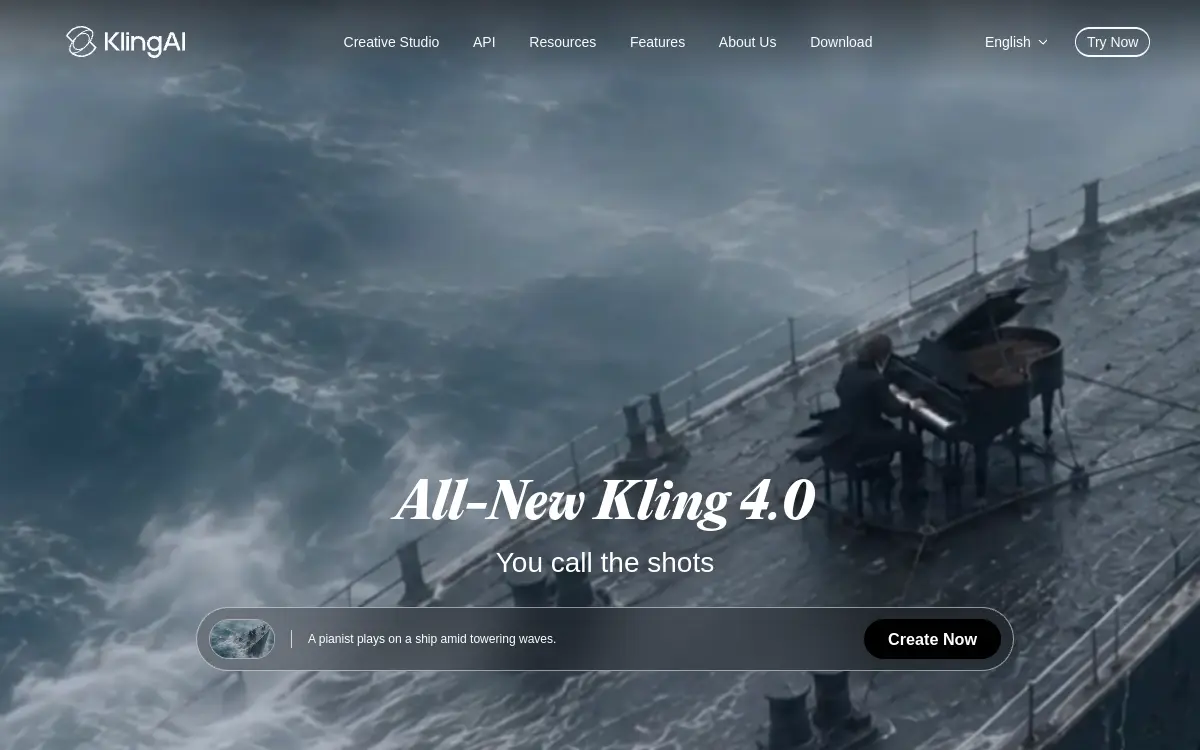
Kling AI is the video generator from Kuaishou, the Beijing company behind the Kuaishou short-video app. Kling 4.0, the current model, is the one Google's AI Overview names with Seedance as a leader on quality and value.
What it does well
Kling 4.0 makes clips of 3 to 30 seconds in a single run, at 720p, 1080p or 4K, with two-channel stereo sound. That's twice the length of Google's longest clips. A faster Kling 4.0 Flash model makes 720p clips of up to 20 seconds.
The entry price is low for what it unlocks. Standard lists at $10 a month for 660 credits, and even that plan removes the watermark, adds 1080p and 4K, and allows commercial use.
Where it falls short
Kling doesn't publish how many credits a clip costs, so you can't tell in advance how far 660 credits go. The free plan's videos carry a Kling watermark and can't be used commercially. On Trustpilot, Kling scores 1.2 from 462 reviews, with complaints about charges after cancelling, distorted clips that still cost credits and slow support. Its G2 listing has only 5 reviews. A Black Friday offer was cutting the first three months by 35% when we checked, until November 30.
Who should pick it
Choose Kling if you want longer, realistic clips with sound and 4K output for the lowest monthly price, and you're happy to budget credits by trial and error.
What we like
- Kling 4.0 makes clips of 3 to 30 seconds in one run
- 720p, 1080p and 4K output with two-channel stereo audio
- The $10 Standard plan already removes the watermark and allows commercial use
Watch-outs
- Free videos are watermarked and can't be used commercially
- Kling doesn't publish how many credits a clip costs
- Trustpilot score of 1.2, mostly about billing and failed generations
What reviewers say about Kling AI
Recurring themes in public reviews on Trustpilot, summarized by our editors.
What reviewers praise
- Satisfied reviewers say the videos that work look excellent, with strong camera motion.
- Several like how well it turns a single photo or artwork into video.
- A few find the web version easy to follow.
What reviewers criticize
- Reviewers report charges after cancelling and difficulty stopping subscriptions.
- Many say clips ignore the prompt or come out distorted, and retries cost credits.
- Support is described as automated replies and unresolved tickets.
| Plan | Price | What you get |
|---|---|---|
| Free | $0 | One video per generation, Kling watermark, no commercial use |
| Standard | $10/mo | 660 credits a month, 1080p and 4K video, no watermark, commercial use |
| Pro | $37/mo | 3,000 credits a month and priority access to new features |
| Premier | $207/mo | 18,000 credits a month, with larger tiers up to 57,000 credits for $619 |
3. Runway
- Pricing
- Free plan · from $8.40/moFree plan with 125 one-time credits and a watermark. Standard costs $12 a month, or $8.40 a month billed yearly.
- Best for
- Filmmakers and creative teams who generate clips and then edit real footage with AI
- Founded
- 2018 · New York, USA
Runway · Video
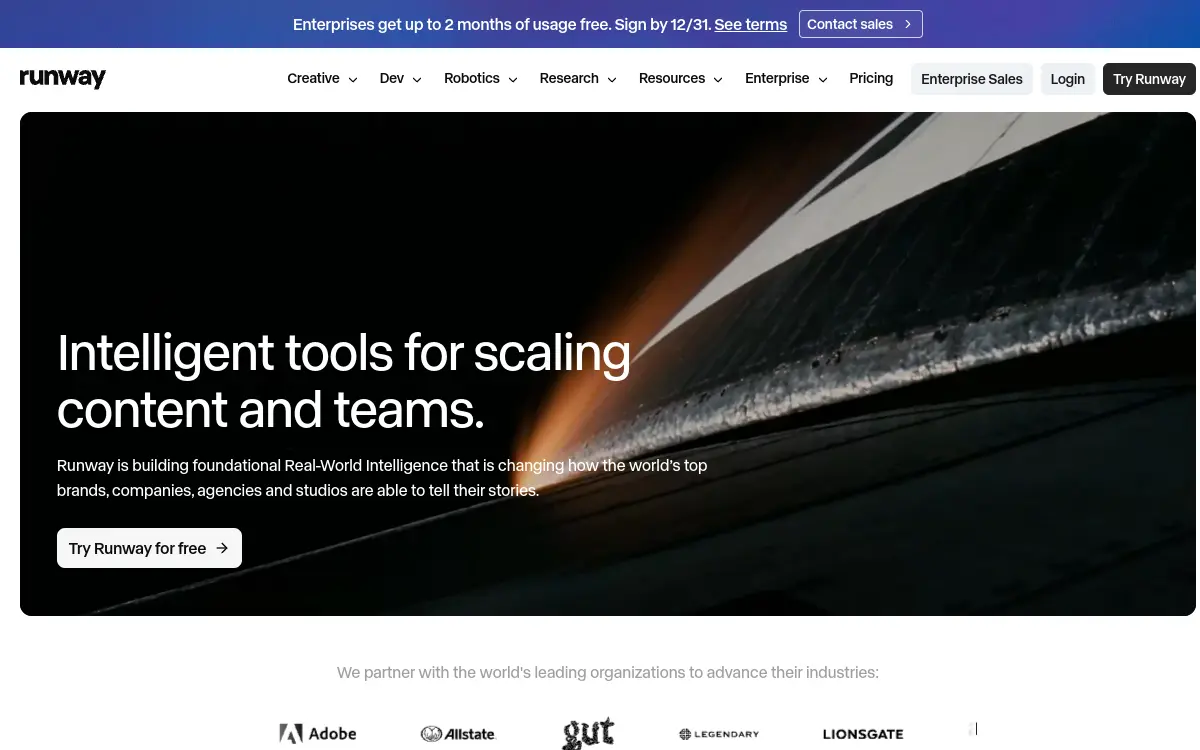
Runway is a New York company that has built AI video tools for filmmakers since 2018. It runs its own Gen-4.5 model, and its pricing page also offers Kling 4.0 and Seedance models and AI music, voice and sound effects.
What it does well
Runway is the strongest tool here for editing video you already have. Aleph 2.0, released in May 2026, edits existing footage up to 30 seconds long at 1080p: you change one frame and the change carries through the clip, or you edit several shots at once. It's on every paid plan. When Gen-4.5 launched in December 2025, Runway said it ranked first on the Artificial Analysis text-to-video benchmark.
Runway is also clear about what you get. Its pricing page converts credits into seconds: Standard ($8.40 a month billed yearly) buys about 52 seconds of Gen-4.5, Pro about 187 seconds and Max about 791. You own what you create and can use it commercially.
Where it falls short
Gen-4.5 costs 12 credits a second, so a 10-second clip uses 120 of Standard's 625 monthly credits, about $2.30 of the plan. The free plan gives 125 credits once, not every month, and free videos carry a Runway watermark. G2 reviewers (4.2 from 176 reviews) say credits drain because good results take several tries, and on Trustpilot Runway scores 1.1 from 412 reviews. Runway doesn't state Gen-4.5's clip length or resolution on the pages we could read.
Who should pick it
Choose Runway if you work with real footage, want to fix or restyle clips with AI, or are making a short film and need more control than a prompt box.
What we like
- Aleph 2.0 edits existing footage up to 30 seconds at 1080p on every paid plan
- Kling 4.0 and Seedance models sit next to Runway's own Gen-4.5
- You own your outputs and can use them commercially, even on the free plan
Watch-outs
- Standard's 625 credits buy only about 52 seconds of Gen-4.5 a month
- Free videos carry a Runway watermark
- Trustpilot score of 1.1, mostly about credits, billing and support
What reviewers say about Runway
Recurring themes in public reviews on G2 and Trustpilot, summarized by our editors.
What reviewers praise
- Reviewers say they can turn a written idea into a usable video without filming or advanced editing skills.
- Many describe the visual quality as good enough to show clients early concepts.
- Creative control gets credit, from camera direction to fixing one part of a clip with Aleph.
What reviewers criticize
- Credits drain quickly because the right result often takes several regenerations.
- Objects, hands and characters can shift between frames, so clips need rerolls.
- Trustpilot reviewers report billing problems, failed generations that still cost credits, and slow support.
| Plan | Price | What you get |
|---|---|---|
| Free | $0 | 125 one-time credits, a limited set of models, 5GB storage, watermarked videos |
| Standard | $12/mo ($8.40 billed yearly) | 625 credits a month (about 52 seconds of Gen-4.5), all models, no watermark |
| Pro | $28/mo ($19.60 billed yearly) | 2,250 credits a month (about 187 seconds of Gen-4.5), custom voice clone, unlimited 4K upscaling |
| Max | $76/mo ($53.20 billed yearly) | 9,500 credits a month (about 791 seconds of Gen-4.5), early access to new models, HDR and ProRes output |
| Enterprise | Custom | Custom terms through Runway's sales team |
4. Seedance (Dreamina)
- Pricing
- Free plan · from $15/moDreamina gives 120 free credits a day. Paid plans start at $15 a month for 1,575 credits, with large first-month and first-year discounts.
- Best for
- Cinematic clips with synced sound from ByteDance's Seedance 2.5 model
- Founded
- 2012 · Beijing, China
Seedance (Dreamina) · Video
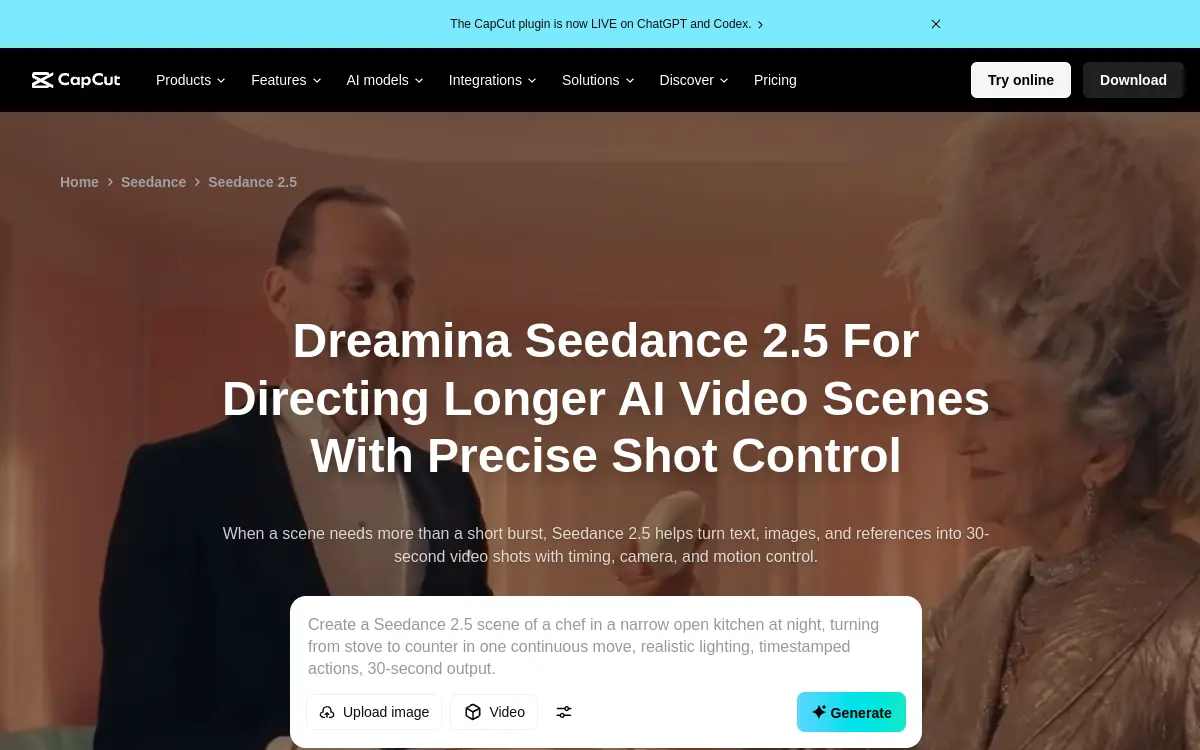
Seedance is ByteDance's video model, and Dreamina, its AI studio from the CapCut team, is the official place to use it. Seedance 2.5 launched on July 31, 2026, and Google's AI Overview names it with Kling 4.0 as a leader for visual quality.
What it does well
Seedance 2.5 creates video and stereo sound together in one pass, in clips up to 30 seconds. CapCut says it outputs native 4K, and a beta Long Video Mode in CapCut extends clips to 180 seconds. Every clip carries an invisible watermark, C2PA Content Credentials and a visible AI label.
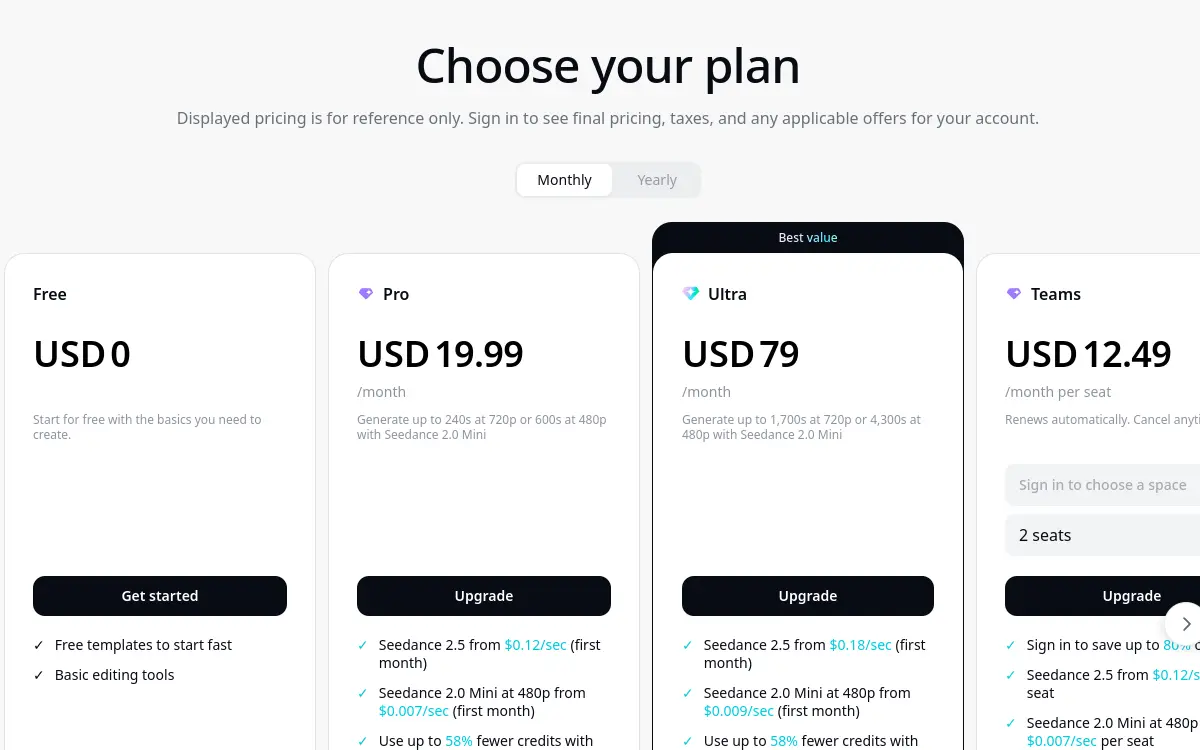
Dreamina gives 120 free credits a day, which expire at the end of the day. Paid plans start at $15 a month for 1,575 credits and remove the watermark, and first-month and first-year discounts are large. In CapCut, Seedance 2.5 is part of Pro ($19.99 a month), from $0.12 a second at the first-month rate.
Where it falls short
ByteDance's launch post says Seedance 2.5 is rolling out to subscribers in Europe, Asia, the Middle East and South America, without naming the US, although CapCut's US pricing page lists Seedance prices. Dreamina doesn't publish a fixed credit cost per clip, and it doesn't say which plan unlocks which model. On Trustpilot, Dreamina scores 1.3 from 91 reviews, mostly about surprise renewals, missing credits and long queues.
Who should pick it
Choose Seedance if you want cinematic, story-style clips with sound and already edit in CapCut. You can also use it inside Higgsfield, Runway, Adobe Firefly and HeyGen.
What we like
- Seedance 2.5 makes clips up to 30 seconds, with video and stereo audio in one pass
- 120 free credits a day to try it
- 4K output, plus a beta Long Video Mode up to 180 seconds in CapCut
Watch-outs
- ByteDance's launch post names Europe, Asia, the Middle East and South America, not the US
- Dreamina doesn't publish a fixed credit cost per clip
- Trustpilot score of 1.3, mostly about billing, refunds and queues
What reviewers say about Seedance (Dreamina)
Recurring themes in public reviews on Trustpilot, summarized by our editors.
What reviewers praise
- A few reviewers call the video output crisp and accurate, sometimes beyond what they expected.
- One reviewer says the soft faces and cinematic lighting suit storytelling projects.
- Even reviewers frustrated by waits describe the art style as beautiful.
What reviewers criticize
- Reviewers report surprise renewal charges and trouble finding how to cancel.
- Some say paid credits never arrived and refund requests were refused.
- Long queues and failed generations that still used credits come up often.
| Plan | Price | What you get |
|---|---|---|
| Free | $0 | 120 credits a day that expire at the end of the day, watermarked downloads |
| Basic | $15/mo | 1,575 credits a month, watermark-free downloads, fast queue |
| Standard | $36/mo | 3,885 credits a month, fast queue |
| Advanced | $79 or $159/mo | 8,645 or 17,600 credits a month, highest-priority queue |
| Ultra | $520/mo | 59,000 credits a month, highest-priority queue |
5. Higgsfield
- Pricing
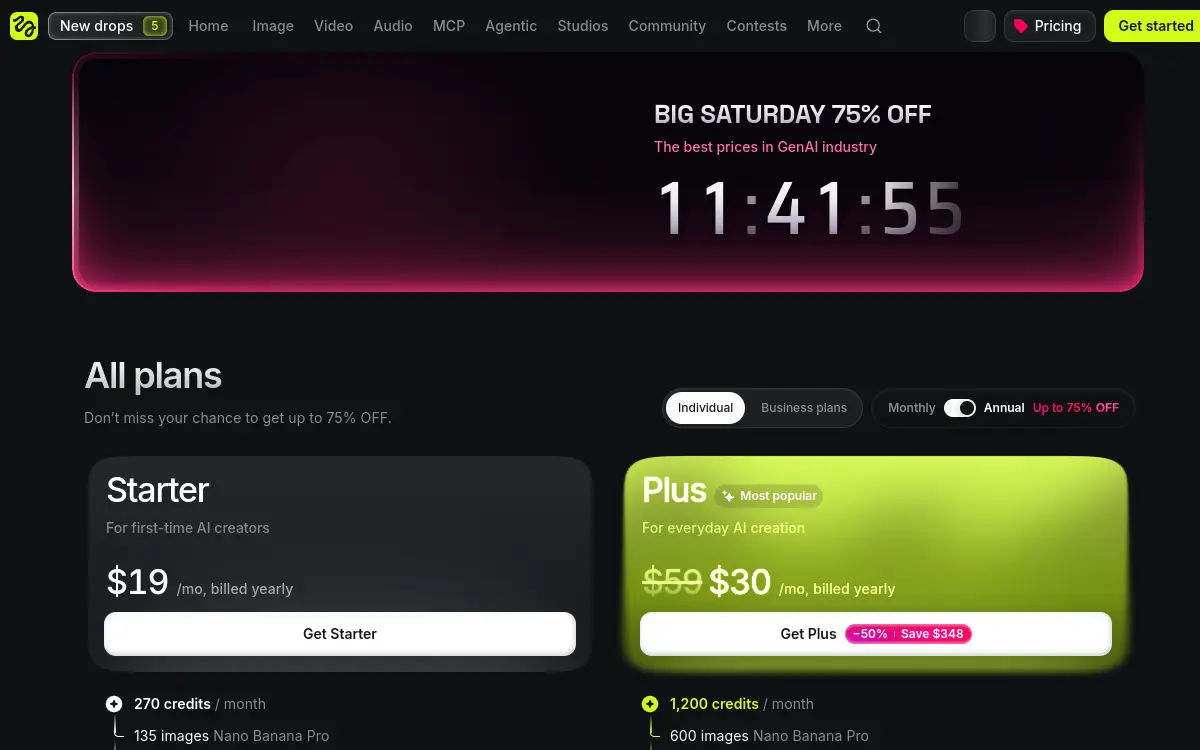
- Free plan · from $19/moThe free plan has no monthly credits and adds a watermark. Starter costs $19 a month. A Black Friday sale ending November 29 cut the bigger plans; these are regular prices.
- Best for
- Creators who want Kling, Seedance, Veo and other top models in one app, with camera controls
- Founded
- 2023 · San Francisco, USA

Higgsfield · Video
Higgsfield is a San Francisco company founded in 2023 that puts more than 35 video and image models in one app, including Kling 4.0, Seedance 2.5, Veo 3.1, Wan and MiniMax. Google's AI Overview describes it as the multi-model workspace with director and camera controls.
What it does well
With Higgsfield you don't need a separate subscription for each model: one plan covers the leading models, and its Cinema Studio lets you set a camera body, lens, focal length and combined camera moves, as a cinematographer would. G2 reviewers (4.4 from 105 reviews) like having many models in one place and say it's easy to pick up. On Trustpilot it scores 3.9 from 5,717 reviews, far above Kling, Runway or Luma.
You own your outputs and can use them commercially on every plan, and paid plans download without a watermark.
Where it falls short
The pricing page doesn't say how many credits each model or clip costs, only that it depends on the model, length and resolution. Starter ($19 a month) has 270 credits and only Seedance 2.0 Fast and Mini; you need Plus at $59 a month for all models. Higgsfield may train on your content unless you're on Enterprise, which is also the only plan with IP indemnification. Prices change with frequent sales: when we checked, a Black Friday sale cut Plus to $30 a month billed yearly.
Who should pick it
Choose Higgsfield if you want to try the newest models from several companies in one place and care about camera control for short films and ads.
What we like
- One plan covers Kling, Seedance, Veo 3.1, Wan, MiniMax and more
- Cinema Studio sets camera body, lens, focal length and combined camera moves
- You own your outputs and can use them commercially on every plan
Watch-outs
- The pricing page doesn't list credit costs per model
- Free plan has no monthly credits and adds a watermark
- Frequent sales make the real price hard to pin down
What reviewers say about Higgsfield
Recurring themes in public reviews on G2 and Trustpilot, summarized by our editors.
What reviewers praise
- Reviewers like having many leading video and image models in one subscription instead of paying for several apps.
- Users find it easy to pick up, even without knowing the models behind it.
- Support often gets credit for fixing account and billing problems quickly.
What reviewers criticize
- Credit use runs high, and regenerations to fix consistency issues cost extra.
- The interface and feature list change often, which some find confusing.
- Some report trouble cancelling, unclear refunds and promotional prices that change without notice.
| Plan | Price | What you get |
|---|---|---|
| Free | $0 | Limited set of models, one generation at a time, no monthly credits, visible watermark |
| Starter | $19/mo | 270 credits a month, Seedance 2.0 Fast and Mini, two videos at once |
| Plus | $59/mo | 1,200 credits a month, all models and features, unlimited use of several image models |
| Ultra | From $129/mo | 3,000 credits a month (tiers with 6,000 or 9,000), up to eight videos at once |
| Enterprise | Custom | Custom capacity, IP indemnification, no training on your content |
6. Adobe Firefly
- Pricing
- Free plan · from $9.99/moFree plan with limited daily generations. Standard costs $9.99 a month for 2,000 credits, which Adobe says covers about 20 five-second videos.
- Best for
- Brands and Adobe users who want a commercially safe video model plus partner models in one app
- Founded
- 1982 · San Jose, USA
Adobe Firefly · Video
Adobe Firefly is Adobe's AI app for images, video and audio. For video it runs Adobe's own Firefly Video model plus partner models from Google, Kling, Runway, Luma and ByteDance, all paid from one pool of credits.
What it does well
Firefly is the safest choice for commercial work. Adobe trains its Firefly Video model on licensed content such as Adobe Stock and public-domain material, not on its users' content, and says its videos are safe for commercial use. Adobe also says your content is never used to train its own or partner models. G2 reviewers (4.3 from 594 reviews) value the clear terms and the link to Premiere and Photoshop.
Standard costs $9.99 a month for 2,000 credits, which Adobe says covers about 20 five-second videos. Downloads go up to 4K, and some partner models make clips of up to 30 seconds.
Where it falls short
The Firefly Video model costs 100 credits a second at 1080p, so Standard's credits buy only about 20 seconds at that resolution (50 a second at 720p). The commercial-safety promise covers Adobe's own model: for partner models, Adobe says you decide and you're responsible. Many partner-model credit rates are marked as limited-time, and Adobe doesn't say how many free generations a day the free plan includes.
Who should pick it
Choose Firefly if you make video for clients or brands and need clear usage rights, or if you already work in Premiere and other Adobe apps.
What we like
- Adobe says videos from its own Firefly Video model are safe for commercial use
- Veo 3.1, Kling, Runway Gen-4.5, Luma Ray3 and Seedance share one credit pool
- Downloads up to 4K, with clips up to 30 seconds on some partner models
Watch-outs
- Firefly Video costs 100 credits a second at 1080p, so Standard buys about 20 seconds at that resolution
- Partner-model outputs are your responsibility, not Adobe's
- Many partner-model credit rates are marked as limited-time
What reviewers say about Adobe Firefly
Recurring themes in public reviews on G2, summarized by our editors.
What reviewers praise
- Reviewers find it easy to use and quick to learn, even outside design roles.
- Working inside Adobe's apps, with partner models in the same place, saves switching tools.
- Clear commercial-use terms take copyright worry off client and marketing work.
What reviewers criticize
- Prompts must be very specific, and results can miss what the user meant.
- Credits run out quickly, and the paid plans feel expensive.
- Content filters block harmless prompts, and generation can be slow.
| Plan | Price | What you get |
|---|---|---|
| Firefly Free | $0 | Limited daily generations with the Firefly Video model and selected partner models |
| Firefly Standard | $9.99/mo | 2,000 credits a month, about 20 five-second videos |
| Firefly Pro | $19.99/mo | 4,000 credits a month, about 40 five-second videos |
| Firefly Pro Plus | $49.99/mo | 10,000 credits a month, about 100 five-second videos |
| Firefly Premium for teams | $199.99/license/mo | 50,000 credits and unlimited Firefly Video model use in Generate Video |
7. HeyGen
- Pricing
- Free plan · from $24/moFree plan with 3 watermarked videos a month, up to 1 minute each. Creator costs $29 a month, or $24 a month billed yearly.
- Best for
- Talking-avatar videos of yourself and lip-synced translation into 175+ languages
- Founded
- 2020 · Los Angeles, USA
HeyGen · Video
HeyGen is a Los Angeles company founded in 2020 that makes talking-avatar videos. You write a script, choose a stock presenter or create an avatar of yourself, and HeyGen generates the video with matching lip movements.
What it does well
HeyGen is the best tool here for videos of a person talking to camera, such as product updates, sales messages and social posts, without filming. Paid plans translate videos with lip-sync into more than 175 languages. G2 reviewers rate it 4.8 from 1,978 reviews, the highest of any tool in this guide, and say the avatars look real enough to replace routine filming. Trustpilot gives it 4.3 from 5,691 reviews.
The free plan includes 3 videos a month of up to 1 minute. Creator costs $24 a month billed yearly for 600 credits, 1080p and videos of up to 30 minutes, and Pro adds Seedance 2.5 and Veo 3.1 clips in the same subscription.
Where it falls short
Free videos are watermarked. 4K export and the best avatar model, Avatar 6 Pro, need Pro from $49 a month. HeyGen doesn't publish how many credits a minute of video uses, and G2 reviewers say re-rendering after a small fix costs as much as a new video. It isn't a tool for cinematic scenes.
Who should pick it
Choose HeyGen if you want videos of yourself or a presenter speaking, in one language or many, without a camera.
What we like
- Free plan to try avatars and translation before paying
- Video translation with lip-sync in 175+ languages on paid plans
- Pro adds Seedance 2.5 and Veo 3.1 inside the same subscription
Watch-outs
- Free videos are watermarked and capped at 1 minute
- 4K export and the best avatar model need Pro or higher
- HeyGen doesn't publish how many credits a minute of video costs
What reviewers say about HeyGen
Recurring themes in public reviews on G2 and Trustpilot, summarized by our editors.
What reviewers praise
- Reviewers say the avatars and lip-sync look real enough to replace filming themselves for routine videos.
- Many find the editor easy to pick up, even without any video-editing background.
- Users turn a script into a finished presenter video in minutes rather than booking a shoot.
What reviewers criticize
- The credit system feels restrictive, and re-rendering after a small fix costs as much as a new video.
- Some want finer control over gestures and expressions, and mention rendering glitches.
- A few Trustpilot reviewers report billing or refund disputes and unclear credit use.
| Plan | Price | What you get |
|---|---|---|
| Free | $0 | 3 watermarked videos a month up to 1 minute, 1 custom video avatar, 500+ stock avatars |
| Creator | $29/mo ($24 billed yearly) | 600 credits a month, 1080p export, no watermark, videos up to 30 minutes, 175+ languages |
| Pro | From $49/mo ($41 billed yearly) | 1,000 credits a month and up, 4K export, Avatar 6 Pro, Seedance 2.5 and Veo 3.1 |
| Business | $149/mo ($119 billed yearly) | 1,500 credits, videos up to 60 minutes, 5 custom avatars, SSO, SCORM export |
| Enterprise | Custom | Credits set to usage, no maximum video length, dedicated success manager |
8. Synthesia
- Pricing
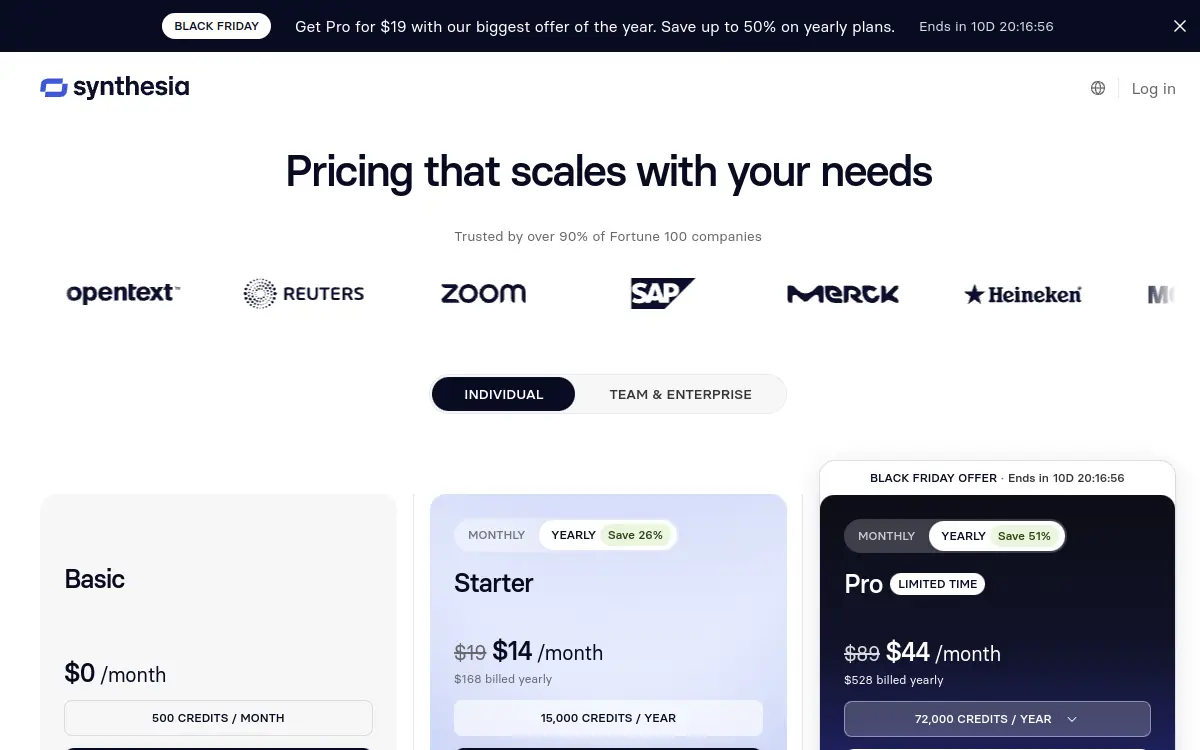
- Free plan · from $14/moFree Basic plan with 10 minutes of watermarked video a month. Starter costs $19 a month, or $14 a month billed yearly. Black Friday discounts run until December 7, 2026.
- Best for
- Training, onboarding and internal videos with AI presenters for companies
- Founded
- 2017 · London, UK
Synthesia · Video
Synthesia is a London company founded in 2017 that makes AI presenter videos for businesses. It's built for training, onboarding and internal communication, and its pricing page says 90% of the Fortune 100 use it.
What it does well
Synthesia fits company training better than any other tool here. It exports SCORM files for learning platforms, adds quizzes and branching, and supports more than 140 languages and voices, with dubbing into more than 70. G2 reviewers (4.6 from 2,868 reviews) say they build and update training videos far faster than with filmed content, and that the editor feels like building slides. Its newer Syren agent writes and renders a video from a description, and paid plans can use premium models such as Seedance 2.5 in it.
The free Basic plan gives 10 minutes of video a month. Starter costs $14 a month billed yearly for 1,250 credits; Synthesia says a typical finished minute uses about 100 credits, so that's roughly 12 minutes.
Where it falls short
Free videos carry a Synthesia watermark, and because pricing is in credits, the minute counts are estimates: an avatar on screen the whole time uses more. G2 reviewers want more editing control, and some interactive features need Enterprise. Trustpilot scores it 3.7 from 1,836 reviews, with complaints about rejected scripts and credits running out. A Black Friday offer runs until December 7.
Who should pick it
Choose Synthesia if you make training, onboarding or how-to videos for a company, especially in several languages.
What we like
- Built for corporate training, with SCORM export, quizzes and branching
- 140+ languages and voices, plus dubbing into 70+ languages
- Free plan gives 10 minutes of video a month
Watch-outs
- Free videos carry a Synthesia watermark
- Credit-based pricing makes the minute counts estimates
- Trustpilot score of 3.7, well below its G2 rating
What reviewers say about Synthesia
Recurring themes in public reviews on G2 and Trustpilot, summarized by our editors.
What reviewers praise
- Training teams say they build and update videos far faster than with filmed content.
- Reviewers find the scene-by-scene editor intuitive, often comparing it to building slides.
- Multilingual output and consistent AI presenters help companies reach staff in many countries.
What reviewers criticize
- Editing feels limited for complex projects, with requests for layers and better image tools.
- Some interactive and publishing features are locked to the Enterprise plan.
- Trustpilot reviewers complain about rejected scripts and credits running out quickly.
| Plan | Price | What you get |
|---|---|---|
| Basic | $0 | 500 credits and 10 minutes of video a month, 9 AI avatars, Synthesia watermark |
| Starter | $19/mo ($14 billed yearly) | 1,250 credits a month (about 12 minutes of video), 125+ avatars, 3 personal avatars, no watermark |
| Pro | $89/mo ($59 billed yearly) | 6,000 credits a month (about 60 minutes), 180+ avatars, 5 personal avatars, interactive videos |
| Team | $99/mo ($79 billed yearly) | 6,000 credits a month, several editors, unlimited personal avatars |
| Enterprise | Custom | Unlimited video under fair use, 240+ avatars, SSO and SCIM |
9. InVideo AI
- Pricing
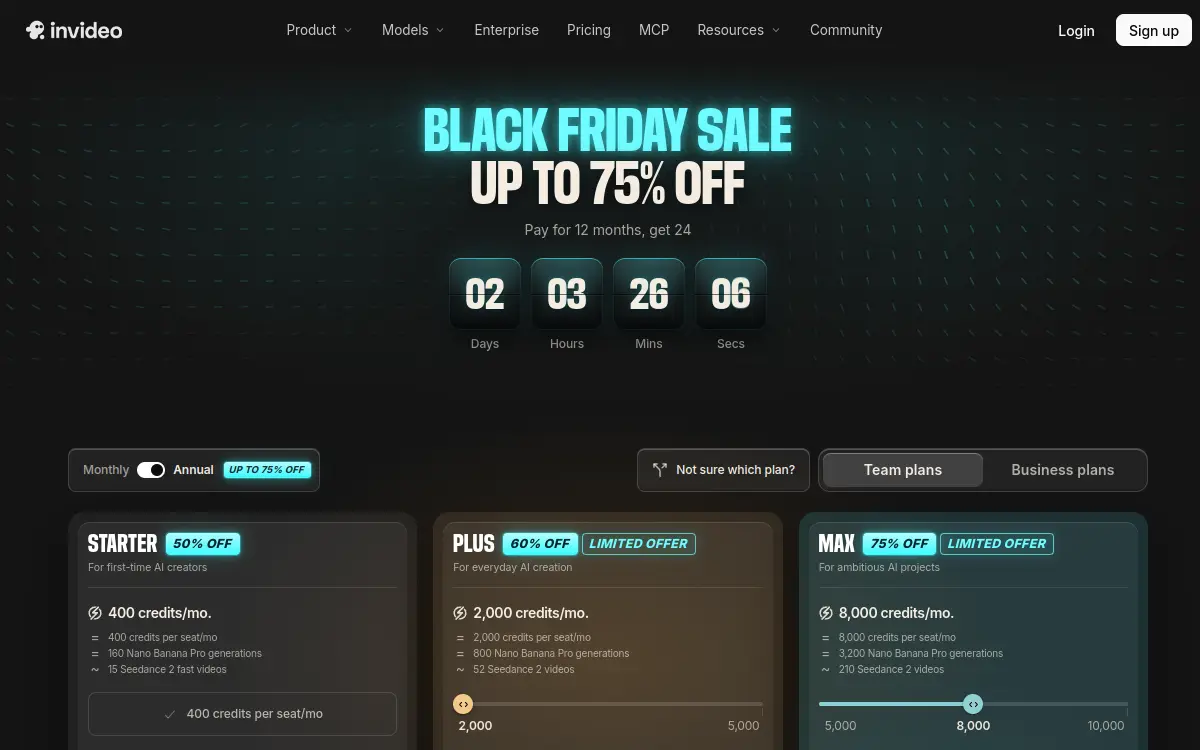
- Free plan · from $20/moA limited free plan with a weekly cap. Starter costs $20 a month on monthly billing; a Black Friday sale cut yearly prices to $10 a month per seat.
- Best for
- Turning a prompt or script into a full edited video with stock footage, voiceover and AI clips
- Founded
- 2017
InVideo AI · Video
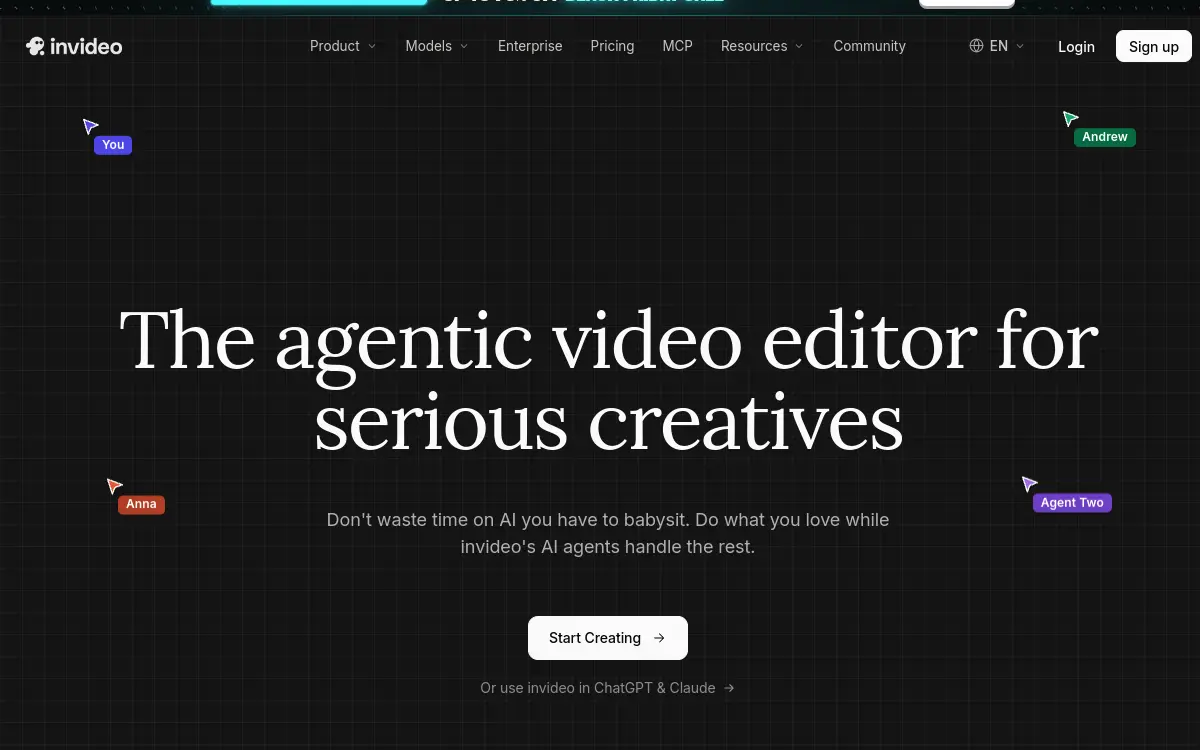
InVideo AI turns a prompt or script into a full edited video, with stock footage, voiceover, music and AI-generated clips. Its AI agents, called Agent Two, write the script, plan the shots and edit the result, and it uses models such as Seedance, Kling, Veo and Gemini Omni Flash.
What it does well
InVideo gets you from an idea to a finished marketing or YouTube video faster than any other tool here, with the clips already cut together. You describe the video, the agents assemble it, and a full multitrack timeline lets you fix anything by hand. G2 reviewers (4.2 from 184 reviews) say it's easy for non-editors. Outputs come with a perpetual licence to use them commercially.
Starter costs $20 a month on monthly billing for 400 credits, which InVideo says is about 15 Seedance 2.0 Fast videos. A Black Friday sale cut yearly prices to $10 a month per seat when we checked.
Where it falls short
AI video clips use credits quickly: Seedance 2.5 costs about 96 credits per 5 seconds at 1080p, and it's not on Starter. Credits don't roll over, and InVideo says it can change credit costs at any time. Its Trustpilot score is 1.8 from 1,032 reviews, with complaints about credits and refused refunds. The free plan has a weekly cap that the pricing page doesn't spell out, and free videos may carry a watermark.
Who should pick it
Choose InVideo AI if you need complete videos for social media, ads or YouTube from a script, and don't want to stitch clips together yourself.
What we like
- One plan covers many video, image and voice models, including Seedance, Kling and Veo
- AI agents handle script, shots, voiceover and edit from one brief
- A full multitrack timeline editor for manual fixes
Watch-outs
- Credits don't roll over, and AI video clips use them up fast
- Trustpilot score of 1.8, mostly about credits and refunds
- The free plan's limits aren't published on the pricing page
What reviewers say about InVideo AI
Recurring themes in public reviews on G2 and Trustpilot, summarized by our editors.
What reviewers praise
- Reviewers say the interface is easy for non-editors and prompt-based editing speeds up marketing videos.
- Users like having many AI models, such as Seedance and Kling, in one web app.
- Some describe it as a quick way for a small team to produce short promotional content.
What reviewers criticize
- Many say credits drain quickly, including on failed generations they then pay to fix.
- Refund requests are often refused once any credits have been used.
- Some report a confusing project structure, slow renders and output that ignores instructions.
| Plan | Price | What you get |
|---|---|---|
| Starter | $20/mo | 400 credits a month (about 15 Seedance 2.0 Fast videos), Agent Two Lite, timeline editor |
| Plus | $60/mo | 2,000 credits a month, Seedance 2.5 at 1080p, Agent Two Pro and Ultra |
| Max | From $150/mo | 5,000 credits a month (up to 10,000 for $300), lowest cost per credit |
| Team | $79/seat/mo | 1,600 credits per seat a month, 5 to 30 seats |
10. Luma Dream Machine
- Pricing
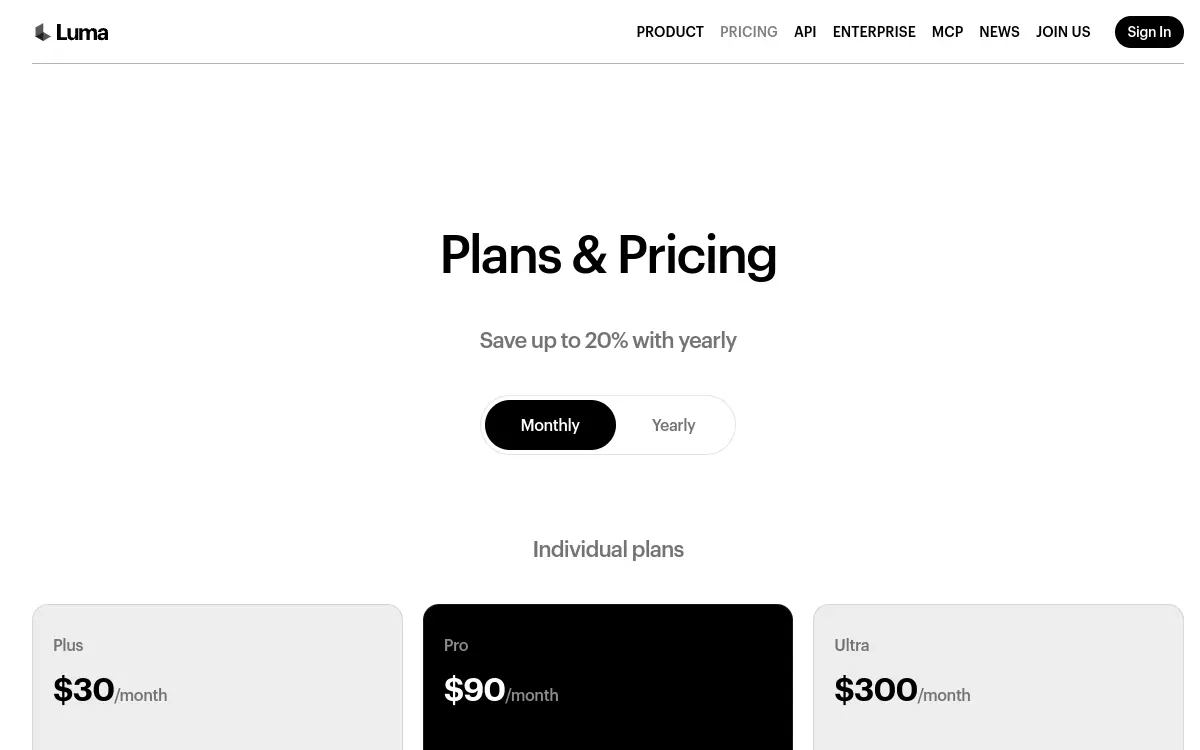
- No free plan · from $25/moThe pricing page lists no free plan. Plus costs $30 a month, or $25 a month billed yearly.
- Best for
- Video professionals who need HDR and EXR output and keyframe control
- Founded
- 2021 · Redwood City, USA
Luma Dream Machine · Video
Luma Dream Machine is the app from Luma AI, a Redwood City company founded in 2021. It's now built around Luma Agents, an AI creative workspace on an infinite canvas, and runs Luma's Ray3.2 model next to Veo 3.1, Kling 4.0, Seedance and Gemini Omni Flash.
What it does well
Luma is aimed at professionals. Ray3.2, released in June 2026, makes clips of up to 20 seconds at 1080p with native HDR and 16-bit EXR export, formats that matter in color grading and visual effects. You can set up to 16 keyframes per clip to control how a shot unfolds. The workspace also has voice, lip-sync, music and captions.
Plus costs $25 a month billed yearly for 10,000 credits and includes commercial use.
Where it falls short
There's no free plan on the pricing page. Ray3.2 is expensive at full quality: 400 credits per 5 seconds at 1080p, so Plus buys about 25 five-second 1080p clips a month, or 100 at 720p. Luma's own Ray models don't generate sound. Trustpilot gives Luma 1.4 from 72 reviews, with complaints about credits lost on failed generations and refused refunds, and G2 has only one review.
Who should pick it
Choose Luma if you're a video professional who needs HDR or EXR footage and precise keyframe control, and you'll pay for it.
What we like
- Ray3.2 makes clips up to 20 seconds at 1080p with native HDR and 16-bit EXR export
- Up to 16 keyframes per clip for storyboard-level control
- Veo 3.1, Kling 4.0 and Seedance sit next to Luma's own models
Watch-outs
- No free plan; paid plans start at $25 a month billed yearly
- Luma's own Ray models don't generate audio
- Trustpilot score of 1.4 from 72 reviews
What reviewers say about Luma Dream Machine
Recurring themes in public reviews on Trustpilot, summarized by our editors.
What reviewers praise
- When generations work, reviewers say the video quality is good.
- The built-in AI agent is described as helpful for planning scenes.
- Some like having voice, lip-sync and music tools in the same workspace.
What reviewers criticize
- Videos drift from the prompt or change characters, so clips need repeated regeneration.
- Credits disappear on failed or unwanted generations, and costs are hard to predict.
- Reviewers report refused refunds, charges after cancelling and slow support.
| Plan | Price | What you get |
|---|---|---|
| Plus | $30/mo ($25 billed yearly) | 10,000 credits a month, Luma and third-party video and image models, commercial use |
| Pro | $90/mo ($75 billed yearly) | 40,000 credits a month, 4x Luma Agents usage |
| Ultra | $300/mo ($250 billed yearly) | 150,000 credits a month, 15x Luma Agents usage |
| Team | Contact sales | Shared credits, member management, usage analytics, SSO |
What a year of each tool really costs
Monthly prices hide the real cost, because yearly discounts and seat rules vary. Here is what the entry paid plan costs one person for a year, and the cheapest way to give three people their own access, using yearly billing where the vendor shows a regular yearly price.
| Tool | Entry plan, 1 user, per year | Cheapest setup for 3 users, per year |
|---|---|---|
| About $60 (Google AI Plus, monthly billing) | About $180 (3 Google AI Plus plans) | |
| Runway | $100.80 (Standard) | $302.40 (3 Standard plans) |
| Adobe Firefly | About $120 (Standard, monthly billing) | About $360 (3 Standard plans) |
| Kling AI | $120 (Standard, list price, monthly billing) | $360 (3 Standard plans) |
| Synthesia | $168 (Starter) | $504 (3 Starter plans) |
| Seedance (Dreamina) | $167.99 (Basic, after a discounted first year) | About $504 (3 Basic plans) |
| Higgsfield | $228 (Starter) | $684 (3 Starter plans) |
| InVideo AI | $240 (Starter, monthly billing) | $720 (3 Starter plans) |
| HeyGen | $288 (Creator) | $864 (3 Creator plans) |
| Luma Dream Machine | $300 (Plus) | $900 (3 Plus plans) |
Google is the cheapest paid option by a wide margin, and its free daily credits are enough for many people. The entry plans of Runway, Firefly and Kling all cost around $100 to $120 a year, but they buy very different amounts of video. The yearly price says little about how much video you can make, so the next table works out the cost of a single clip.
What a 10-second AI video clip costs
Most tools sell credits, not seconds. Where the vendor publishes what a second of video costs, we worked out the price of one 10-second clip on the entry plan that includes the model, at its monthly price.
| Tool and model | Credits for 10 seconds | Cost on the entry plan |
|---|---|---|
| Google Flow, Omni Flash 1.2 at 720p | 30 | Free with the 50 daily credits, or about $0.75 of Google AI Plus ($4.99) |
| Luma, Ray3.2 at 720p | 200 | About $0.60 of Plus ($30) |
| CapCut, Seedance 2.5 | Priced per second | From $1.20 on Pro (first-month rate) |
| Runway, Gen-4.5 | 120 | About $2.30 of Standard ($12) |
| Adobe Firefly, Firefly Video at 720p | 500 | About $2.50 of Standard ($9.99) |
| Luma, Ray3.2 at 1080p | 1,200 | About $3.60 of Plus ($30) |
| Adobe Firefly, Firefly Video at 1080p | 1,000 | About $5.00 of Standard ($9.99) |
| InVideo AI, Seedance 2.5 at 1080p | About 192 | About $5.76 of Plus ($60) |
Kling, Higgsfield and Dreamina don't publish a credit cost per clip, and HeyGen doesn't publish one per minute, so they're not in the table. You rarely keep the first result either: reviewers of almost every tool say good clips take several tries, so budget for two or three generations per clip you use.
Free plans of the best AI video generators
Nine of the ten tools have a free plan, with very different limits.
| Tool | Free plan | What to watch |
|---|---|---|
| Google Flow | 50 credits a day | Clips up to 10 seconds; credits don't roll over |
| Seedance (Dreamina) | 120 credits a day | Watermark; credits expire daily |
| Adobe Firefly | Limited daily generations | Adobe doesn't say how many |
| Synthesia | 10 minutes of video a month | Watermark |
| HeyGen | 3 videos a month, up to 1 minute | Watermark |
| Runway | 125 credits, once | Watermark |
| Kling AI | One video per generation | Watermark, no commercial use |
| InVideo AI | Weekly usage cap | May carry a watermark |
| Higgsfield | No monthly credits | Watermark, limited models |
| Luma Dream Machine | None | Paid plans only |
For most people, Google Flow is the best free AI video generator. Dreamina is a good second for trying Seedance, and Synthesia's free minutes are the most useful free plan for presenter videos.
What happened to Sora?
OpenAI's Sora was one of the best-known AI video generators until 2026. OpenAI announced its shutdown in March 2026: the Sora app and website closed on April 26, 2026, and the Sora API on September 24, 2026, according to OpenAI's help center. So Sora isn't in this guide, and ChatGPT no longer makes videos on its own.
If you used Sora, the closest replacements are Google's Gemini Omni and Veo for short clips with sound and Kling 4.0 or Seedance 2.5 for longer, more cinematic scenes. Older guides still recommend Sora, so check the date of anything you read.
Models versus apps: what you're really buying
A video model is the AI that makes the clip, such as Kling 4.0, Seedance 2.5, Veo 3.1, Gemini Omni or Runway's Gen-4.5. An app is where you use it. Some companies make both (Google, Kling, Runway, Luma), and others mainly resell other companies' models in one subscription (Higgsfield, InVideo AI). Adobe Firefly, HeyGen and Synthesia do a bit of both.
The same model can cost very different amounts in different apps. Seedance 2.5 is in Dreamina, CapCut, Higgsfield, Runway, Adobe Firefly, HeyGen and InVideo AI, each with its own credit price. If you've already settled on one model, compare what a second of it costs in two or three apps before you subscribe.
How to choose an AI video generator
These six questions will narrow the list quickly.
- What kind of video do you make? Short clips from a prompt suit Google, Kling and Seedance. Edits to real footage suit Runway. Talking-presenter videos suit HeyGen and Synthesia, and complete marketing videos from a script suit InVideo AI.
- How long do clips need to be? Google stops at 15 seconds. Kling 4.0, Seedance 2.5 and Runway's Aleph 2.0 handle 30 seconds, and Luma's Ray3.2 handles 20.
- Do you need sound? Google, Kling and Seedance generate sound with the video. Luma's Ray models don't.
- Will you use it for clients or ads? Adobe Firefly has the clearest commercial terms. Avoid free plans that forbid commercial use, such as Kling's, and check whether your plan removes the watermark.
- How much video do you need each month? Work out what a second of video costs on the plan you're considering (see the table above), then budget for several tries per usable clip.
- Do you want one model or many? If you want to try everything, Higgsfield gives you most leading models in one subscription. If one model suits you, buying from its maker is usually simpler.
Which AI video generator is right for you?
- Beginner or zero budget: Google Flow's free daily credits, then Google AI Plus at $4.99 a month.
- Social media creator: Kling AI for longer, realistic clips, or Seedance if you already edit in CapCut.
- Filmmaker or video editor: Runway for editing real footage, plus Luma if you need HDR and EXR files.
- Marketer making ads and YouTube videos: InVideo AI for complete videos from a script, or Higgsfield for camera control across many models.
- Agency or brand work: Adobe Firefly for its commercial terms.
- Founder or salesperson who wants to appear on video: HeyGen for an avatar of yourself.
- Training and HR teams: Synthesia for training videos in many languages.
If you also need still images, see our guide to the best AI image generators. For scripts and captions, see the best AI writing tools.
Tools we considered but left out
- OpenAI Sora was discontinued in 2026: the app on April 26 and the API on September 24.
- Pika is still active and its Starter plan costs $10 a month ($8 billed yearly) for 600 credits. Its free plan has no monthly credits and no commercial licence. Next to its own models it now offers third-party ones such as Seedance 2.5 and Kling 4.0, as Higgsfield does.
- Hailuo AI from MiniMax appears in several other roundups, but its own pricing page showed no prices when we checked, so we couldn't verify its plans. MiniMax's H3 model is available in Higgsfield, InVideo AI and Luma.
- Midjourney can animate images into video on every plan, from $10 a month, but HD video starts on Standard at $30 a month. It's an image tool first; see our guide to the best AI image generators.
- CapCut is covered under Seedance: its AI video tools run on Seedance 2.5 and start with Pro at $19.99 a month.
- Pictory turns scripts and articles into videos with stock footage and voiceover. Its pricing page shows plans "From $25 per month" and a 14-day free trial; InVideo AI covers the same job with generated clips as well.
- Wan 2.2 is an open-source video model under the Apache 2.0 licence that you can run on your own computer; its smallest model needs a 24GB graphics card. It's a good choice for developers, not for most buyers.
How to write prompts that get better AI videos
The same habits improve results in every tool:
- Describe the shot like a director. Name the subject, the action, the setting, the light and the camera move: "slow dolly-in on a barista pouring latte art, warm morning light, shallow depth of field".
- Start from an image. Image-to-video gives you far more control over how the clip looks than text alone. Make or pick a strong first frame, then animate it.
- Keep each clip to one action. Long, busy prompts cause characters and objects to drift. Make several short clips and join them.
- Draft cheap, then upscale. Generate at 360p or 720p, or in a draft mode, until the motion is right, then spend credits on 1080p or 4K.
- Ask for sound on purpose. If the model makes audio, describe it: dialogue in quotes, ambient noise, music style.
- Check before you publish. Look closely at hands, faces, text and logos, and anything that resembles a real person or brand.
The verdict
Google's Gemini Omni and Veo are the best AI video generators for most people in 2026: you can make short clips with sound for free in Google Flow, and the paid plans start at $4.99 a month. Choose Kling AI for longer clips in 4K at a low price, Runway for editing real footage, Seedance for cinematic scenes with sound, Higgsfield for many models in one place and Adobe Firefly for commercial work. For presenter videos, pick HeyGen or Synthesia.
Start with Google Flow's free credits and Dreamina's free daily credits, give both the same prompt, and pay only when you hit a limit that matters to you.
Frequently asked questions
What is the best AI video generator in 2026?
For most people, Google's Gemini Omni and Veo models are the best AI video generators in 2026, because Google Flow gives 50 free credits a day and paid plans start at $4.99 a month. Kling AI is the best value for longer 30-second clips in up to 4K, Runway is best for editing real footage with AI, and Seedance 2.5 is a strong pick for cinematic clips with sound.
What is the best free AI video generator?
Google Flow is the best free AI video generator: every Google account gets 50 credits a day, enough for one 10-second 720p clip with Gemini Omni Flash or five short Veo 3.1 Lite clips. Dreamina gives 120 free credits a day for Seedance, while Kling, Runway, Higgsfield, HeyGen and Synthesia add a watermark to free videos.
Is Veo 3 free?
Yes, within limits. Google Flow gives every account 50 free credits a day, and a Veo 3.1 Lite clip costs 10 credits, so you can make about five short Veo clips a day for free. Making video inside the Gemini app needs a Google AI plan from $4.99 a month, and Veo 3.1 Fast and Quality leave Flow on December 5, 2026.
Can ChatGPT make AI videos?
Not on its own any more. OpenAI shut down the Sora app on April 26, 2026 and the Sora API on September 24, 2026, and Sora was its video generator. You can still make videos from ChatGPT through apps such as HeyGen, InVideo and CapCut, which have ChatGPT integrations.
What are the best Sora alternatives?
The best Sora alternatives are Google's Gemini Omni and Veo for a free daily allowance, Kling AI for long 30-second clips in 4K, Seedance 2.5 for cinematic clips with sound, and Runway for editing and filmmaking. Higgsfield gives you several of these models in one subscription.
Is CapCut AI free?
CapCut's editor is free, but its AI video tools, including Seedance 2.5, need Pro at $19.99 a month or Ultra at $79 a month. New users get a 7-day Pro trial, and Dreamina, ByteDance's AI studio, gives 120 free credits a day.
What is the easiest AI video generator to use?
The Gemini app is the easiest place to start: you type what you want, as in a chat, and get a short clip with sound. For talking-presenter videos, HeyGen and Synthesia are easiest because you only write a script, and InVideo AI turns a single prompt into a full edited video.
Which AI video generator is best for commercial use?
Adobe Firefly is the safest choice for commercial use, because Adobe says videos from its own Firefly Video model are safe for commercial use. Runway and Higgsfield let you use outputs commercially on every plan, while Kling's free plan doesn't allow commercial use. Higgsfield offers IP indemnification only on its Enterprise plan.
Sources
Prices, plans and published data were checked on each vendor's own website, and review ratings on the review sites listed, on Nov 28, 2026.
- [01]Google Gemini: video generation with Gemini Omni
- [02]Google AI plans: pricing and plans
- [03]Google Flow Help: manage your Flow credits
- [04]Google Flow Help: Flow models and supported features
- [05]Google: introducing Gemini Omni
- [06]Google: our story
- [07]Google Gemini reviews on G2
- [08]Google Gemini reviews on Trustpilot
- [09]Kling AI: pricing and plans
- [10]Kling AI: Kling 4.0 user guide
- [11]Kling AI reviews on Trustpilot
- [12]Kling AI reviews on G2
- [13]Wikipedia: Kuaishou
- [14]Runway: pricing and plans
- [15]Runway: free plan details
- [16]Runway: usage rights
- [17]Runway: introducing Gen-4.5
- [18]Runway: introducing Aleph 2.0 and Edit Studio
- [19]TechCrunch: Runway started by helping filmmakers
- [20]Runway reviews on G2
- [21]Runway reviews on Trustpilot
- [22]Dreamina: plans, credits and prices
- [23]Dreamina: pricing
- [24]CapCut Newsroom: Dreamina Seedance 2.5 launch
- [25]CapCut: Seedance 2.5 features
- [26]CapCut: pricing and plans
- [27]Dreamina reviews on Trustpilot
- [28]Wikipedia: ByteDance
- [29]Higgsfield: pricing and plans
- [30]Higgsfield: video models
- [31]Higgsfield: what the free plan includes
- [32]Higgsfield: ownership and commercial use
- [33]Higgsfield reviews on G2
- [34]Higgsfield reviews on Trustpilot
- [35]Adobe Firefly: AI video generator
- [36]Adobe Firefly: plans and pricing
- [37]Adobe: generative credits FAQ
- [38]Adobe: partner models in Adobe products
- [39]Adobe: fast facts
- [40]Adobe Firefly reviews on G2
- [41]HeyGen: pricing and plans
- [42]Wikipedia: HeyGen
- [43]HeyGen reviews on G2
- [44]HeyGen reviews on Trustpilot
- [45]Synthesia: pricing and plans
- [46]Wikipedia: Synthesia
- [47]Synthesia reviews on G2
- [48]Synthesia reviews on Trustpilot
- [49]InVideo AI: pricing and plans
- [50]InVideo AI: plan limits
- [51]InVideo AI: terms and conditions
- [52]Inc42: InVideo company profile
- [53]InVideo AI reviews on G2
- [54]InVideo AI reviews on Trustpilot
- [55]Luma: pricing and plans
- [56]Luma: Dream Machine
- [57]Luma: introducing Ray3.2
- [58]Luma: about
- [59]Luma reviews on Trustpilot
- [60]OpenAI Help Center: what to know about the Sora app discontinuation
- [61]Pika: pricing
- [62]Midjourney: comparing plans
- [63]Pictory: pricing
- [64]Wan 2.2 on GitHub

About the author
Dan Paul · Founder, TopTool
Dan Paul is a developer turned founder. He runs TopTool, writes its buyer's guides for SEO, AI and marketing tools, and checks every price and plan limit on the vendor's own website.